🌡️ Thermal Paste Shelf Life Calculator
Estimate tube & applied lifespan based on brand, storage, and usage conditions
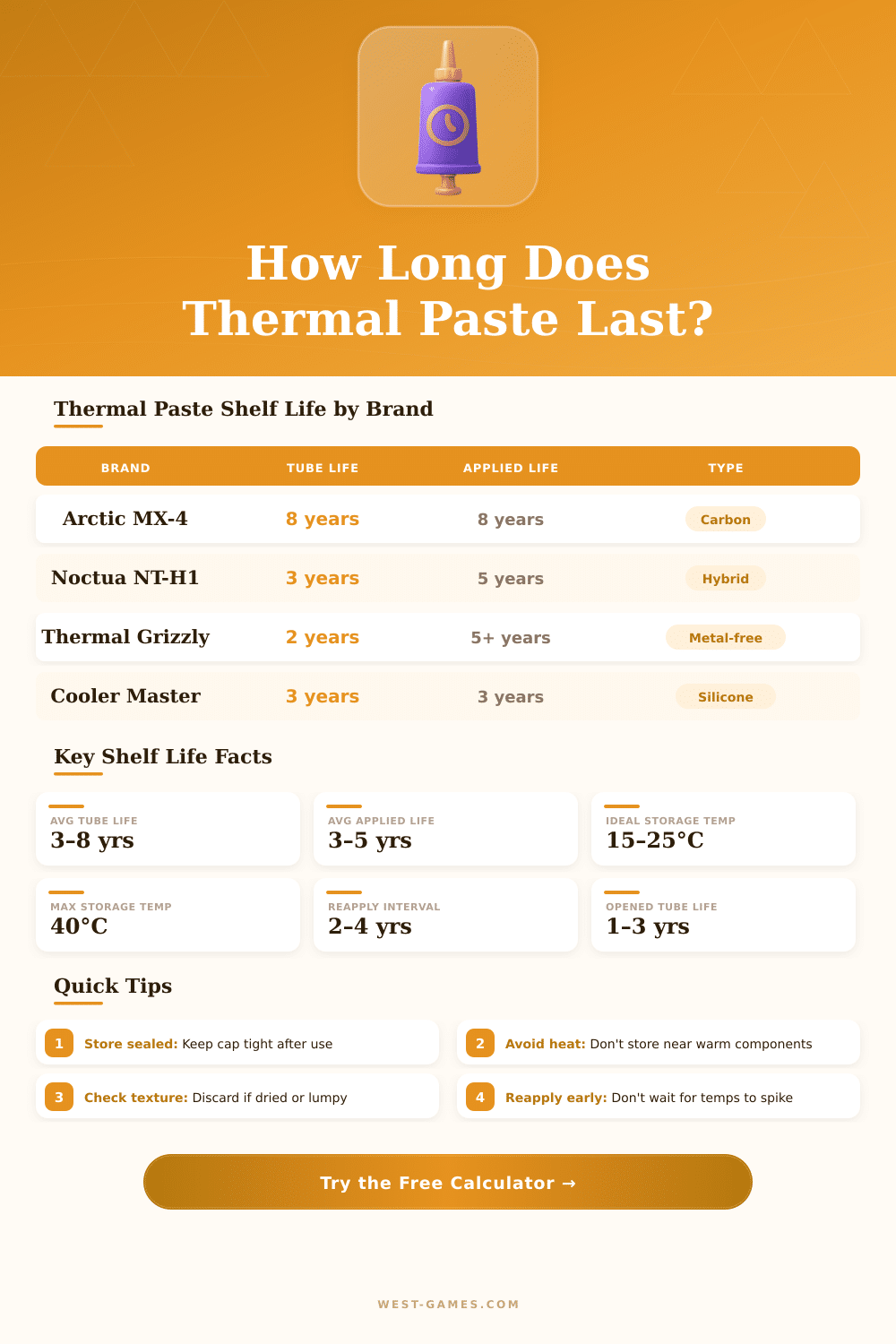
| Brand / Product | Tube Life (Sealed) | Tube Life (Opened) | Applied Life | Type | Rating |
|---|---|---|---|---|---|
| Arctic MX-4 / MX-6 | 8 years | 3–4 years | 8 years | Carbon-based | Excellent |
| Noctua NT-H1 | 3 years | 1–2 years | 5 years | Hybrid | Very Good |
| Noctua NT-H2 | 5 years | 2–3 years | 5 years | Hybrid | Excellent |
| Thermal Grizzly Kryonaut | 2 years | 1 year | 5+ years | Polysynthetic | Very Good |
| Thermal Grizzly Extreme | 3 years | 1–2 years | 5+ years | Polysynthetic | Very Good |
| Arctic Silver 5 | 3 years | 2 years | 7+ years | Silver-particle | Very Good |
| Cooler Master MasterGel | 2 years | 1 year | 3 years | Silicone | Average |
| IC Diamond | 3 years | 1–2 years | 5+ years | Diamond/Zinc | Very Good |
| Liquid Metal (Conductonaut) | Indefinite | Indefinite | 7+ years | Gallium alloy | Excellent |
| Generic / No-Name | 1–2 years | 6–12 months | 1–2 years | Silicone | Poor |
| Storage Temp | °F Equivalent | Life Multiplier | Condition | Recommendation |
|---|---|---|---|---|
| Below 10°C | Below 50°F | 1.3× (longer) | Cool / Fridge | Allow warm-up |
| 10–20°C | 50–68°F | 1.1× (longer) | Cool Room / Basement | Ideal |
| 20–25°C | 68–77°F | 1.0× (baseline) | Room Temp | Optimal |
| 25–35°C | 77–95°F | 0.8× (shorter) | Warm Room / Summer | Acceptable |
| 35–45°C | 95–113°F | 0.55× (shorter) | Hot / Near PC | Avoid |
| Above 45°C | Above 113°F | 0.35× (much shorter) | Extreme Heat | Replace Soon |
| Symptom | Typical Cause | CPU Temp Change | Action |
|---|---|---|---|
| CPU temps risen 5–10°C | Paste drying out | +5 to +10°C | Reapply Soon |
| CPU temps risen 10–20°C | Significant degradation | +10 to +20°C | Reapply Now |
| Thermal throttling occurs | Paste fully dried | +20°C or more | Urgent |
| PC shutting down randomly | Overheat protection | Near TJMax | Immediate |
| Dried / cracked when removed | Age + heat cycles | Varies | Replace |
| Slight temp increase (2–4°C) | Normal early wear | +2 to +4°C | Monitor |
thermal paste have many names. One also calls it thermal compound, thermal fat, heat transfer pulp, thermal gel, fat for CPU, heat sink compound and thermal interface material or TIM. It does not matter as one calls it, the task that it does stays the same.
thermal paste is made up of heat transfer compound that one lays between the CPU and its heat sink. Surfaces of chips and bases of heat sinks are covered by means of little tiny holes and bumps. That air that gets caught in those spaces works as insulation.
What is thermal paste and how to use it
Thermal paste stuffs those holes and removes the air, so that heat can move more easily from the chip to the heat sink. It acts as seal or bridge for heat transfer. Without it heat builds up, and the chip does not manage to stay cold enough to work without danger.
The layer of pulp must be as thin as possible. If one applies too much, that indeed raises the thermal resistance instead of lowering it. A drop no bigger than half a pea works for a pair of CPU and heat sink, whether in a laptop or desktop computer.
A common way is to lay a little dot in teh centre of the CPU and then press the heat sink down. The pressure spreads the pulp and pushes out the air. One can also try an X-shaped pattern, because it reduces risk of tiny bubbles.
If one spreads the pulp before by means of a tool, it sometimes catches tiny pockets, when the surfaces are not fully flat.
There are several well known brands of thermal paste. Arctic MX-4 carries carbon particles, that stuff those little surface holes and give very high heat flow. Heat goes quickly from the CPU or GPU.
Arctic makes also MX-5, MX-6 and MX-7. Thermal Grizzly Kryonaut ranks among the most effective choices, but it does not cost little and applies hardly. Noctua NT-H1 is another favorite that does knot have metals.
Chieftec KPx forms a reliable replacement, that claims to last six to eight years, matching Kryonaut in heat performance for lower cost.
Provided heat sinks commonly come with thermal paste already applied. That pre-applied pulp can last years. One device ran eight years with provided pulp without any troubles.
How long it lasts depends on temperature, changes in temperature and number of warm cycles that the pulp passes through. Strong usage and high temperatures wear it out more soon. Replacing pulp in a laptop can drop temperatures clearly, sometimes by around seven degrees or more.
Liquid metal does not work for average users and mosthelps for big overclocking records. The best thermal paste works well only for everyday computers.