🖥️ Gaming PC Lifespan Calculator
Estimate how long your gaming PC will last based on your components, usage habits, and maintenance
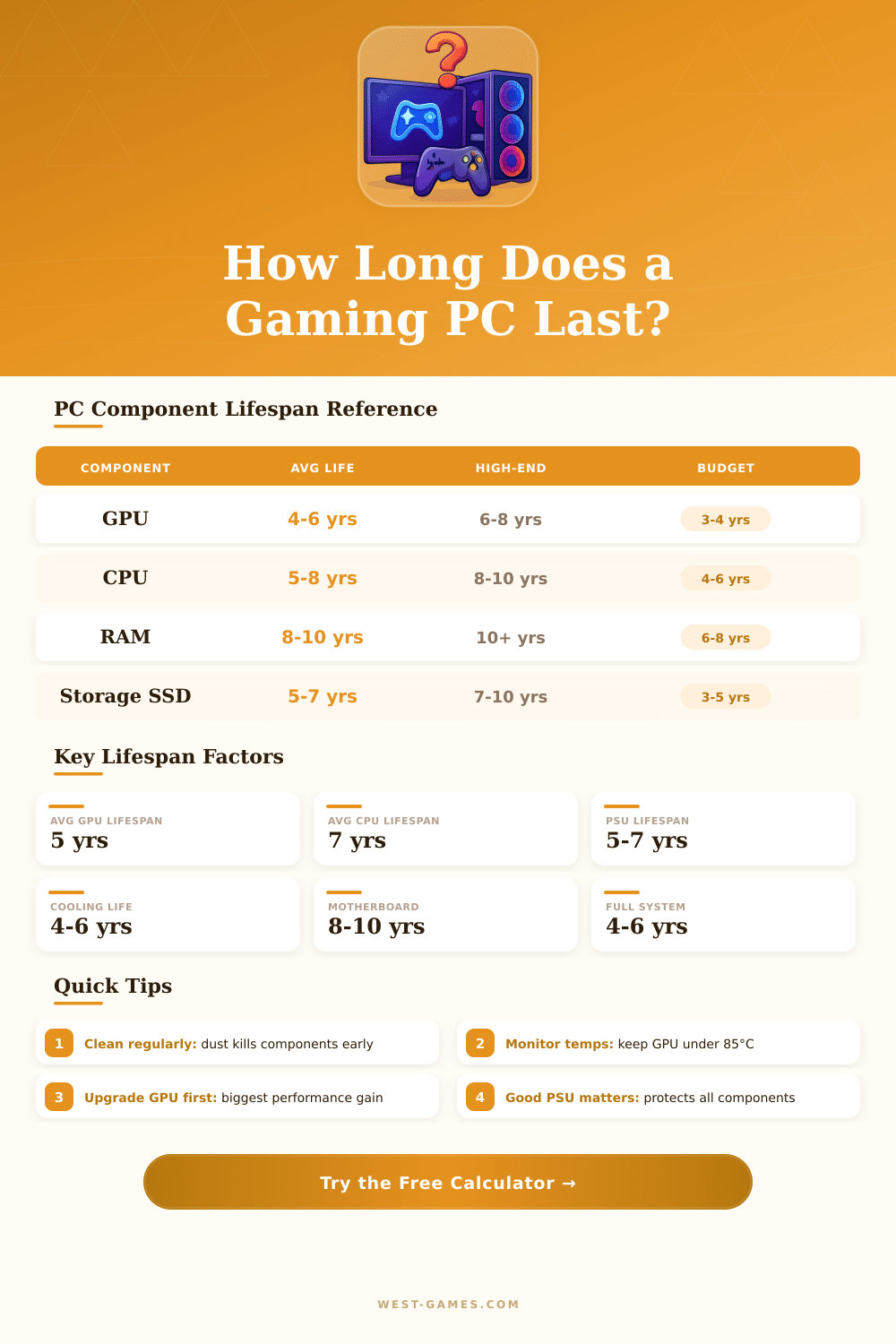
| Component | Budget Tier | Mid-Range | High-End | Limiting Factor |
|---|---|---|---|---|
| GPU | 3–4 years | 4–6 years | 6–8 years | Game requirements rise fastest |
| CPU | 4–6 years | 6–8 years | 8–10 years | Core count & IPC improvements |
| RAM (16 GB) | 6–8 years | 7–10 years | 10+ years | Capacity requirements increase |
| NVMe SSD | 5–7 years | 6–9 years | 8–10 years | TBW write endurance limit |
| SATA SSD | 4–6 years | 5–8 years | 7–10 years | NAND cell wear |
| HDD | 3–5 years | 4–6 years | 5–8 years | Mechanical failure risk |
| PSU | 3–5 years | 5–7 years | 7–10 years | Capacitor aging |
| Motherboard | 6–8 years | 8–10 years | 10–12 years | Socket/platform obsolescence |
| CPU Cooler | 4–6 years | 5–8 years | 7–10 years | Fan bearing wear, pump life |
| Year Range | Min VRAM | Recommended RAM | Typical GPU Class | Storage Need |
|---|---|---|---|---|
| 2018–2020 | 4 GB | 8 GB | GTX 1060 / RX 580 | 256 GB SSD |
| 2021–2022 | 6 GB | 16 GB | RTX 3060 / RX 6600 | 500 GB SSD |
| 2023–2024 | 8 GB | 16–32 GB | RTX 4070 / RX 7800 XT | 1 TB NVMe |
| 2025–2026 (est.) | 10–12 GB | 32 GB | RTX 5070 class | 2 TB NVMe |
| PC Age | Performance Status | Recommendation | Best Upgrade |
|---|---|---|---|
| 0–2 years | Excellent | No action needed | Add more RAM/storage |
| 2–4 years | Good | Monitor game requirements | GPU upgrade if struggling |
| 4–6 years | Aging | Plan GPU upgrade | New GPU + more RAM |
| 6–8 years | Outdated | Consider new platform | CPU + Motherboard + RAM |
| 8+ years | End of Life | New build recommended | Full system replacement |
A Gaming PC is a computer built to handle all kinds of games, from simple indie titles to the most heavy AAA products. The goal is smooth play without any delay or slowdown. Many companies offer ready-made Gaming PC builds, and there are also custom options where the buyer can choose every part.
Ibuypower offers custom Gaming PC builds with a lot of personal choices along with ready-made, immediately usable models. NZXT offers high-performance ready-made Gaming PC builds and great parts like cases, cooling systems and motherboards. CLX Gaming PC builds carry the newest parts from Intel, AMD and Nvidia.
How to Buy and Build a Gaming PC
Xidax makes custom Gaming PC builds for competitive players, streamers and fans. Best Buy also sells Gaming PC laptops, computers, PC-games and extras.
When one chooses a custom setup, there are four main types of sizes: small form, mid tower, full tower and even bigger tower. Some builds use overclocked chips and liquid cooling for better performance. XOTIC PC offers cheap entry-level computers, built in efficient cases with high airflow like the Fractal Focus, Fractal Pop, MSI MAG Bread and P100Z.
Building a Gaming PC yourself can save money. Even if one starts without some knowledge, two weeks of casual videos about computer building are enough to feel comfortable during choice of parts. When one builds a computer, there are about eight main parts that one must consider.
The CPU forms the core of the computer and determines how complicated the programs it can handle. For MMO-games, MOBAs or heavy video editing, a high-quality CPU matters. The motherboard connects all parts and allows their communication.
A good motherboard needs the main ports and compatibility for the CPU and RAM.
For entry-level builds, 8 GB of DDR4-2400 RAM works well and is much more fast than DDR3. The AMD Radeon RX 560 reaches performance similar to that of the card in Xbox or PS4. Western Digital Blue 1 TB solid drive gives enough space four games.
A good Gaming PC can be put together for around 600 dollars and then it runs many games well.
For casual players, APUs like the Ryzen 5 3400G, Ryzen 3 3200G and Ryzen 5 4650G can run games in 1080p without need of an extra graphics card. The Ryzen 5 5600X with 3060 Ti reaches high frames in 1440p and can even handle many games in 4K and 60 fps.
Steam is the main digital store for PC-games. Games often receive discounts here, and bundles allow even bigger savings. Switching from console to PC-gaming does not need big changes or troubles.
Care almost only means removing dust every two months. Black Fridaysales help to also lower prices of parts.