💾 SSD Lifespan Calculator
Estimate how long your solid state drive will last based on usage & TBW rating
| NAND Type | P/E Cycles | Bits/Cell | Endurance | Typical Use |
|---|---|---|---|---|
| SLC | 50,000 – 100,000 | 1 bit | ⭐⭐⭐⭐⭐ | Enterprise / Industrial |
| MLC | 3,000 – 10,000 | 2 bits | ⭐⭐⭐⭐ | Pro / Workstation |
| TLC | 1,000 – 3,000 | 3 bits | ⭐⭐⭐ | Consumer / Mainstream |
| QLC | 100 – 1,000 | 4 bits | ⭐⭐ | Budget / Read-Heavy |
| PLC | ~100 | 5 bits | ⭐ | Cold Storage / Archival |
| Model | Capacity | TBW | Interface | NAND | Est. Life (20GB/day) |
|---|---|---|---|---|---|
| Samsung 870 EVO | 1 TB | 600 TBW | SATA III | TLC | ~82 years |
| WD Blue SN580 | 1 TB | 600 TBW | NVMe PCIe 4.0 | TLC | ~82 years |
| Samsung 980 Pro | 1 TB | 600 TBW | NVMe PCIe 4.0 | TLC | ~82 years |
| Crucial MX500 | 1 TB | 360 TBW | SATA III | TLC | ~49 years |
| Kingston A400 | 480 GB | 160 TBW | SATA III | TLC | ~22 years |
| WD Green | 240 GB | 80 TBW | SATA III | TLC/QLC | ~11 years |
| Seagate Barracuda Q5 | 1 TB | 180 TBW | NVMe PCIe 3.0 | QLC | ~25 years |
| Samsung 990 Pro | 2 TB | 1,200 TBW | NVMe PCIe 4.0 | TLC | ~164 years |
| User Type | Daily Writes (GB) | Main Activities | Risk Level |
|---|---|---|---|
| Light Home User | 5 – 10 GB | Browsing, docs, streaming | Very Low |
| Office Worker | 10 – 20 GB | Files, email, light apps | Low |
| PC Gamer | 20 – 40 GB | Game installs, saves, patches | Moderate |
| Content Creator | 40 – 100 GB | Video editing, rendering | Moderate–High |
| Software Developer | 20 – 60 GB | Compiling, VMs, databases | Moderate |
| Server / NAS | 100 – 500 GB | Continuous read/write ops | High |
| Video Surveillance | 500+ GB | Continuous recording | Very High |
Solid State Hard Drive, usually called SSD, are made up of tiny devices that use circuits for storing information. Rather than traditional hard disk drives, it does not have spinning parts inside. SSDs depend on non-volatile memory, most commonly NAND-flash, for keeping data.
That type of memory also operates in flash memory. Because of absence of moving parts SSDs weigh less and seem more reliable than hard disk drives.
What is an SSD and why it is useful
SSDs already almost entirely replaced hard disk drives as mainstream storage in the majority of new computers. They read and write information much more quickly. Both operations happen more smoothly, and the loading of programs gives smiother experience.
Although hard disk drives sometimes offer more storage in certain situations. The cost for unit of capacity stays much more high at SSDs than at hard drives, that reaches huge volumes. Standard hard disk drives can keep tens of terabytes, while SSDs recently start to arrive to similar levels.
For instance, a 16-terabyte SSD fits in one M.2 slot without need of extra form. Business SSDs even reach up to 100 terabytes, but they cost very a lot.
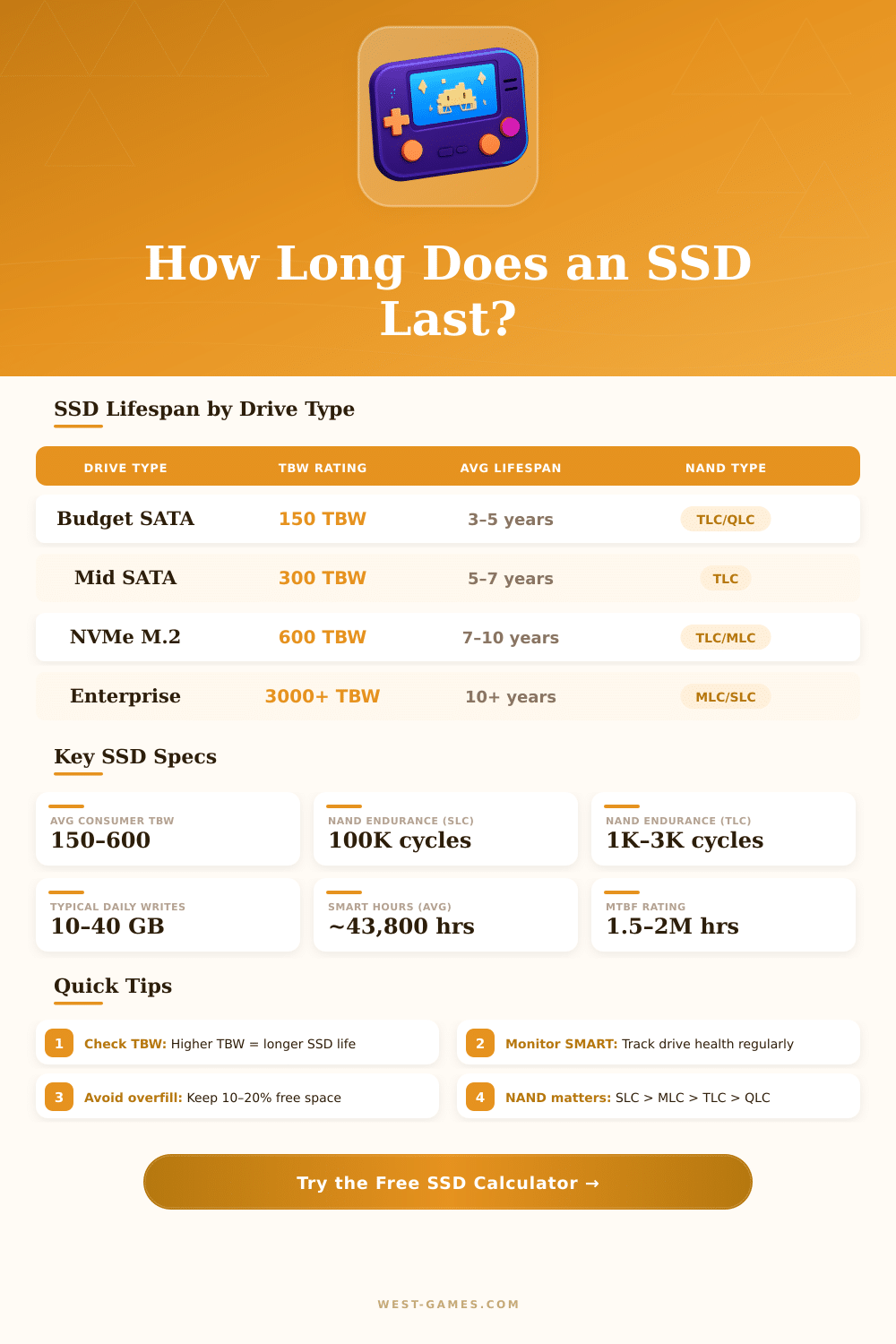
SSDs last well during long time. Every write too a cell in the memory a bit later weakens it, until the cell becomes unusable. The best SSDs offer lifetime of hundreds of terabytes written, and average users rarely pass that.
In theory, if a Solid State Hard Drive is only used for reading, it could serve forever.
For video games, SSDs truly improve the time of loading. Games installed on SSD load more quickly, from double speed up to more than seven times compared to typical internal hard drive. Hard drive must physically turn the disk and move the head to find data, what takes more time.
On the other hand, after game data loads in the RAM, the storage no longer affects the action. The memory has only little role in the smoothness of play. A Solid State Hard Drive works for video games, because each visible difference between PCIe 3.0 and 4.0 disappears for most games.
NVMe drives speed up installation and update of games however.
Reliable brands of SSDs are Samsung, Crucial, Western Digital, SanDisk, ADATA and KIOXIA. Samsung drives are known for low error rates, although they usually cost a bit more. Kingston and Micron drives are also seen as reliable.
The Steam Deck, popular gaming console, has swappable SSD inside, what helps when game sizes grow. New Gen 5 NVMe drives reach read speeds up to 14 900 MBeach second, almost double than those of Gen 4.