🎯 Warzone eDPI Calculator
Calculate your effective DPI, compare with pros, and find your ideal Warzone sensitivity.
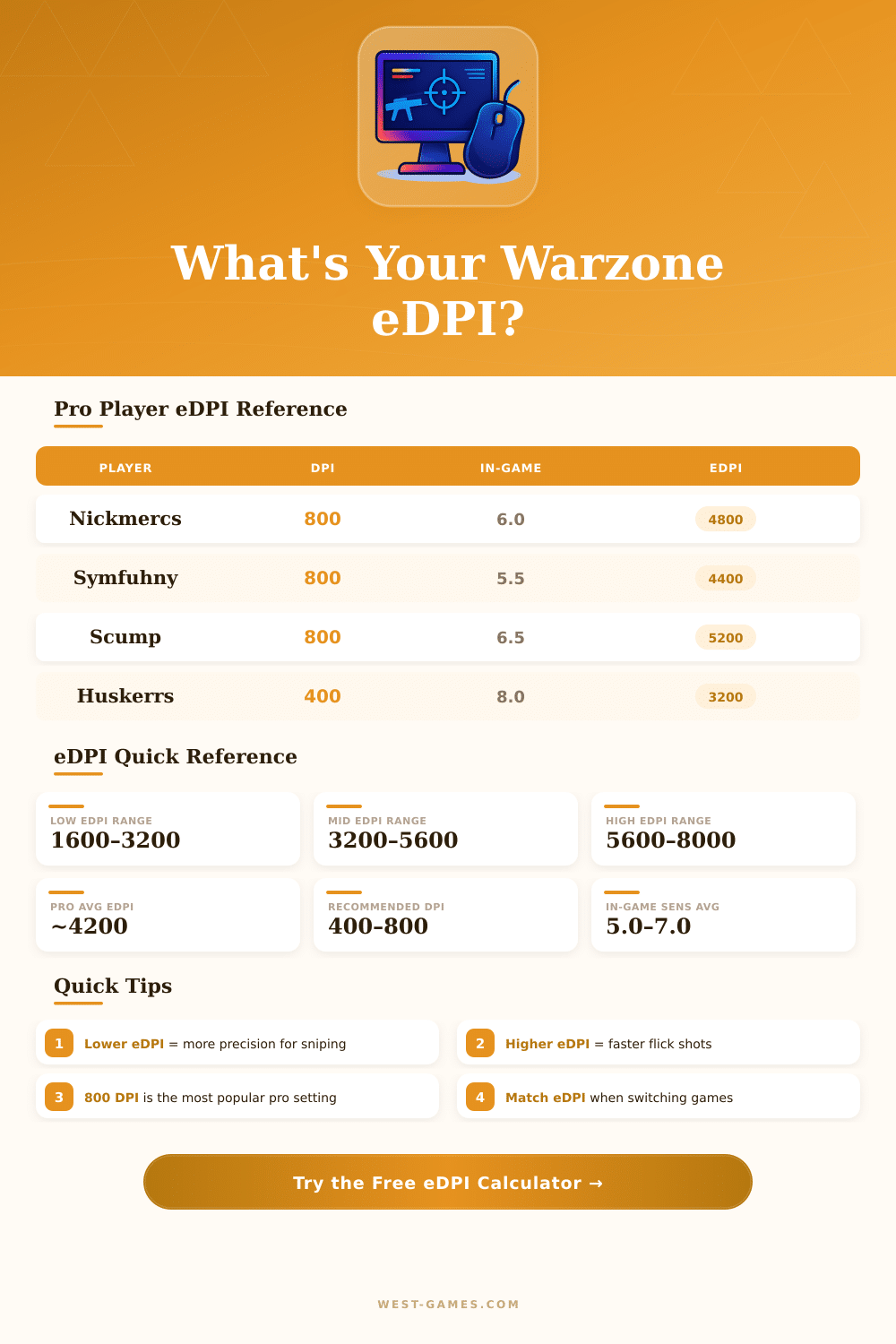
| Player | DPI | In-Game Sens | eDPI | ADS Mult | Mousepad |
|---|---|---|---|---|---|
| Nickmercs | 800 | 6.0 | 4800 | 1.0 | XL |
| Symfuhny | 800 | 5.5 | 4400 | 0.9 | XL |
| Huskerrs | 400 | 8.0 | 3200 | 1.0 | XL |
| Scump | 800 | 6.5 | 5200 | 1.0 | Large |
| Nadia | 800 | 7.0 | 5600 | 1.0 | XL |
| Aydan | 800 | 6.0 | 4800 | 1.0 | XL |
| IceManIsaac | 400 | 9.0 | 3600 | 1.0 | Large |
| Jukeyz | 800 | 5.0 | 4000 | 0.9 | XL |
| eDPI Range | Category | Best For | Recommended Mousepad |
|---|---|---|---|
| 800 – 2400 | Very Low | Long-range sniping, precision | XL Extended (>80cm) |
| 2400 – 3600 | Low | Snipers, DMR players | Large / XL |
| 3600 – 5200 | Medium | All-around, most pros | Medium / Large |
| 5200 – 7200 | High | Aggressive pushers, SMG | Medium |
| 7200+ | Very High | Close-range only | Small / Medium |
| eDPI Target | 400 DPI Sens | 800 DPI Sens | 1600 DPI Sens | 3200 DPI Sens |
|---|---|---|---|---|
| 2400 | 6.0 | 3.0 | 1.5 | 0.75 |
| 3200 | 8.0 | 4.0 | 2.0 | 1.0 |
| 4000 | 10.0 | 5.0 | 2.5 | 1.25 |
| 4800 | 12.0 | 6.0 | 3.0 | 1.5 |
| 5600 | 14.0 | 7.0 | 3.5 | 1.75 |
| 6400 | 16.0 | 8.0 | 4.0 | 2.0 |
| 8000 | 20.0 | 10.0 | 5.0 | 2.5 |
EDPI, or effective dots per inch, matter a lot for how well you succeed in Warzone. The calculation is easy: simply multiply your DPI of the mouse by your in-game sensitivity that you set. For instance, some with 800 DPI and 5.0 sensitivity receives EDPI of 4000.
Like this you can compare the settings of various players, whether in the same game or between different titles.
How to Choose the Right EDPI and Mouse Sensitivity for Warzone
There are free calculators for EDPI, special for games of Call of Duty, and they work for Warzone, Modern War, MW2, MW3 and Black Operations: Cold War. They use a simple formula, enter your in-game sensitivity here, your mouse DPI here, press the button and boom, your EDPI will appear right away. The program does everything based only on those two values.
Also, sensitivity converters for Warzone help to carry your settings to other games. They give not only the new sensitivity, but also your EDPI, inches for 360-degree turn and centimetres for 360. It is useful, when you jump between games and want to avoid starting everything form nothing.
In Warzone the ideal EDPI values sit between 3000 and 8000, but according to many players the comfortable range is from 2000 to 6000, after you tune it through testing and mistakes. The most commonly successful number is around 4800, which comes from 800 DPI with 6.0 in-game sensitivity. When you change the settings, I advise to sleep on it, let your muscle memory adapt, then go back into the game to check, how the new sensitivity feels.
A bit of folks favour low values though. I met players with 800 DPI and 2.5 sensitivity, which gives only 2000 EDPI. That is very slow territory.
On the other hand, lovers of wrist-aiming sometimes use 7200 EDPI or more. Dropping such wrist-aiming to around 4800 helps too improve your moves and aim at medium to long distance. Level tracking can feel weird at first, and vertical aiming becomes more sensitive.
Changing from wrist-aiming to full arm-aiming happens commonly. Wrist-aiming with high sensitivity works well, until mistakes in shots start to build up. Arm-aiming with low sensitivity usually improves your accuracy over time.
For many games, 20 to 30 centimetres for 360-degree turn feels good. In Warzone it is a bit different, 25 to 45 centimetres for 360 is the best. About DPI, 800 to 1600 work well.
Lower values start to feel rough.
The sensitivity for ADS deserves your attention also. Some players set it to 1.0, so that aiming in sights feels same as hip-fire. Others set it differently.
Finding the right balance between fast turning andprecise aiming requires time for experiment.