🧠 Memory Bottleneck Calculator
Diagnose RAM bandwidth limits, channel efficiency, and memory saturation for your CPU & workload
| RAM Type & Speed | Bandwidth (Single Ch) | Bandwidth (Dual Ch) | Typical Latency | Use Case |
|---|---|---|---|---|
| DDR3-1600 | 12.8 GB/s | 25.6 GB/s | CL9–11 | Legacy Systems |
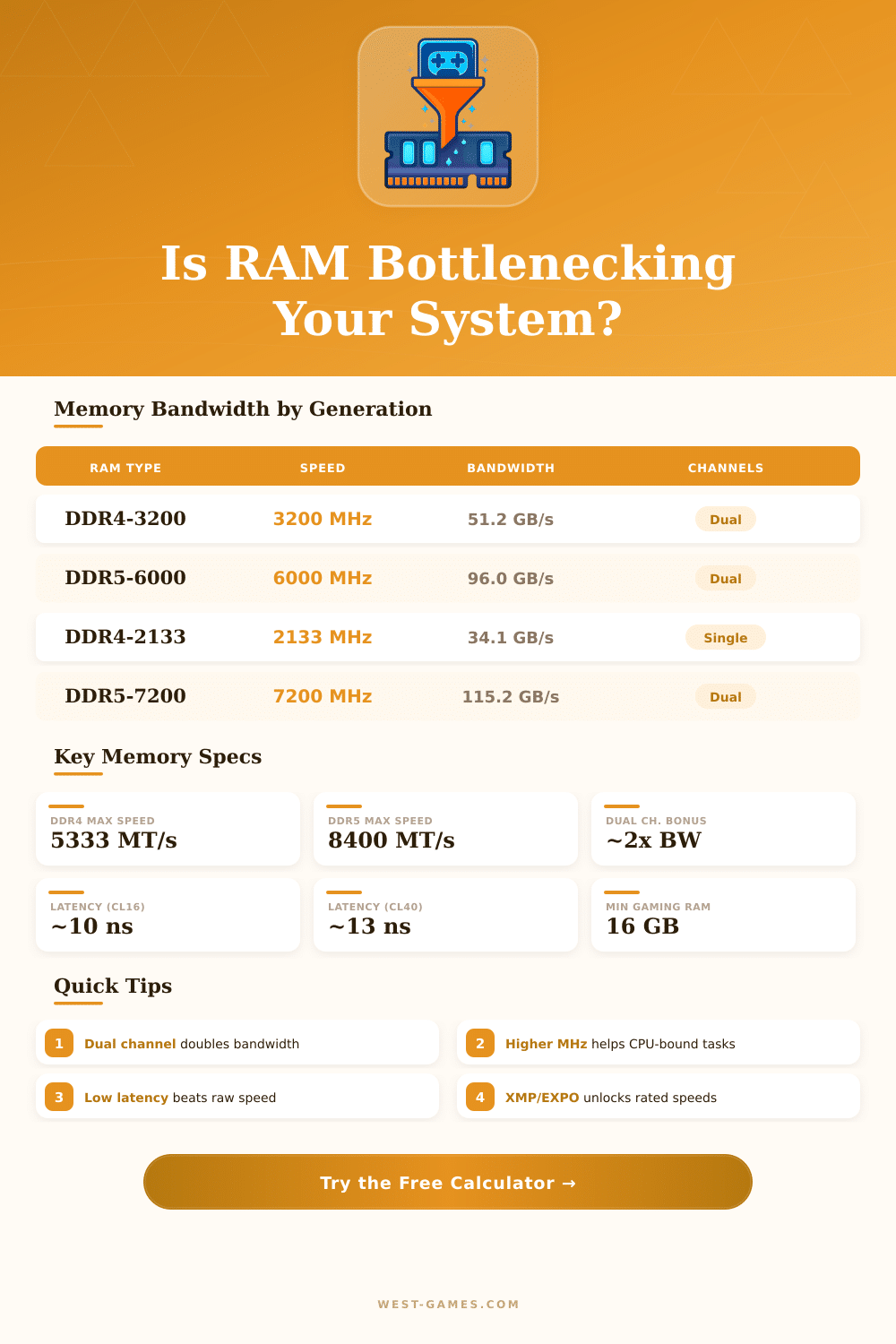
| DDR3-2133 | 17.1 GB/s | 34.1 GB/s | CL11–13 | Legacy / Budget |
| DDR4-2400 | 19.2 GB/s | 38.4 GB/s | CL15–17 | Entry Level |
| DDR4-3200 | 25.6 GB/s | 51.2 GB/s | CL14–16 | Sweet Spot |
| DDR4-3600 | 28.8 GB/s | 57.6 GB/s | CL16–18 | Gaming Optimal |
| DDR4-4000 | 32.0 GB/s | 64.0 GB/s | CL17–19 | Enthusiast |
| DDR5-4800 | 38.4 GB/s | 76.8 GB/s | CL38–40 | DDR5 Entry |
| DDR5-6000 | 48.0 GB/s | 96.0 GB/s | CL30–36 | DDR5 Sweet Spot |
| DDR5-7200 | 57.6 GB/s | 115.2 GB/s | CL34–38 | Enthusiast |
| LPDDR5-8533 | 34.1 GB/s | 68.3 GB/s | CL40+ | Laptop / Mobile |
| Workload | Min Bandwidth | Recommended | Min RAM | Channel Mode |
|---|---|---|---|---|
| General Office / Web | 15 GB/s | 25 GB/s | 8 GB | Single OK |
| Gaming (Discrete GPU) | 30 GB/s | 51 GB/s | 16 GB | Dual Required |
| Gaming (Integrated GPU) | 50 GB/s | 80 GB/s | 16 GB | Dual Critical |
| 1080p Streaming + Gaming | 40 GB/s | 60 GB/s | 16 GB | Dual Required |
| 4K Video Editing | 50 GB/s | 90 GB/s | 32 GB | Dual/Quad |
| CAD / 3D Rendering | 40 GB/s | 80 GB/s | 32 GB | Dual Required |
| Virtualization / VMs | 40 GB/s | 100 GB/s | 64 GB | Dual/Quad |
| Server / Database | 60 GB/s | 200 GB/s | 128 GB | Quad/Octa |
| RAM Config | Speed (MT/s) | CAS (CL) | True Latency (ns) | Rating |
|---|---|---|---|---|
| DDR4-3200 CL14 | 3200 | CL14 | 8.75 ns | Excellent |
| DDR4-3200 CL16 | 3200 | CL16 | 10.0 ns | Good |
| DDR4-3600 CL16 | 3600 | CL16 | 8.89 ns | Excellent |
| DDR4-3600 CL18 | 3600 | CL18 | 10.0 ns | Good |
| DDR5-4800 CL40 | 4800 | CL40 | 16.67 ns | Moderate |
| DDR5-6000 CL30 | 6000 | CL30 | 10.0 ns | Excellent |
| DDR5-6000 CL36 | 6000 | CL36 | 12.0 ns | Good |
| DDR5-7200 CL34 | 7200 | CL34 | 9.44 ns | Excellent |
Memora congestion happens when the whole speed of your computer drops because of the RAM, that does not deliver fast enough, maybe it simply lacks it, it runs too slowly or there is memory damage, that steals the available space. The word “congestion” describes anything, what becomes the weak spot, that slows the whole system. If one part of your device needs more available resources than another can give, that scarce resource runs out, while the other sits there with useless extra.
Here this becomes a problem for almost all computers: the speed of RAM can truly limit the power of the chip. Usually the CPU is the fastest part of the whole system, but it often must wait idle, that data will arrive from the memory. The chips improved much more than the DRAM-interface over the years.
How Memory Can Slow Down Your Computer
Will that gap between the skill of your CPU and the skill of your memory last? Yes, it already is a challenge, and honestly, it only will get worse.
One usually notices a memory bottleneck, when the use of your computer reaches 95% or more of the installed RAM. Many folks find, that 16 GB is enough for playing games and everyday programs, although professionals maybe need more. When the system ends the available memory, Windows moves data to the hard drive, and then starts the real slowness.
The memory bottleneck commonly happens in the virtual memory, also called page file, that then loads itself too heavily because of the real need.
The impact in games depends truly on fast and enough RAM. Your device needs fast supply four temporary data, that the CPU and GPU can safely use. Interesting fact: usage of only one RAM-stick splits the data path in two.
For gaming, the ideal is two sticks of 8 GB in double channel. Fast memory helps clearly, especially with Ryzen-chips. Without enough amount, you will experience stuttering or will see, that the CPU and recording uses everything to the maximum.
When the system runs out of its VRAM, the game will not simply end well, it starts to take from the main memory, and then the speed falls, because parts of the program now work from much slower storage. As games become more demanding, 8 GB VRAM seems less reliable for 1080p to 1440p. The good news? New graphics cards come with bigger sizes, up to 96 GB.
That extra GDDR helps to keep big game worlds, detailed images and AI-models in memory, what reduces those sad limits.
The real challenge in artificial intelligence does not limit to better algorithms; it depends on having the best memory. The physical base decides, how quickly one can run AI-models. Currently the need of AI beats that, what the available memory can deliver.
The current memory bottleneck is not only a supply problem like during the pandemic; it is a deep flaw in the production itself. The market of memories became hard, with HBM, DDR5 and fast SSD storage competing for same materials, whatslows the normal consumer products.
Researchers also offer new ways, that leave the usual computer structure, to move data in and from memory much more quickly, something, what could change, how one builds low-energy AI-systems in the future.