🎯 Battlefield 6 eDPI Calculator
Convert DPI & sensitivity to eDPI — find your ideal BF6 mouse settings instantly
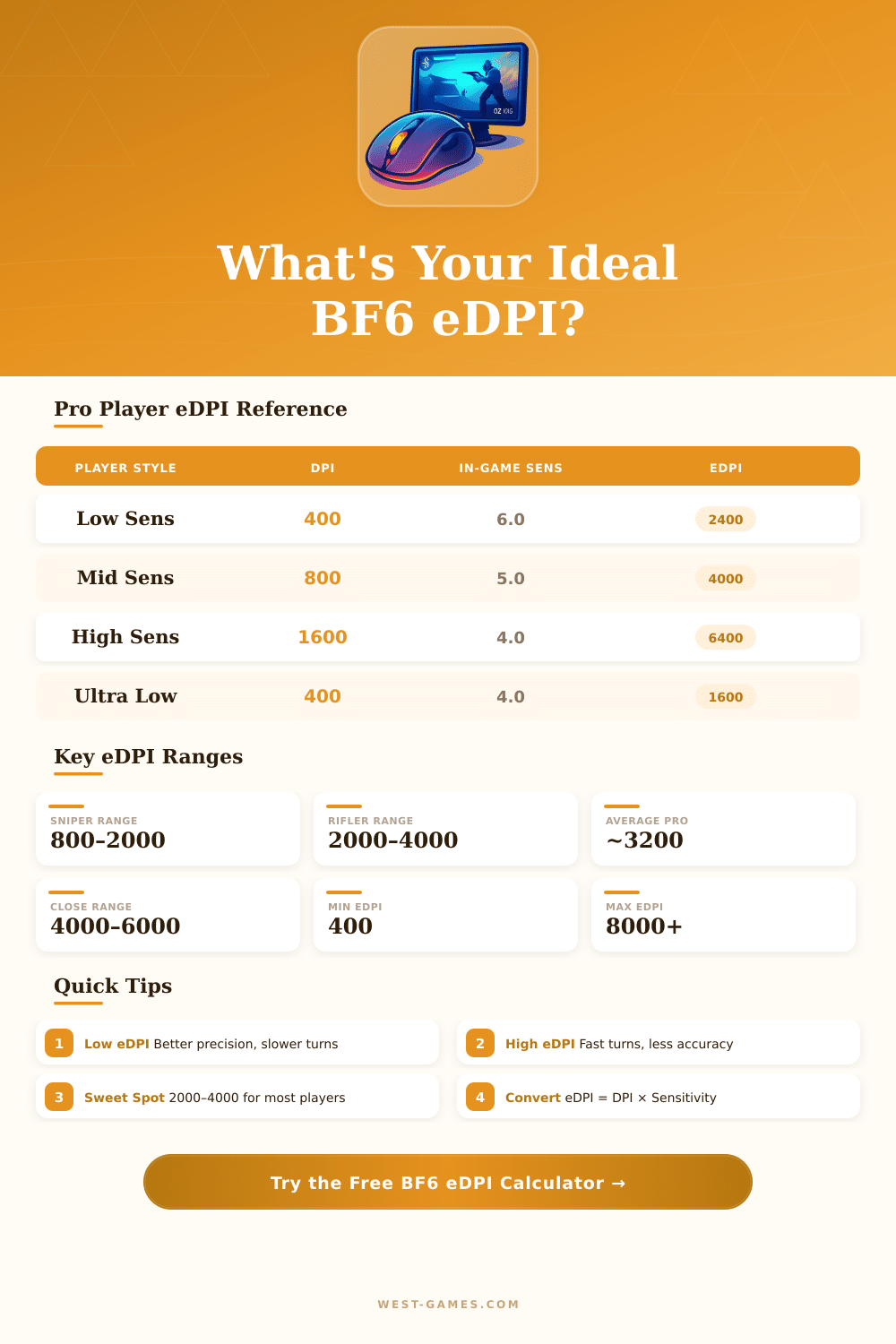
| Play Style | DPI | In-Game Sens | eDPI | Best For |
|---|---|---|---|---|
| Ultra Low | 400 | 3.0 | 1200 | Long-range sniping |
| Sniper | 400 | 5.0 | 2000 | DMR / Bolt-action |
| Low-Mid | 800 | 4.0 | 3200 | Assault rifles |
| Mid | 800 | 5.0 | 4000 | All-round infantry |
| Mid-High | 1600 | 3.5 | 5600 | SMG / Close quarters |
| High | 1600 | 5.0 | 8000 | Shotgun / CQB |
| Pro Avg | 400–800 | 4–8 | ~3200 | Competitive play |
| DPI | Sens 3.0 | Sens 5.0 | Sens 7.0 | Sens 10.0 |
|---|---|---|---|---|
| 400 | 85.1 cm | 51.1 cm | 36.5 cm | 25.5 cm |
| 800 | 42.6 cm | 25.5 cm | 18.2 cm | 12.7 cm |
| 1200 | 28.4 cm | 17.0 cm | 12.2 cm | 8.5 cm |
| 1600 | 21.3 cm | 12.8 cm | 9.1 cm | 6.4 cm |
| 3200 | 10.6 cm | 6.4 cm | 4.5 cm | 3.2 cm |
| Game | Yaw (deg/dot) | Sens Scale | Conversion to BF6 |
|---|---|---|---|
| Battlefield 2042 | 0.022 | 1–100 | Direct match ✔ |
| Battlefield V | 0.022 | 1–100 | Direct match ✔ |
| Battlefield 1 | 0.022 | 1–100 | Direct match ✔ |
| CS2 | 0.022 | 0–unbounded | BF6 Sens = CS2 Sens × 100 |
| Valorant | 0.07 | 0–unbounded | BF6 Sens = VAL × 31.8 |
| Apex Legends | 0.022 | 1–5 | BF6 Sens = Apex × 20 |
| COD: Warzone | 0.0066 | 1–20 | BF6 Sens = COD × 3.33 |
Note: Here some tips from actual discussions in gaming groups and explanations about different sensitivity resources.
The mechanics of edpi in battlefield 6 confuse many players… And genuinely, for that is valid reason. Here the key spot: edpi do not work the same in battlefield as in other shooters.
Simple Guide to Mouse Sensitivity and DPI in Battlefield 6
The in-game sensitivity here does not grow straight so turn it to 10 with 800 DPI do not match to 5th sensitivity in 1600 DPI. That uneven increase pushes the precise calculation of edpi much more complex than needed.
That uneven growth practically blocks simple math or review of your edpi between games. Even websites for sensitivity converters occasionally err in the calculations, because they do not well understand how the game inwardly handles sensitivity.
Online there are free converters for battlefield 6-sensitivity. Those programs allow you exchange sensitivity between BF6 and more than 1655 other games. They show also cm/360 and in/360 values together with the rest.
Simply enter your settings, and the conversion will happen immediately. There is also an advanced option, mind that, and you will receive edpi, full 360-degree rotary data and more detailed information. The converters cover lots of games: Valorant, Rianbow Six Siege, Fortnite and many more.
Besides simple converters, there are more deep aiming calculators, that are done to find your ideal battlefield-sensitivity and DPI. They are created with competitive gaming in mind.
To reach a better set control, you knead to modify the game config files yourself. Go to the Directories, find your battlefield 2042-file, later enter the configurations. Open the profsave_sideways-file in Notepad and search the line called GstInput.MouseSensitivity.
Here you can set it to very edges; for instance 0.001500. Here the surprising part: battlefield-games allow you to lower sensitivity under 0% by means of editing the profsave_sideways_synced-file in the same settings folder.
What game you play affects everything. Tactical shooters like Rainbow Six Siege or PUBG chiefly require lower sensitivity, while CS:GO commonly seems better with bigger numbers. It depends on the accuracy that your targets require.
Some players insist on 3% in-game sensitivity with 2500 DPI in 110 FOV. Others use 3200 DPI instead. One setup applies 0.004500 in-game sensitivity, which results in around 38 centimetres for full 360-degree revolution.
The best professionals favor lower DPI, usually between 400 and 1800. Turning the window mouse speed off is another wise step for FPS-games. When your edpi are well set, you can control little micro-moves andbig macro-changes without feeling confined.