🎯 Apex Sensitivity Converter
Convert your mouse sensitivity from any FPS game to Apex Legends
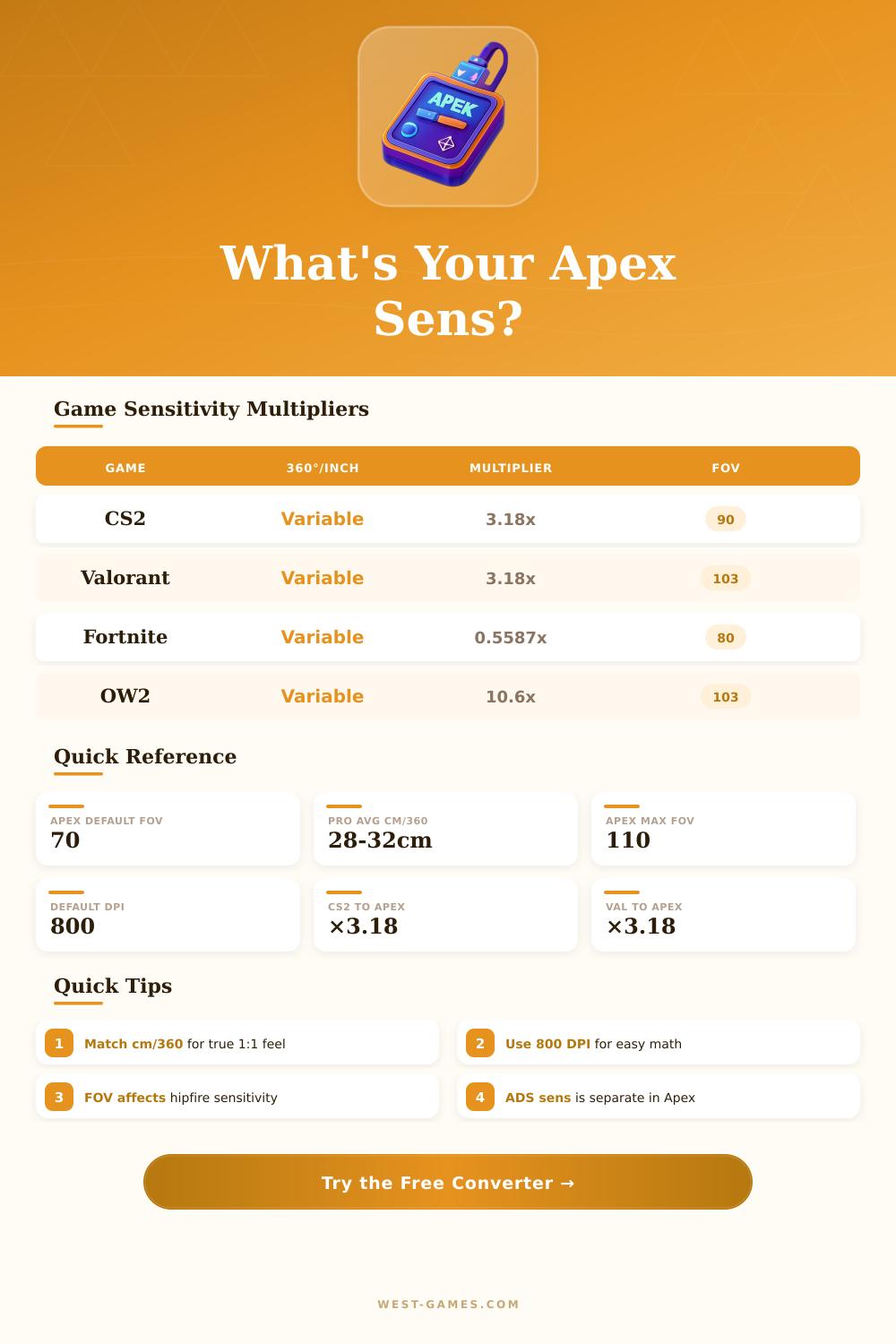
| Source Game | Multiplier | Yaw Value | Notes |
|---|---|---|---|
| CS2 / CS:GO | 3.18182 | 0.022° | Direct yaw ratio |
| Valorant | 3.18182 | 0.07° | Same as CS2 ratio |
| Fortnite | 0.5587 | 0.5587° | % based input |
| Overwatch 2 | 10.6 | 0.0066° | OW base yaw |
| R6 Siege | 1.2 | varies | FOV dependent |
| COD MW/WZ | 3.3333 | 0.0066° | Standard multi |
| PUBG | 0.002222 | varies | Inverted scale |
| Battlefield 2042 | 0.667 | varies | % based input |
| Halo Infinite | 5.3 | varies | Accel–free only |
| Destiny 2 | 1.4143 | varies | PC mouse only |
| Apex Sens | cm/360° | in/360° | Play Style |
|---|---|---|---|
| 1.0 | 79.64 | 31.35 | Ultra low / sniper |
| 1.5 | 53.09 | 20.90 | Very low / precision |
| 2.0 | 39.82 | 15.68 | Low / competitive |
| 2.5 | 31.86 | 12.54 | Low–mid / common pro |
| 3.0 | 26.55 | 10.45 | Mid / balanced |
| 4.0 | 19.91 | 7.84 | Mid–high / aggressive |
| 5.0 | 15.93 | 6.27 | High / fast flick |
| 6.0 | 13.27 | 5.22 | Very high |
| 8.0 | 9.96 | 3.92 | Ultra high / wrist |
| Player | DPI | Sens | cm/360° |
|---|---|---|---|
| ImperialHal | 800 | 1.8 | 44.2 |
| Genburten | 800 | 1.4 | 56.9 |
| Ras | 400 | 3.0 | 53.1 |
| Verhulst | 800 | 1.6 | 49.8 |
| HisWattson | 800 | 2.2 | 36.2 |
| Reps | 800 | 1.5 | 53.1 |
| Sweet | 800 | 2.0 | 39.8 |
| Nafen | 800 | 1.6 | 49.8 |
| FOV Setting | Horizontal FOV | Sens Modifier | Effective cm/360° (Sens 2.0) |
|---|---|---|---|
| 70 (default) | 86.07° | 1.000x | 39.82 |
| 80 | 95.44° | 1.000x | 39.82 |
| 90 | 104.30° | 1.000x | 39.82 |
| 100 | 112.61° | 1.000x | 39.82 |
| 110 (max) | 120.32° | 1.000x | 39.82 |
| Optic / Sight | Zoom Level | ADS Sens Ratio (default) | Effective cm/360° (Sens 2.0) |
|---|---|---|---|
| Iron Sights / 1x HCOG | 1.0x | 0.70 | 56.89 |
| 1x–2x Variable | 1.0x / 2.0x | 0.70 / 0.50 | 56.89 / 79.64 |
| 2x HCOG Bruiser | 2.0x | 0.50 | 79.64 |
| 3x Ranger | 3.0x | 0.40 | 99.55 |
| 2x–4x Variable AOG | 2.0x / 4.0x | 0.50 / 0.35 | 79.64 / 113.77 |
| 4x–8x Variable | 4.0x / 8.0x | 0.35 / 0.25 | 113.77 / 159.28 |
| 6x Sniper | 6.0x | 0.30 | 132.73 |
| 4x–10x Digital Threat | 4.0x / 10.0x | 0.35 / 0.20 | 113.77 / 199.10 |
Note: The info in this article is based on actual experiences of players and discussions in the community about settings of Sensitivity for Apex Legends.
Finding the right Sensitivity of the mouse in Apex Legends is a personal journey. There is no one main Sensitivity that works for every person. Everything depends on your own tastes and what feels nice to you.
How to Find the Right Mouse Sensitivity in Apex Legends
Even so some common ranges and tips can help you narrow the choices.
In Apex Legends, the most common setting of Sensitivity is 800 DPI with an in-game value of 1.5. That results in eDPI of 1 200, which many consider the best for the game. A setting of 1.5 at 800 DPI gives around 37 centimetres for a full 360-degree turn.
For comparison, typical competitive players of Overwatch aim for 33 cm for 360, while those of CS:GO usually stay around 36 cm. In Apex, many plays happen at 34.6 cm for 360.
Experts commonly suggest to players of Apex Legends on PC a benchmark Sensitivity between 1.2 and 1.8. The famous streamer Aceu changed his Sensitivity from 1.8 down to 1.5. Skilled aimers and pros in the game aim for around 40 cm for 360, which matches roughly 1.3 at 800 DPI.
On the otehr hand, average players commonly choose closer to 20 cm for 360, or around 2.0 at 800 DPI.
A good way to find the right Sensitivity is to swipe fully across the mouse pad. The idea is to adjust the Sensitivity until a full swipe turns your player exactly 180 degrees in the game. You can also think of it this way: the Sensitivity should allow fast turning to reach the target area without passing it.
High Sensitivity is useful for fast fights at near distance, but it hurts accuracy at middle and long ranges. Low Sensitivity helps more at far distances, but it can feel two slow in close moments. Finding the balance between those two is the main challenge.
Some players find it too slow at 800 DPI and 1.4 in close fights, but raising to 1.8 or 2.0 creates troubles for long range accuracy.
Apex Legends uses a different FOV multiplier for various optics. The 1x Holo Sight uses a 1.0 factor for FOV multiplier, while the 2x HCOG optics has a 0.9 factor. In the settings you can choose different mouse Sensitivity for various levels of zoom.
Most streamers choose ADS Sensitivity of 1.0.
One key rule: avoid always changing DPI or Sensitivity. Sticking to one setting and training on it leads to better results than endless switching. Aim trainers like Kovaak’s on Steam help getyou used to aiming with a mouse and let you set the Sensitivity the same as in Apex.