📶 Ping Calculator
Estimate round-trip latency, route drag, and match stability before you queue into a game.
| Distance band | Physics floor | RTT floor | Note |
|---|---|---|---|
| 0-25 km | <3 ms | 2-5 ms | LAN feel |
| 25-100 km | 3-10 ms | 5-12 ms | City hop |
| 100-500 km | 10-50 ms | 12-60 ms | Regional |
| 500+ km | 50+ ms | 60+ ms | Long haul |
Distance sets the floor, but routing and local link quality usually decide whether a match feels smooth or sloppy.
| Access type | Base delay | Stability | Use case |
|---|---|---|---|
| Fiber | 4 ms | Best | Fast play |
| Cable | 9 ms | Good | Shared line |
| DSL | 18 ms | Slow | Old lines |
| Satellite | 600 ms | Worst | Orbit path |
Access type mostly changes the base delay before the rest of the network path adds its own queues and detours.
| Local link | Penalty | Variance | Use case |
|---|---|---|---|
| Ethernet | 0.5 ms | Low | Best lane |
| Wi-Fi 6E | 1.5 ms | Medium | Close range |
| Wi-Fi 5 | 3.5 ms | Med-high | Mixed use |
| Wi-Fi 2.4 | 7 ms | High | Crowded |
Local wireless often creates the easiest latency win, especially in apartments, dorms, and crowded neighborhoods.
| Game type | Target ping | Buffer | Why it matters |
|---|---|---|---|
| FPS | <35 ms | Tight | Aim trades |
| Fighting | <25 ms | Very tight | Frame links |
| MMO | <80 ms | Normal | Raid safe |
| Cloud | <40 ms | Tight | Video stream |
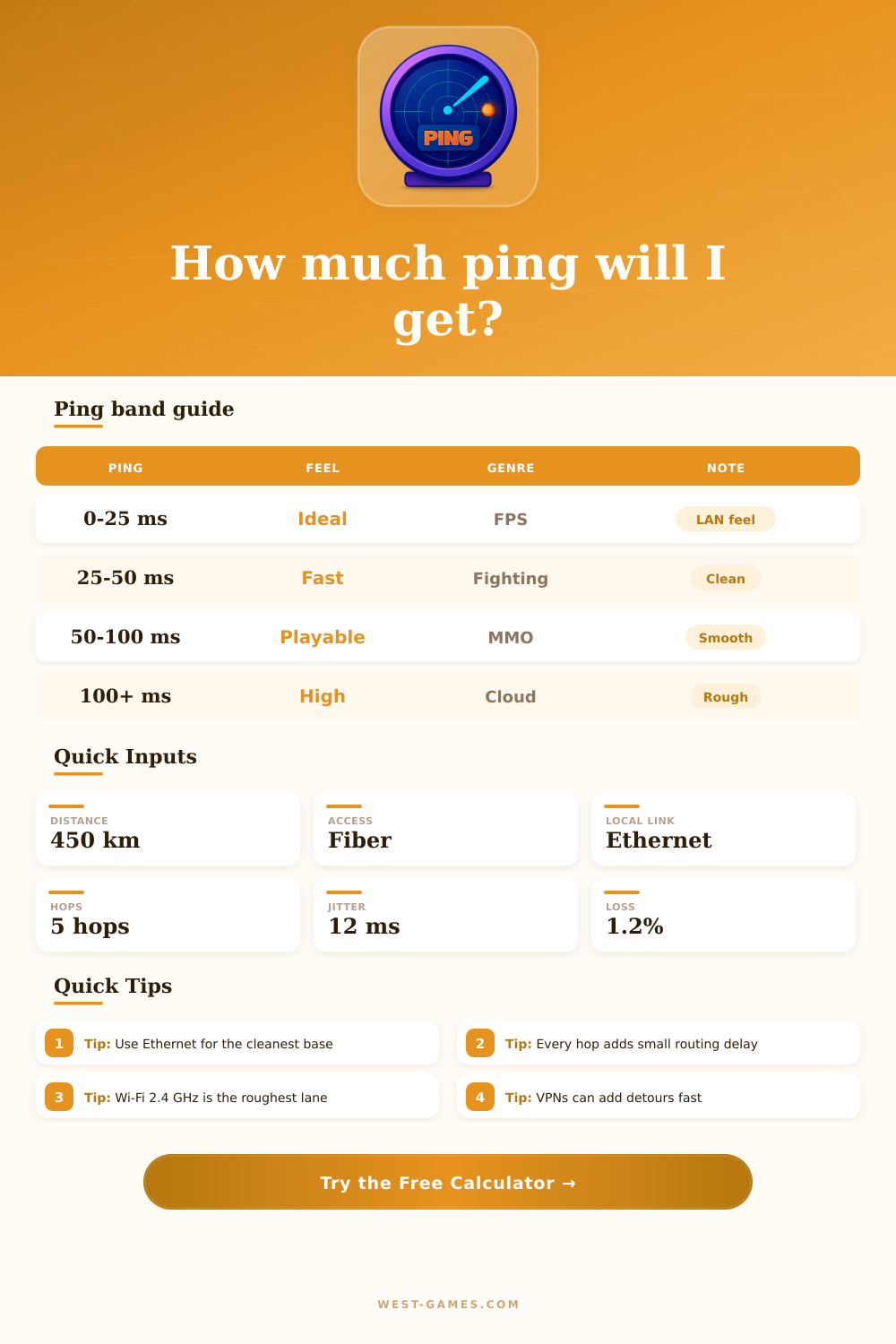
Different genres tolerate different delay windows, so the same ping can feel fine in one game and rough in another.
Ping in gaming shows the time that data needs to go from your computer to the game server and back, measured in milliseconds (ms) That shows the speed of your net, and low ping gives faster communication with the server. Basically, it counts how much time passes before your computer receives confirmation that the sent message arrived at the other computer.
Imagine it like this: ping is a bit old idea where you send a data pack to another computer and expect an answer. One ping is one pulse. It is like the time that a postman needs to deliver a letter.
What is ping in games?
The time between sending and receiving is the latency.
For competitive gaming ping under 50 ms is perfect, while under 100 ms works for a pleasan t casual game. From 1 to 30 ms you call it low, 30 to 50 ms normal, and everything higher seems too much for competitive games. Ping is the only effect that does not risk a ban, and that is logical.
High ping genuinely ruins everything. With bigger ping it takes longer until your actions reach the server, so you may not succeed to shoot someone that you see on the screen before the server informs him and he reacts. That extra delay is especially bad in FPS games.
The distance to the server plays a big role. Usually ping from United States to Europe reaches around 180 ms, inside a continent it stays in two digits, and from New Zealand to United States around 550 ms. Because of that New Zealand players that play as well as Americans on an American server must plan every move half a second sooner. Ping higher than those values commonly come because of bad routing, not only because of geographic distance.
There are ways to improve it. Changing your ISP can help, or choose a plan that focuses on gaming speed. A VPN special for games, as ExitLag, is another option.
It does not change a lot at 50 ms, but at 300 ms or more it genuinely lowers the time. Also route optimization can heavily reduce ping.
Programs as GameServerPing allow you to test the real ping to servers around the world for various games, which helps to choose low latency ones and settle problems with high ping. PingViewer is a network tool that shows a chart of ping in real time, so you immediately see the stability of your net for playing. Testing ping from different places in your home can help find the best spot for a goodconection.