🛸 Warframe Resource Calculator
Estimate blueprint requirements, booster and Steel Path effects, squad farming pace, planet node runs, extractor credit, target copies, and Foundry craft time.
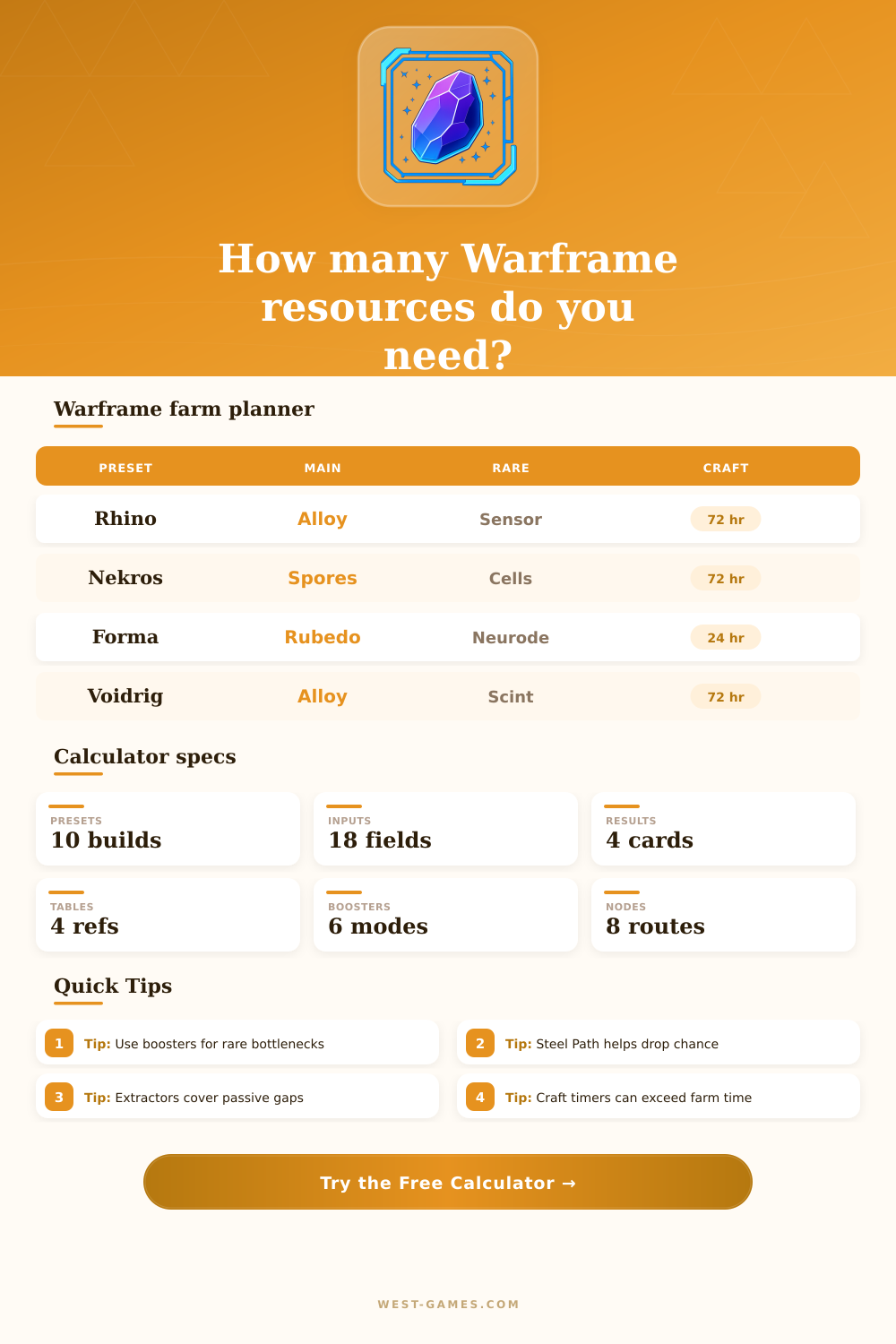
| Preset | Main slot | Rare slot | Timer |
|---|---|---|---|
| Rhino frame build | Alloy Plate and Rubedo | Neural Sensors | 72 hours |
| Nekros farm build | Nano Spores and Salvage | Orokin Cells | 72 hours |
| Forma weekend batch | Ferrite and Rubedo | Neurodes | 24 hours each |
| Voidrig push | Deimos crafted parts | Scintillant | 72 hours |
| Helminth segment | Nano Spores and Plastids | Entrati Lanthorn | 24 hours |
Preset values are planning anchors, not a patch database. Replace every requirement with the value shown on your current Foundry, Market, clan, or open-world vendor screen.
| Input | Modeled effect | Applies to | Planning note |
|---|---|---|---|
| Resource Booster | 2.00x quantity | Picked up drops | Strongest simple farm boost |
| Relay blessing | 1.25x quantity | Resource amount | Stacks as a planning average |
| Smeeta average | 1.25x quantity | Long farms | Use lower average for short farms |
| Drop Chance Booster | 2.00x chance | Drop frequency | Best for rare bottlenecks |
| Steel Path | 2.00x chance | Drop frequency | Needs route you can clear fast |
The calculator multiplies quantity, chance, and squad modifiers. If your route gets unsafe or slow in Steel Path, increase run length to reflect the real tradeoff.
| Route | Best for | Run style | Watch out |
|---|---|---|---|
| Gabii, Ceres | Alloy, Orokin Cell side drops | Dark Sector survival | Extraction resets |
| Helene, Saturn | Plastids and leveling | Defense waves | Wave pacing |
| Ophelia, Uranus | Tellurium and Polymer | Survival farm | Rare drop variance |
| Cameria, Jupiter | Hexenon and Salvage | Survival farm | Enemy density |
| Cambion Drift | Necramech materials | Vault loop | Token and vault steps |
Base drops per run are editable because squad composition, tile spawns, rotation length, loot frames, and mission pacing change the actual yield.
| Assumption | Formula | Best use | Limit |
|---|---|---|---|
| Extractor credit | Drones x cycles x yield x relevance | Common resources | Not reliable for rares |
| Craft after farm | Farm time + craft time | Simple planning | Slowest calendar |
| Overlap craft | Max farm, craft | Components prepared | Needs early starts |
| Parallel handled | Farm + one final timer | Warframe final build | Ignores sub-parts |
| Rush craft | Farm time only | No timer planning | Resource plan only |
For Argon Crystal plans, avoid counting long passive waits unless you will craft before decay matters. This calculator does not model Argon expiration.
Nothing hurts more then staring at a blinking Foundry console, knowing you’re only five hundred units away from completing a build. There’s an hourglass on-screen ticking down its time until completion, 72 hours. Oh, god. You’ve been here before.
You run the mission, collect the drops, open your inventory, and there it is: That one stubborn part that has left you a prisoner for yet another night of grinding. And then you remember that this particular kind of annoyance are avoidable. Because someone made a calculator. It plots the whole resource system before you even enter the first mission.
Use a Calculator to Plan Your Resources
It transforms a free-for-all guessing game into a clear strategy. It factors in everything from base drop rates to the practical limits of what your team can reasonably sustain in terms of farming tempo.
Players tend to obsess over blueprint needs. But they don’t consider that materials must somehow end up in their inventory. Once you enter your target numbers alongside what you already possess, this tool work out the numbers for you. That takes away any need to mentally track many variable at the same time.
First, choose a custom build or a preset. Next, modify the resource amounts: Main, Secondary, Rare, Special. Be honest here. What do you have? What’s worth spending money on? Often, having a supply of common items for emergency uses means you feel like your immediate shortage is bigger then it really is. If you feed in accurate data, no more mid-grind freakouts.
The page also includes a reference table showing which builds (like Nekros vs. Rhino) favor certain types of resource. So you know where to expect to spend most of your time.
Where things get interesting with the planning is farming efficiency. Just firing up a mission won’t cut it. There is different multipliers that stack in complicated combinations. Drop chance boosters increase frequency while resource boosters double the quantity. Depending on what you’re hunting, whether it’s a rare planetary material, a boss drop, or thousands of Alloy Plate, those two factors matter different.
To account for that, the calculator splits them apart. That way, you can pick the right multiplier for the job without wasting precious premium currency.
You also need to think about your squad. Because there are loot caps and enemy density, a full four player group will yield more than a duo run. On a busy night when that may be your only option, so be it. The inputs allow you to account for this tradeoff. So the estimated number of runs reflect how you play as opposed to some kind of idealized solo speedrun.
Many people don’t consider extractor drones in their math. Those passive income sources just hang out in your dojo and produce stuff for you over time. Basically, they free up some mission for you to not have to do. The tool lets you assign drone credits to particular resource slots. Then it calculates how much time they’ll save you relative to their cycle time and reliability. When you’re looking at minimizing the amount of time you has to spend actively grinding, this saves you a little bit, but it counts.
Additionally, you can configure how your farm schedule interacts with your crafting. Do you get right to crafting as soon as you gather something? Let the timer tick down while you go farm again? Hold off until you’ve got all ingredients? The tool models both scenarios. This allows you to know whether your bottleneck is really the mission queue or the clock ticking down in the Foundry.
In the end, planning resources comes down to time management and expectation management. Expect some changes with mission pacing and drop rates. Planning gives you a baseline so that you aren’t burning yourself out by trying to achieve maximum efficiency.
Look at the planner and see what resource slot is driving your timeline. Invest your effort there. That could be passive extractors filling in the gaps. That could be pushing Steel Path to improve odds. Regardless, make blind grinding deliberate progress.
The day when that last piece falls off the truck and the crafting rolls through without a hitch, you’ll realize that was no accident. It would of been planning.