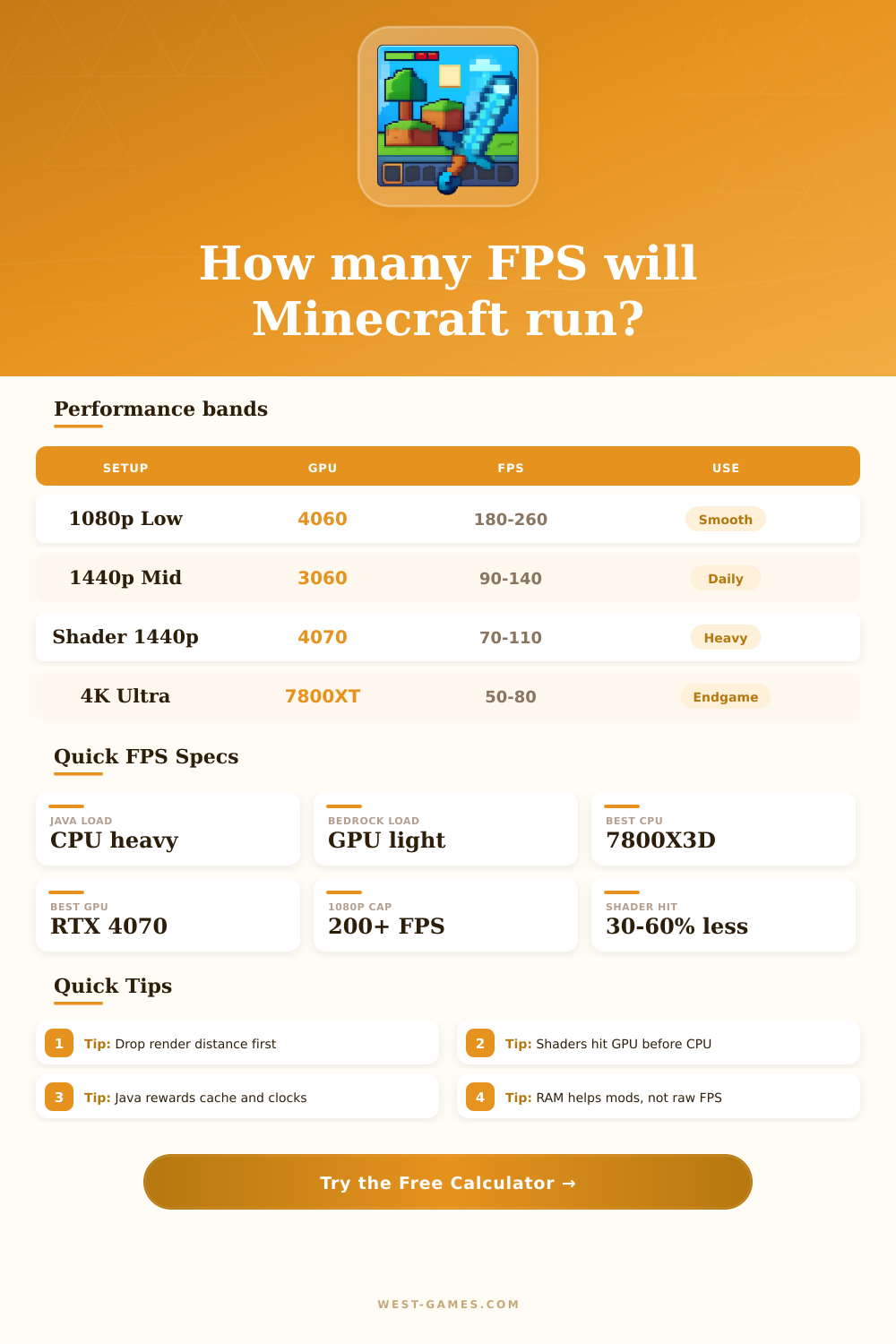
🎮 Minecraft FPS Calculator
Estimate Java or Bedrock frame rate, 1% lows, and bottlenecks before you turn the world on.
| Setup | 1080p vanilla | 1440p shaders | Note |
|---|---|---|---|
| i3-12100F + 1660S | 120-180 | 55-85 | Budget start |
| R5 5600 + RX 6600 | 150-220 | 70-105 | Smart value |
| i5-13600K + 4070 | 220-320 | 100-160 | High refresh |
| 7800X3D + 7800XT | 260-400 | 120-190 | Elite fit |
These bands assume modern drivers, sensible settings, and no extreme background load. Real modpacks or shaders can shift the result fast.
| Scenario | CPU | GPU | Good for |
|---|---|---|---|
| Competitive 240 Hz | 7800X3D | RTX 4060 | Tight Java |
| Daily 1440p | 12400F | RTX 3060 | Balanced play |
| Shader showcase | 13600K | RTX 4070 | Lighting packs |
| Heavy modded world | 5800X3D | RX 7800XT | Chunk stress |
Java usually prefers the strongest single-core chip you can fit into the budget. Bedrock shifts more of the burden toward the GPU.
| Setting | Java effect | Bedrock effect | Note |
|---|---|---|---|
| Render distance | Big CPU hit | Moderate hit | Chunk work |
| Simulation distance | Tick heavy | Tick heavy | Entities |
| Shaders | GPU heavy | GPU heavy | Visual cost |
| Mods | RAM hungry | Light impact | Pack load |
The biggest FPS wins usually come from lowering chunks, then lowering shaders, then cleaning up background tasks.
| World type | Render target | Sim target | Note |
|---|---|---|---|
| Superflat | 6-10 | 4-6 | Fastest lane |
| Overworld | 10-14 | 6-8 | Normal play |
| Village or raid | 8-12 | 6-8 | Mob heavy |
| Nether or end | 10-16 | 6-10 | More effects |
If the world feels stuttery, cut simulation distance before you chase a tiny graphics gain.
Getting good FPS in Minecraft is hard, even if you have a strong computer. Even a computer with a modern GPU and a lot of memory reaches only around 150 FPS in vanilla Minecraft. For a game made of blocks that seems really weak.
This is not a “your PC is bad” problem
How to Get Better FPS in Minecraft
To check FPS in Minecraft Java Edition, press F3 to bring up the debug screen. Under the Minecraft version at the top left shows the frame rate. However the debug screen can look a bit messy.
Mods like Star’s FPS Counter give clear live FPS in the game, and it is as acurate as it gets. There are also simple mods that just show the current FPS on the screen.
Minecraft depends much more on the CPU than the GPU. Because the game uses a main thread, it limits single-core speed. A fast per-core CPU helps more than many cores.
Like this even with a great graphics card FPS stays low. Shaders however increase the use of the GPU.
To increase FPS, go to Video Settings and choose Fast for Graphics. Lower the render distance, turn down Smooth Lighting and Particles. Set max frame rate to Unlimited to win extra FPS as a buffer.
Fullscreen mode helps to reduce input lag and improve the FPS. Try to turn off V-Sync, because capping FPS at 30 can sometimes stop stuttering.
OptiFine is a famous mod for improving performance. It allows settings lower or higher than normal Minecraft. Enable options like Fast Render, Smooth World, Fast Math, Lazy Chunk Loading and Dynamic Updates.
For Fabric users Sodium, Lithium, FerriteCore, LazyDFU and Starlight are good. FerriteCore reduces the RAM, LazyDFU removes unnecessary things during boot, and Starlight very well optimizes light calculations. Badly written mods can tank FPS, so disabling them in batches helps to find the fault.
Using the latest OpenJDK from Adoptium on Windows is also usefull. Make sure that the downloaded Java version is used instead of the bundled one. Setting the right amount of memory matters.
Too little causes problems, but too much can also hurt.
Dynamic FPS is another good mod. It reduces resource use when Minecraft is in the background, idle or on battery. A new snapshot of Java Edition already has a built-in FPS limiter that lowers FPS when not playing to save energy.
On Steam Deck turn on V-Sync, set the FPS limiter of Minecraft to maximum and trust the own limiter of Steam Deck for smooth gameplay withoutstuttering.