🎯 Valorant Sensitivity Converter
Convert your mouse sensitivity from any FPS game to Valorant instantly
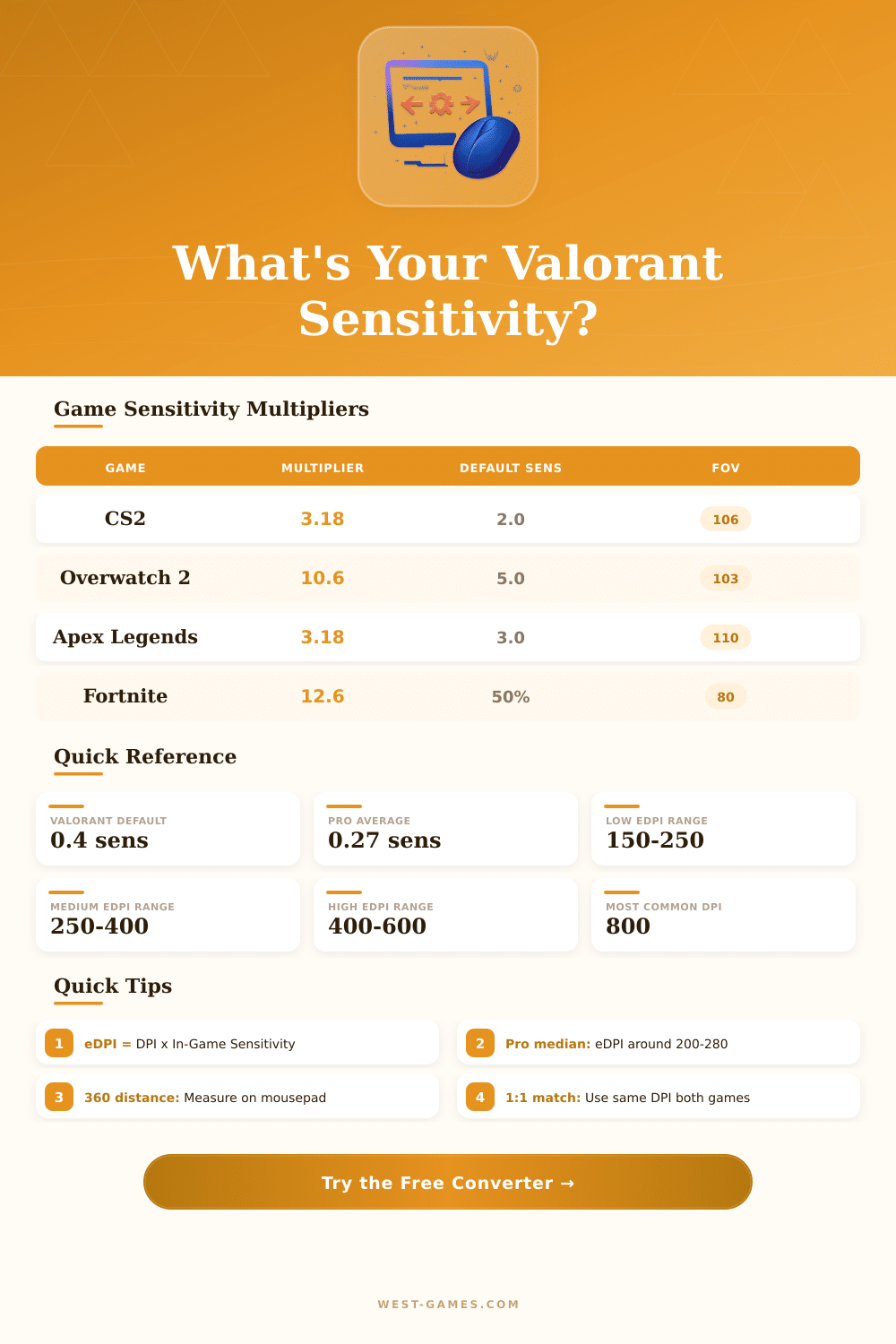
| Source Game | Multiplier | Default Sens | Valorant Equiv @800 DPI |
|---|
| Category | eDPI Range | cm/360° | Best For |
|---|---|---|---|
| Very Low | 100–200 | 52–103 cm | Pure precision, AWP/Op mains |
| Low | 200–300 | 34–52 cm | Competitive riflers, most pros |
| Medium | 300–450 | 23–34 cm | Balanced aim & movement |
| High | 450–600 | 17–23 cm | Entry fraggers, wrist aimers |
| Very High | 600+ | <17 cm | Hipfire-heavy, casual play |
| DPI | Val Sens (eDPI 250) | Val Sens (eDPI 300) | cm/360° (eDPI 250) |
|---|---|---|---|
| 400 | 0.625 | 0.750 | 41.6 cm |
| 800 | 0.313 | 0.375 | 41.6 cm |
| 1000 | 0.250 | 0.300 | 41.6 cm |
| 1200 | 0.208 | 0.250 | 41.6 cm |
| 1600 | 0.156 | 0.188 | 41.6 cm |
| 3200 | 0.078 | 0.094 | 41.6 cm |
| Player | DPI | Sensitivity | eDPI |
|---|---|---|---|
| TenZ | 800 | 0.24 | 192 |
| Aspas | 800 | 0.32 | 256 |
| yay | 800 | 0.27 | 216 |
| Demon1 | 800 | 0.26 | 208 |
| ScreaM | 400 | 0.78 | 312 |
| cNed | 800 | 0.35 | 280 |
| nAts | 800 | 0.31 | 248 |
| Chronicle | 800 | 0.29 | 232 |
Note: This article combines practical advice and experiences directly from the mouths of Valorant players.
Playing Valorant, the Sensitivity controls how fast your cursor follows the moves of your mouse across the screen. If it too high, your turns to targets become chaotic and hard to control. Finding the right setup is more important than many players think, in a game based on accuracy like Valorant, your mouse feel can make or break your whole play style.
Find the Best Mouse Sensitivity for Valorant
There are three things to understand well: the Sensitivity, DPI and eDPI. When you grasp how they relate, finding your ideal level becomes much more simple. The eDPI (effective DPI) simply multiplies the in-game Sensitivity by your mouse DPI.
For instance, if your Sensitivity stands at 1 and DPI at 800, result is eDPI of 800. But here the interesting part, you could reach 800 eDPI also with Sensitivity at 0.5 and DPI at 1600, because those values multiply to the same amount.
In shooter games, lower DPI commonly works better for accuracy. Many players favour 800 or 1600 DPI. And pros?
They usually use somthing around 400 or 800.
But the truth is: there is no perfect Sensitivity setup. Valorant leans to the bottom part of the range, and if you observe what many players use, you will see that eDPI between 180 and 260 works well. Some go from 160 to 300, and that seems to work also.
What range is really reliable? Around 280 to 350 eDPI, that matches to Sensitivity of 0.35 to 0.438 at 800 DPI. Under 250 eDPI counts as too low, from 250 to 350 hits the usual ideal, and above 350 counts as high.
Pros commonly stay around 400 to 500 eDPI, with in-game Sensitivity between 0.3 and 0.6. Take TenZ from Sentinels, he uses 800 DPI with 0.39 Sensitivity. Clearly, the Sensitivity depends on personal taste, yet there are limits where it becomes really unusable.
TenZ, for instance, has a very smooth mouse and soft mouse pad, which allows him to move flat with very low setups without losing control.
Switching from another game? Online their are Sensitivity converters, and they help. They adapt your setups from games like Counter-Strike 2 or Apex Legends to Valorant values.
To find your DPI from another game, set in-game Sensitivity to around 0.315.
The Practice Range is a good place to try. Spending around 5 to 10 minutes with every setup before changing helps to get a real feel, and going through some options mostly takes 20 to 30 minutes total. Aimlabs is another good option on Steam, if you want more varied aiming drills.
That advice “play only what feels comfortable”? It is not wrong, but needs detail. Finding what works means testing, andthat matters for the feeling.