🎮 PS4 Controller Battery Life Calculator
Estimate exactly how long your DualShock 4 will last based on your playstyle and settings
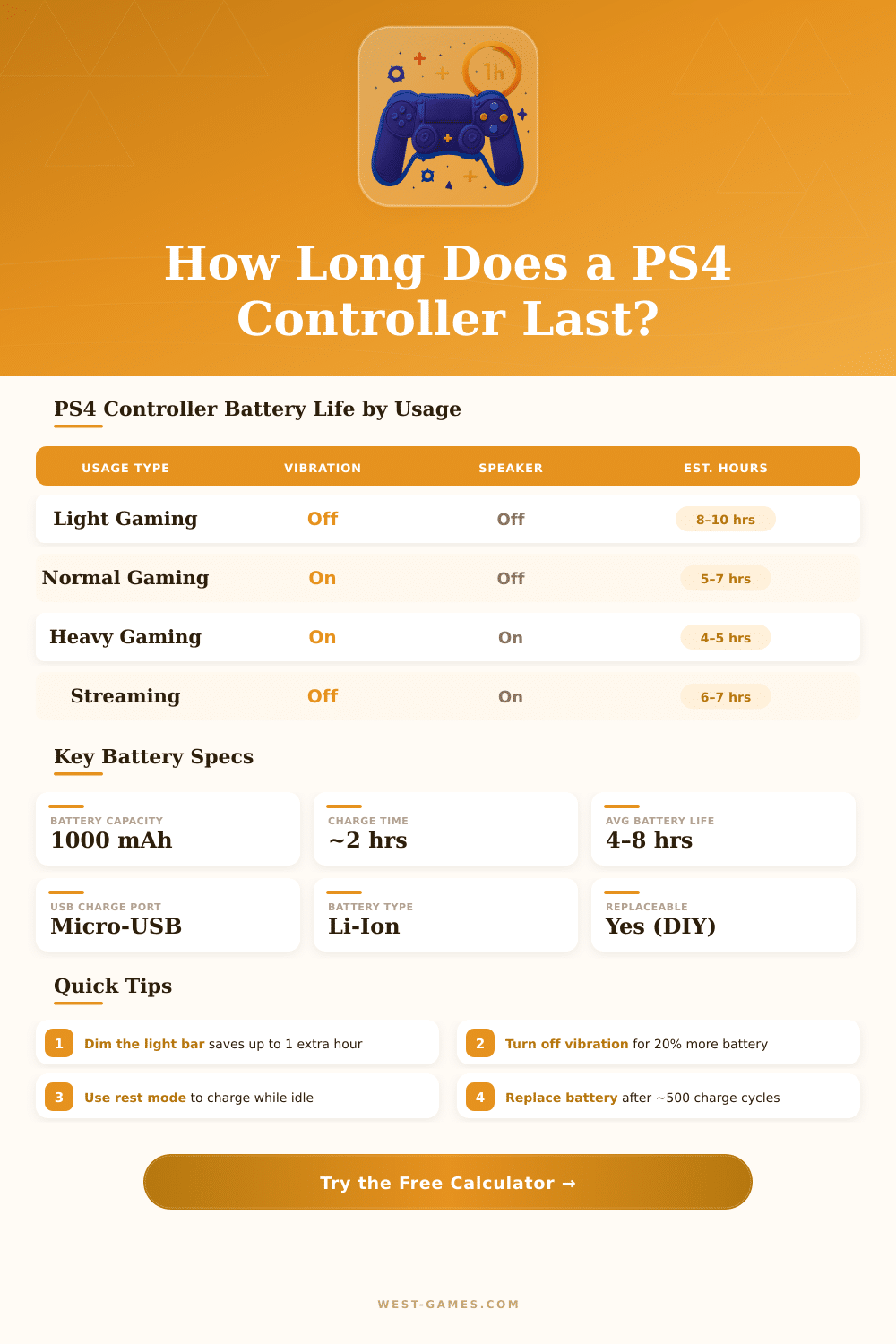
| Usage Scenario | Vibration | Lightbar | Speaker | Est. Battery Life |
|---|---|---|---|---|
| 📺 Media / Netflix Only | Off | Off | Off | ~8 hours |
| 🎮 Light / Casual Gaming | Off | Dim | Off | ~7 hours |
| ⚔️ RPG / Story Mode | Low | Medium | Off | ~6 hours |
| 🕵️ Normal Gaming Session | Medium | Medium | Low | ~5–6 hours |
| 🏆 Competitive / Online | High | Bright | Off | ~4–5 hours |
| 🔫 FPS / Action (Heavy) | High | Bright | Medium | ~3–4 hours |
| 🥽 PS VR Gaming | High | Bright | High | ~2–3 hours |
| 🔥 Maximum Drain (All On) | High | Bright | High | ~2 hours |
| Component | Off / Min | Medium | Max / Full |
|---|---|---|---|
| 📶 Bluetooth Radio | — | ~20 mA | ~30 mA |
| 💡 Lightbar LED | 0 mA | ~30 mA | ~80 mA |
| 📳 Vibration Motors | 0 mA | ~50 mA | ~150 mA |
| 🔊 Controller Speaker | 0 mA | ~40 mA | ~100 mA |
| 🖥️ Processor / Sensors | — | ~50 mA | ~70 mA |
| 👆 Touchpad | ~5 mA | ~15 mA | ~25 mA |
| Controller Age | Approx. Capacity | Max Runtime | Charge Cycles (Est.) |
|---|---|---|---|
| New (0–6 months) | ~1000 mAh (100%) | 6–8 hours | 0–180 |
| 1–2 Years | ~850 mAh (85%) | 5–7 hours | 180–730 |
| 2–4 Years | ~700 mAh (70%) | 4–5.5 hours | 730–1460 |
| 4+ Years | ~500 mAh (50%) | 2–4 hours | 1460+ |
The PS4 controller is the main controller for PS4 and it offers a wide range of colours. Every new PS4 console comes with one controller in the box. Here logical because the controller is the main tool for using the console.
It works well with PS4 and also with computers, which results in big usefulness.
PS4 Controller Guide
The controller sits nicely in the hand and has right weight. It carries a motion sensor and gyroscope, that detects motions, tilts and turns. Also the touchpad helps, although for most games it almost does not matter.
One could use it much more often, especially in first person shot-games. The button for share and features of the PlayStation camera makes social networks and sharing with friends easy.
Various versions of the PS4 controller exist. The first one had rough black buttons and thick thumb cushions, that stopped the light bar from shining through it. The updated version appeared with the Slim and Pro models, with two new features.
When connected by USB, the signal goes through USB, which gives lower delay then Bluetooth. The updated version has also a light bar on the touchpad.
Finding a new PS4 controller can be a challenge today. Sony stopped making them, although small batches appear sometimes. In some regions they lack a lot.
The Sony PS4 controller stays expensive in several stores. Other controllers sometimes show up on eBay in about 48 dollars range, as if new and factory sealed. GameStop sells used and refreshed PS4 controllers.
Generic controllers are a mix. Cheap PS4 controllers often have big crashes. Common problems are slow input response.
Generic controllers usually are much more heavy and lack the official PS4 calibration of dead zones. Some stop charging after only six months. Refreshed controllers from GameStop maybe beat the generic ones.
The original PS4 controller stays the best in many ways.
Custom controllers from companies like Scuf exist, but they cost a lot. The Infinity4PS Pro has a good range, which makes it a good entry to custom high-end controllers. Quick triggers and quick bumpers can help with fast response, which helps in faster and precise shooting.
They come in various colours for personal style.
Connecting a PS4 controller to a computer is easy with Steam. Enter Steam settings, then controller and turn on PS4 support is the simplest way. Connecting by Bluetooth or USB both work.
A small reset button left on the controller can be pressed with a paper clip to reset it. To pair, press at the same time the PS and Share buttons to put the controller in pairing mode. Common problems with PS4 controllers include drifting sticks, input delay andbroken R2 button hinges.