💾 Hard Drive Lifespan Calculator
Estimate how long your HDD or SSD will last in storage — based on drive type, age, temperature & conditions
| Drive Type | Active Use | Stored Unused | Spin-Up Needed | Failure Mode |
|---|---|---|---|---|
| Desktop HDD (3.5") | 3–5 years | 9–20 years | Every 6 months | Demagnetization, stiction |
| Laptop HDD (2.5") | 3–5 years | 5–15 years | Every 3 months | Head stiction, bearing seize |
| SATA SSD | 5–10 years | 1–5 years | Not needed | NAND charge loss |
| NVMe SSD | 5–10 years | 1–5 years | Not needed | NAND charge loss |
| Enterprise HDD | 5–10 years | 10–25 years | Every 12 months | Demagnetization (slow) |
| Enterprise SSD | 7–12 years | 2–8 years | Not needed | NAND charge loss |
| Temperature Range | Celsius | Fahrenheit | HDD Impact | SSD Impact |
|---|---|---|---|---|
| Cool | 5–15°C | 41–59°F | Excellent | Excellent |
| Ideal | 15–25°C | 59–77°F | Excellent | Excellent |
| Warm | 25–35°C | 77–95°F | Good (–15%) | Moderate (–25%) |
| Hot | 35–45°C | 95–113°F | Poor (–40%) | Poor (–50%) |
| Very Hot | 45°C+ | 113°F+ | Critical (–60%) | Critical (–70%) |
| Risk Level | Situation | Recommended Action |
|---|---|---|
| Low | New drive, ideal conditions, within 5 years | Annual SMART check, spin-up every 6 months |
| Medium | 3–7 year old drive, moderate conditions | Backup immediately, spin-up quarterly |
| High | 7–12 year old drive or SSD stored 2+ years | Copy data now, replace drive soon |
| Critical | 12+ year old drive, hot/humid conditions | Professional recovery may be needed |
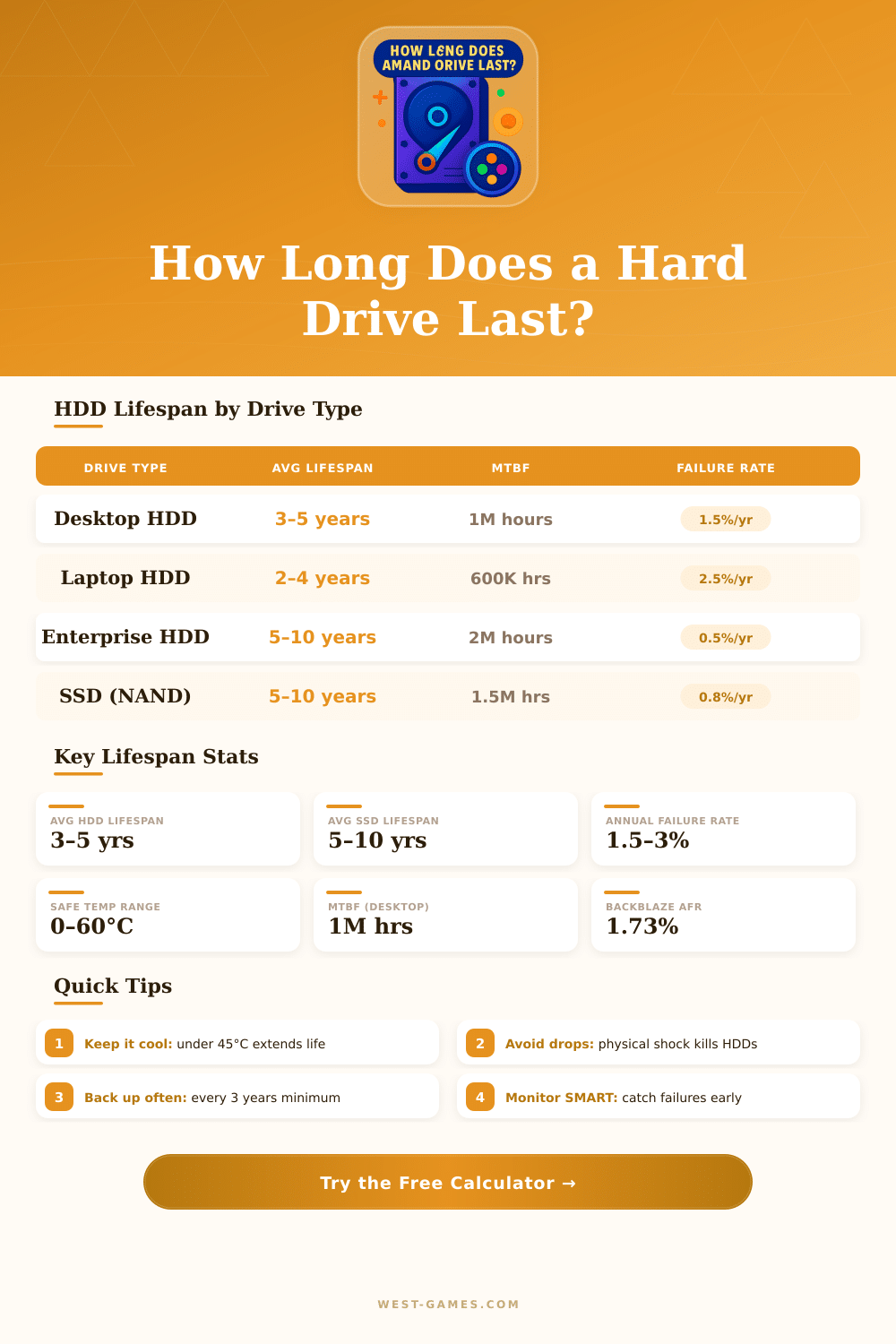
A hard drive does not have a fixed date of expiration. Its life depends on factors like the technology, the workload, the setting and the quality of production. The most many of them work during three to five years before some part fails.
Various sources point to a range of three to seven years for regular hard drive users, where the risk grows after the fourth or fifth year.
How Long Do Hard Drives Last?
Hard drives are made up of mechanical parts. They depend on spinning plates, read and write heads while arms keep the data. Unfortunately, those moving parts suffer because of physical shocks and vibrations, that can hurt them.
The chance, the heat, the mode of usage and the outside surroundings each affects how long the hard drive lasts.
Big research looked at more than 17,000 consumer hard drives and found that the failure happened on average after only two and a half years. Besides that, a survey of the online backup company Backblaze checked 25,000 active hard drives and counted the rate of failure over four years. Those results revealed some remarkable trends, also a sudden rise of failures in the third year.
The middle lifetime from that reserach reached 6.7 years, but those units probably went through more than a usual home hard drive.
The C: drive, where the operating system lives, usually fails sooner, commonly after three to five years. The other drives in the same computer can serve ten or even more years, because the operating system does not always read and write too them.
Some hard drives last much more than one expected. A hard drive of 40 MB from around 1990 still works when one starts it after almost thirty years. Units of 1996 still work today in certain systems.
On the other hand, some fail soon after purchase, within weeks or even hours. There really is no sure timeline. A hard drive can stop after one day or last decades.
SSDs work differently. Because they do not have moving parts, they last five to ten years or even more. Even so, SSDs have a finite number of read and write cycles.
SSDs with bigger capacity manage to handle more reading and writing, which indeed extends their life. Many of them use a method called over-provisioning for help with that. For a typical home user, that writes 20 to 40 gigabytes of data daily, SSDs can ensure decades of faithful service.
Most commonly folks replace them because of need of bigger space or speed, longbefore the SSD truly fails.
To extend the life of a hard drive, good cooling, control of vibration, steady power and good power management all matter. Also avoid common cycles of turning on and off. Hard drives always fail in the end.
The main question is only when that will happen.