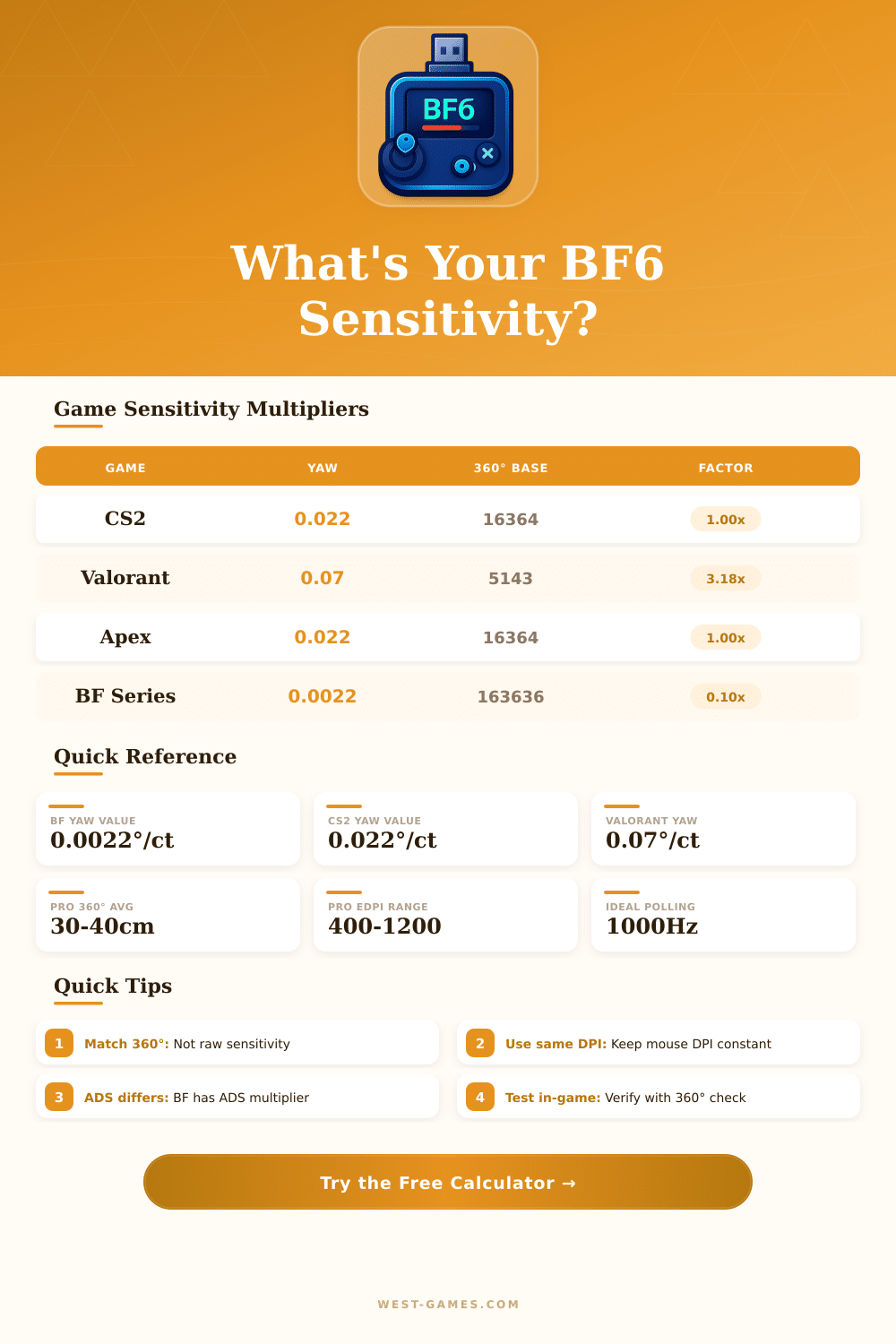
🎯 Battlefield 6 Sensitivity Converter
Convert your mouse sensitivity from any FPS game to Battlefield 6 — match your exact 360° distance
| Game | Yaw (°/count) | Counts per 360° | Sensitivity Type |
|---|---|---|---|
| CS2 / CS:GO | 0.022 | 16,364 | Linear multiplier |
| Valorant | 0.07 | 5,143 | Linear multiplier |
| Apex Legends | 0.022 | 16,364 | Linear multiplier |
| Overwatch 2 | 0.0066 | 54,545 | Linear multiplier |
| Call of Duty (MW3/WZ) | 0.0066 | 54,545 | Linear multiplier |
| Fortnite | 0.5555 | 648 | Percentage (X%) |
| Rainbow Six Siege | 0.00572958 | 62,832 | Linear multiplier |
| Battlefield 2042 | 0.0022 | 163,636 | Percentage slider |
| PUBG | 0.002222 | 162,016 | Linear multiplier |
| Battlefield 6 (expected) | 0.0022 | 163,636 | Percentage slider |
| Player / Tier | 360° Distance (cm) | 360° Distance (in) | eDPI (BF Equiv) |
|---|---|---|---|
| Ultra Low Sens (Tac-FPS Pro) | 50 – 65 cm | 19.7 – 25.6 in | 550 – 720 |
| Low Sens (BF Competitive) | 35 – 50 cm | 13.8 – 19.7 in | 720 – 1,030 |
| Medium Sens (Average Player) | 25 – 35 cm | 9.8 – 13.8 in | 1,030 – 1,440 |
| High Sens (Fast-Pace / Vehicle) | 15 – 25 cm | 5.9 – 9.8 in | 1,440 – 2,400 |
| Very High (Casual / Controller-Like) | 8 – 15 cm | 3.1 – 5.9 in | 2,400 – 4,500 |
| Optic / Zoom Level | Default ADS Multiplier | Effective FOV | Recommended Adjust |
|---|---|---|---|
| Iron Sights / 1x | 1.00x (100%) | ~55° – 70° | Match hipfire |
| Red Dot / Holo (1x) | 1.00x (100%) | ~55° – 70° | Match hipfire |
| 2x Scope | 0.80x (80%) | ~35° – 45° | Keep 1:1 or slight drop |
| 4x Scope | 0.60x (60%) | ~18° – 25° | Lower for precision |
| 6x+ Sniper | 0.40x (40%) | ~8° – 15° | Use 0.3x – 0.5x |
| Setting | Competitive | Casual | Vehicle Focus |
|---|---|---|---|
| Mouse DPI | 400 – 800 | 800 – 1,600 | 1,600 – 3,200 |
| Polling Rate | 1,000 Hz | 500 – 1,000 Hz | 500 Hz+ |
| 360° Distance | 35 – 50 cm | 20 – 35 cm | 12 – 20 cm |
| Raw Input | ON | ON | ON |
| Mouse Accel | OFF | OFF | Optional |
| Uniform Soldier Aim | ON (133%) | ON (100%) | OFF |
Set the sensitivity settings in Battlefield 6 seem hard at the start, the menus are very complex and one easily lost himself here. But the good news is: everything gets better if one knows where to search. Go to the icon of settings in the upper right corner of the main screen, then enter the Gameplay tab.
Here you will find two different sections with sliders for sensitivities: one for infantry and the second for controls of vehicles.
How to Set Sensitivity in Battlefield 6
EA made this game, that DICE created, so if you are very new in battlefield 6 probably you will want to spend time in exploring settings to fit them to your game. In the menu of Controls for Infantry happens the main magic, one can change the sensitivity of aim, alter the view, play with aim helpers and choose preferences for motion, everything in one place.
Here where things become weird: battlefield 6 automatically expands the sensitivity of ADS without any warning. The default value stays at coefficient 133, that comes from old 4:3 monitors with 75 percent. According to my attempts, turn on Uniform Soldier Aim and lower the coefficient to 100 to reach the most smooth and stable feeling, regardless of the used scope.
With 133, the hip shot and aim with drone feels almsot the same, without some slow moments. But if you lay it to 0, suddenly the 6x scope seems heavy, the felt differences adjust, although the basic numbers do not move.
Even so there is a gap between Uniform Soldier Aim and Smooth Transition of Zoom sensitivity. One can not really use both in full skill at the same time. Turn on Uniform Soldier Aim, and it automatically overrides the smooth effect.
For real gunfights with infantry, around 0.004500; or 6 notch if your game settings show that; works very well for mice without DPI problems. That matches with around 38 centimeters for full 360 degree turn. Start at the standard 40 cm for 360 is reliable base, then adjust according to the feeling.
If it seems too fast, lay to 41 and check, whether that helps more.
Vehicle controls are really there own problem. Two settings for sensitivities of vehicles with same names, they do make a difference. The ideal, that I found, includes turned uniform aim for vehicles, vertical mouse input at 100, sensitivity of mouse aim for vehicles around 50 and sensitivity for armored aim down to 25.
For players with controller, start both zones of dead zone at 1 and sensitivity at 50, that is good base to build on. There is a free tool to convert sensitivities, that helps move between battlefield 6 and other shooters, covering from hip shot to armored aim and zoom levels up to 10x. Keeping the centimeters for 360 the same acrossgames, your muscle memory stays sharp.