🎯 eDPI Calculator — Valorant to CS2/CSGO
Convert your mouse sensitivity between Valorant & CS2/CSGO instantly. Match your eDPI perfectly across both games.
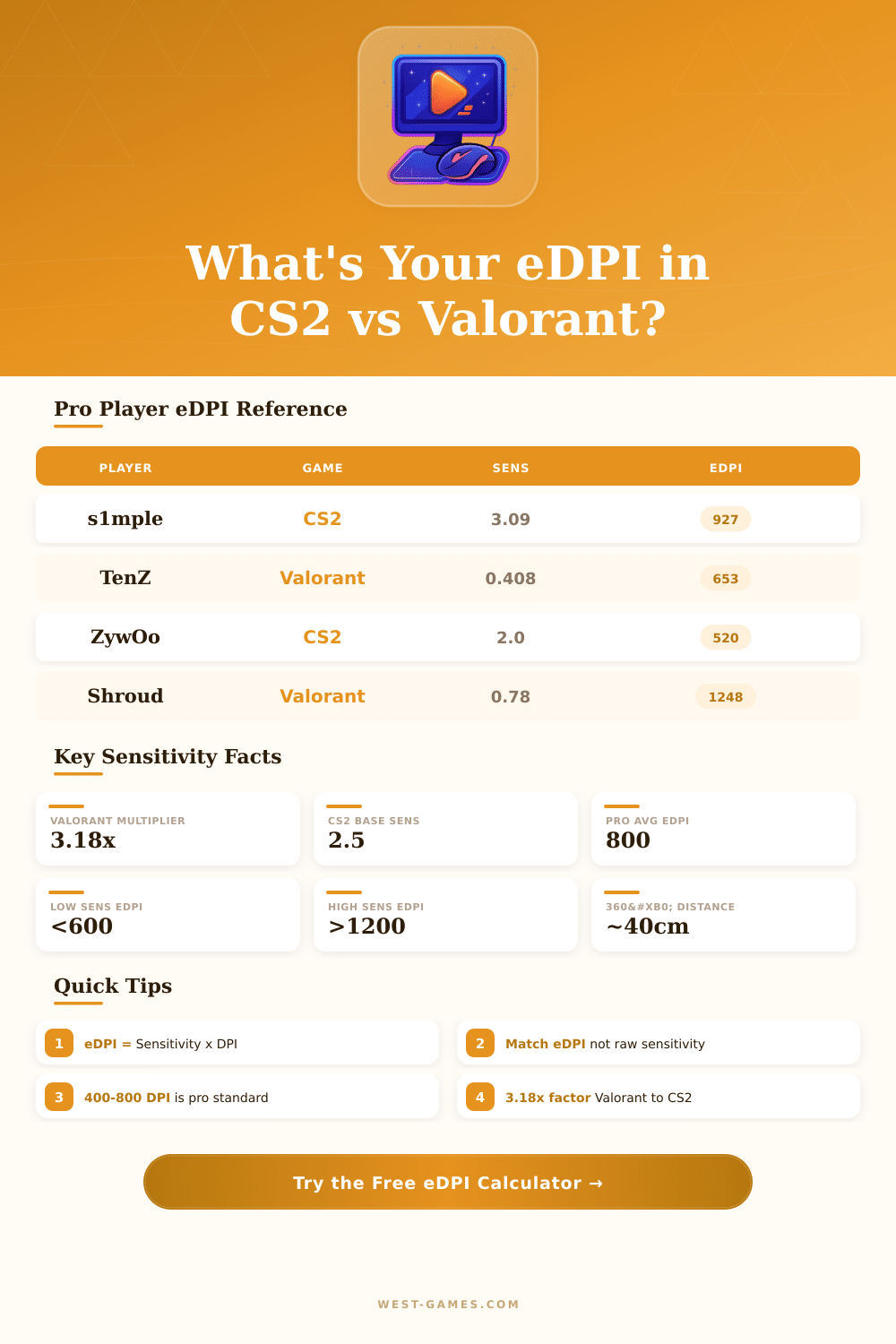
| Player | Game | DPI | In-Game Sens | eDPI | CS2 Equiv. | Valorant Equiv. | Level |
|---|---|---|---|---|---|---|---|
| TenZ | Valorant | 800 | 0.408 | 326 | 1.027 | 0.408 | Very Low |
| s1mple | CS2 | 400 | 3.09 | 1236 | 3.09 | 0.972 | High |
| ZywOo | CS2 | 400 | 2.0 | 800 | 2.0 | 0.629 | Mid |
| NiKo | CS2 | 400 | 1.25 | 500 | 1.25 | 0.393 | Low |
| Shroud | Valorant | 450 | 0.78 | 351 | 1.114 | 0.78 | Low |
| cNed | Valorant | 800 | 0.7 | 560 | 1.759 | 0.553 | Mid |
| device | CS2 | 400 | 1.1 | 440 | 1.1 | 0.346 | Low |
| aspas | Valorant | 800 | 0.37 | 296 | 0.931 | 0.293 | Very Low |
| Liquid naf | CS2 | 400 | 1.5 | 600 | 1.5 | 0.472 | Mid |
| xQc | Valorant | 800 | 0.68 | 544 | 1.709 | 0.537 | Mid |
| eDPI Range | Category | Playstyle Fit | Valorant Equiv. | CS2 Equiv. | Mousepad Need |
|---|---|---|---|---|---|
| Under 400 | Ultra Low | Extreme precision, snipers | Under 0.5 | Under 1.0 | XL required |
| 400 – 600 | Low | Riflers, precise aimers | 0.5 – 0.75 | 1.0 – 1.5 | Large or XL |
| 600 – 800 | Mid-Low | Most pro players | 0.75 – 1.0 | 1.5 – 2.0 | Medium to Large |
| 800 – 1000 | Mid | Balanced, versatile | 1.0 – 1.25 | 2.0 – 2.5 | Medium |
| 1000 – 1400 | Mid-High | Entry fraggers, aggressive | 1.25 – 1.75 | 2.5 – 3.5 | Small to Medium |
| 1400 – 2000 | High | Jiggle peeks, reactive | 1.75 – 2.5 | 3.5 – 5.0 | Any size |
| Over 2000 | Very High | Close-range, flicker aim | Over 2.5 | Over 5.0 | Small fine |
| Target eDPI | 400 DPI | 800 DPI | 1000 DPI | 1600 DPI | Category |
|---|---|---|---|---|---|
| 320 eDPI | 0.8 | 0.4 | 0.32 | 0.2 | Ultra Low |
| 480 eDPI | 1.2 | 0.6 | 0.48 | 0.3 | Low |
| 640 eDPI | 1.6 | 0.8 | 0.64 | 0.4 | Mid-Low |
| 800 eDPI | 2.0 | 1.0 | 0.8 | 0.5 | Mid |
| 1000 eDPI | 2.5 | 1.25 | 1.0 | 0.625 | Mid-High |
| 1200 eDPI | 3.0 | 1.5 | 1.2 | 0.75 | High |
| 1600 eDPI | 4.0 | 2.0 | 1.6 | 1.0 | Very High |
eDPI calculator does one very simple thing: it counts your actual mouse sensitivity. EDPI means “Effective Dots Per Inch“, and honestly the math behind it is very simple. You simply multiply the DPI of your mouse by your in-game sensitivity.
That’s everything. The result is one number that shows how quickly your cursor or crosshair moves across the screen.
How to Calculate Your eDPI
DPI, dots per inch, shows how sensitive your mouse is to moves. If you raise the DPI, the cursor slides more even when you move the mouse only slightly. Higher DPI means that the mouse catches tinier physical moves and reacts more quickly.
So yes, DPI does matter, but here’s the thing: it is only half of the equation. The in-game sensitivity slider also strongly affects how the mouse actually feels.
eDPI calculators are quite easy to use. You only enter your mouse DPI and the in-game sensitivity, and right away, the calculator shows your eDPI. Some calculators first let you choose the particular game, then you enter both values and simply press “calculate”.
Free tools exist for almost every popular FPS: Valorant, CSGO, Fortnite, Overwatch, Apex Legends, Call of Duty, Rainbow Six Siege and lots of others.
We quickly go across some examples. Imagine that you play at 400 DPI with 2.2 in-game sensitivity. If you multiply that, you get 880 eDPI.
Other situation: 1000 DPI with 0.28 sensitivity gives 280 eDPI. The formula stays the same, no matter waht game you play.
Here’s where eDPI becomes really useful. It lets you compare sensitivity between players that use entirely different DPI setups. Maybe you found a Valorant streamer that you like?
Check their DPI, count their eDPI, and then figure out what in-game sensitivity would give you the same feeling with your own mouse. No need to buy their exact gear, simply match the eDPI and you are pretty close.
Also, some tools even convert mouse sensitivity between different games, for instance between CSGO, Valorant and Overwatch 2. Like this you keep your muscle memory, using write eDPI and cm/360 calculations. They also support Apex Legends, Black Ops 6, Fortnite, FragPunk, Marvel Rivals and Rainbow Six Siege, and new games get added almost all the time.
You also can compare your eDPI with what professional players use, as a kind of measure. That helps you find competitive level setups. Different play styles naturally require different sensitivities, players that need to track targets could be around 4800 eDPI, while roles with less accuracy could reach 6400 eDPI.
Finding your “sweet spot” requires trying, and staying at one setup for a couple of weeks is honestly the best choice. Aim trainers also help you measure whether you actually improve.
Most modern games with raw input mean that Windows sensitivity does not enter the equation. You only multiply the DPI by the in-gamesensitivity, and you have your eDPI.