🎯 Deadlock eDPI Calculator
Calculate your effective DPI, 360° distance & sensitivity rating for Deadlock by Valve
| DPI | In-Game Sens | eDPI | Category | 360° (cm) |
|---|---|---|---|---|
| 400 | 0.5 | 200 | Ultra Low | ~152.4 |
| 400 | 0.8 | 320 | Ultra Low | ~95.3 |
| 400 | 1.0 | 400 | Low | ~76.2 |
| 800 | 0.5 | 400 | Low | ~76.2 |
| 400 | 1.5 | 600 | Mid-Low | ~50.8 |
| 800 | 0.8 | 640 | Mid | ~47.6 |
| 800 | 1.0 | 800 | Mid | ~38.1 |
| 1600 | 0.5 | 800 | Mid | ~38.1 |
| 800 | 1.5 | 1200 | High | ~25.4 |
| 1600 | 1.0 | 1600 | High | ~19.1 |
| Playstyle | Recommended eDPI | 360° Distance | Mouse Movement | Best For |
|---|---|---|---|---|
| Sniper / Ranged | 200 – 450 | 60 – 150+ cm | Very Large | McGinnis, Infernus |
| Support / Utility | 400 – 650 | 45 – 75 cm | Large | Dynamo, Kelvin |
| Duelist / Flex | 550 – 850 | 35 – 55 cm | Medium | Seven, Warden |
| Aggressive / Flanker | 700 – 1100 | 25 – 40 cm | Medium-Small | Wraith, Haze |
| High Mobility | 900 – 1400 | 18 – 30 cm | Small | Mirage, Pocket |
| Mouse DPI | Sens for 400 eDPI | Sens for 640 eDPI | Sens for 800 eDPI | Sensor Noise |
|---|---|---|---|---|
| 400 | 1.00 | 1.60 | 2.00 | Low |
| 800 | 0.50 | 0.80 | 1.00 | Low |
| 1000 | 0.40 | 0.64 | 0.80 | Low |
| 1200 | 0.33 | 0.53 | 0.67 | Low |
| 1600 | 0.25 | 0.40 | 0.50 | Moderate |
| 3200 | 0.13 | 0.20 | 0.25 | Higher |
Note: This article is based on reliable data gathered from different gaming resources and discussions in communities about eDPI in Deadlock.
Deadlock is a game that Valve created, mixing the forces of MOBA-games like DOTA 2 with shooter-games similar to Overwatch. It stays in early phase of development, with temporary maps and tested play. Already before the official announcement it attracted a huge amount of activity between players.
Best eDPI and Mouse Sensitivity for Deadlock
In such a game, finding the right settings for sensitivity is important.
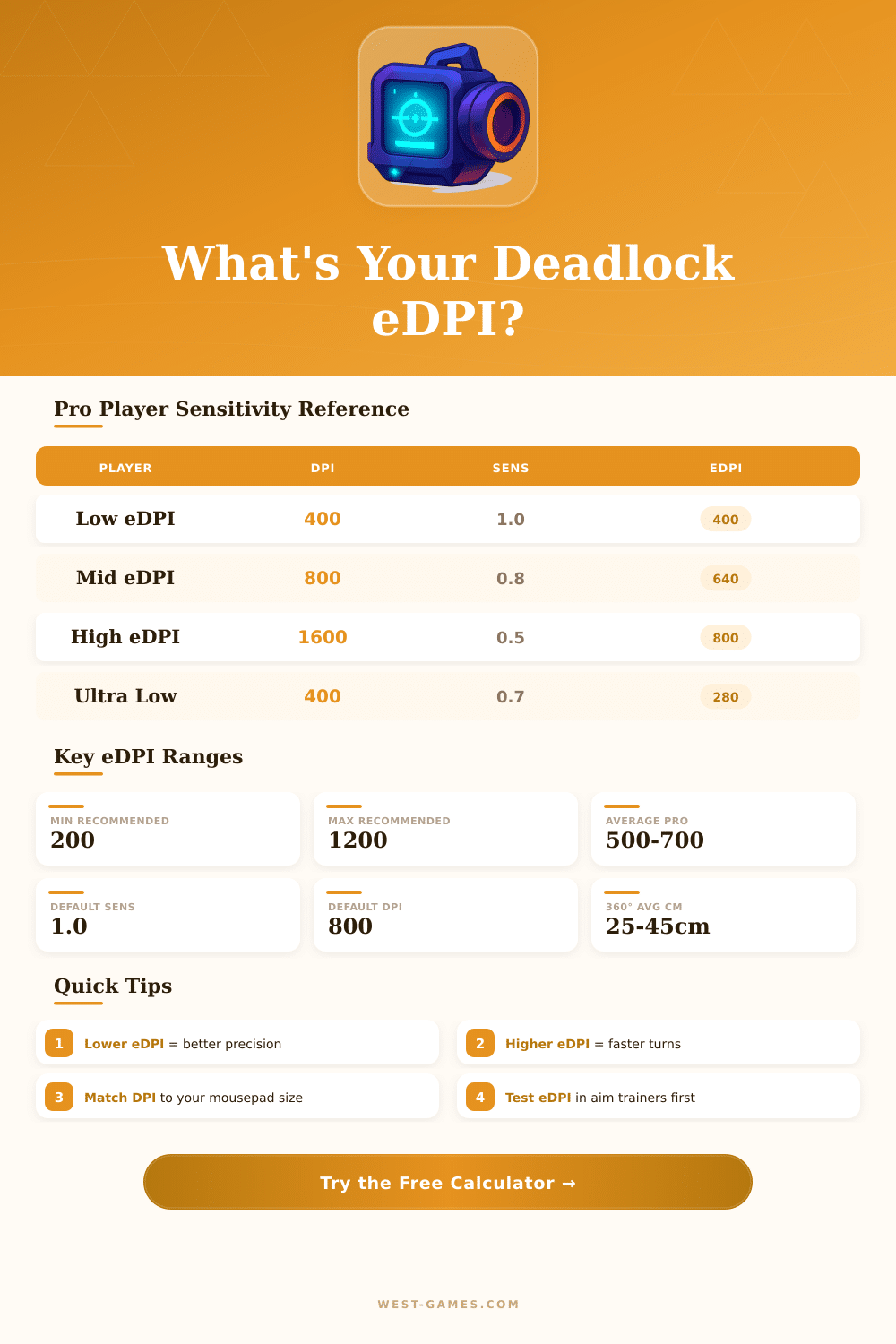
eDPI stands for Real Dots Each Inch. One counts it by means of multiplying the DPI of mouse by the in-game sensitivity. For instance, a player with 400 DPI and 1.5 in-game sensitivity would have eDPI of 600.
One could reach the same eDPI using 800 DPI together with 0.75 sensitivity. That gives identical real speed.
Here is the reason why eDPI matters. Two players can use exactly the same in-game sensitivity, but if one has double DPI compared to the other, that one will have to move the mouse only half the distance. The eDPI of that one would be twcie higher.
Hence simply knowing the number of in-game sensitivity does not suffice.
For Deadlock, the best eDPI range is 260 until 1039. Four other guides offer 1000 until 3000. One advises DPI between 400 and 800, with sensitivity between 1.0 and 2.5.
Too high DPI can produce irregular moves. If it is too low, the feeling becomes slow. Typical DPI values are 400, 800 or 1600, while Deadlock allows in-game sensitivity of 0.01 until 8.
Some players however choose very high DPI levels. One method is to use 26 000 DPI together with very low in-game sensitivity, to reach eDPI around 220, together with 4K polling. This delivers smooth movement and excellent accuracy.
There are free tools for converting sensitivity, that make the change of settings between Deadlock and more then 1 655 other games easier. Those calculators show eDPI, cm/360 and in/360. The change from VALORANT to Deadlock is easy, just enter the sensitivity and DPI of VALORANT.
One can also reverse the process. Good target values for cm/360 are between 20 and 50.
An important thing to know is that the slider for sensitivity in Deadlock does not always show perfectly. Here can happen a bit of unevenness. Using the config file helps for more exact setting of values.
Because of that, warming up and spending some minutes in a training tool before jumping in Deadlock truly helps. Practise in sandbox mode by shooting at targets, later add models of hostile characters for practising flick-shots to heads, is a good method. Having right settingsdo mastering in Deadlock and other games much more simple.