🌡️ Thermal Paste Lifespan Calculator
Find out how long your thermal paste lasts and when to replace it in your laptop
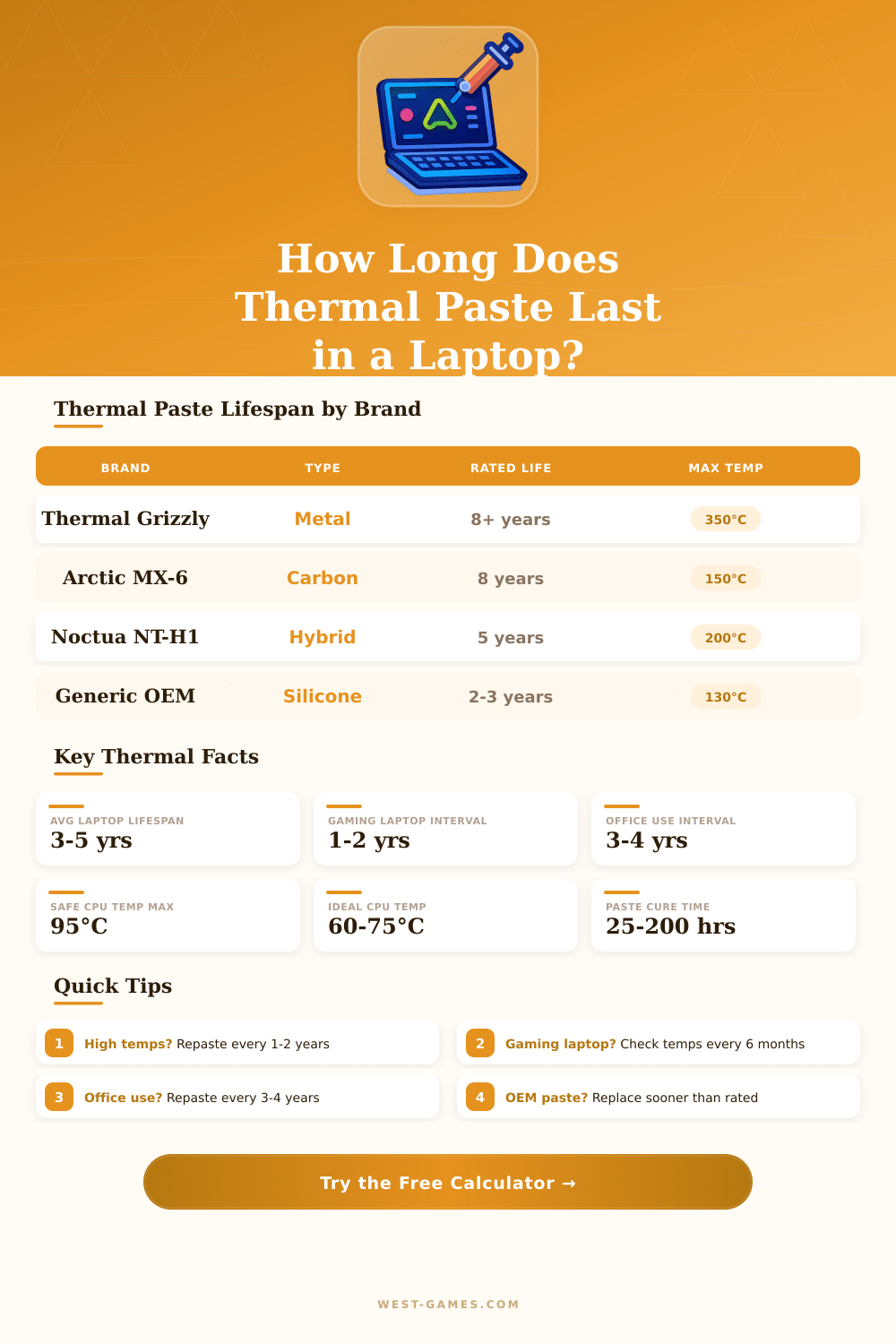
| Paste Type | Examples | Rated Lifespan | Conductivity (W/mK) | Best For |
|---|---|---|---|---|
| OEM / Generic Silicone | Stock factory paste | 2–3 years | 3–6 W/mK | Factory default |
| Carbon-Based | Arctic MX-6, MX-4 | 8 years | 8.5 W/mK | Most laptops |
| Hybrid / Ceramic | Noctua NT-H1, NT-H2 | 5 years | 8.9 W/mK | General use |
| Liquid Metal | Thermal Grizzly Conductonaut | 8+ years | 73 W/mK | Extreme cooling |
| Phase Change | Fujipoly XR-m, Honeywell | 5–7 years | 7–11 W/mK | Low-profile CPUs |
| Graphene-Based | Dowsil TC-5026 | 6–8 years | 6–9 W/mK | Server / workstation |
| Temp Range (°C) | Temp Range (°F) | Status | Action Required |
|---|---|---|---|
| Under 60°C | Under 140°F | 🟢 Excellent | None — paste is healthy |
| 60–75°C | 140–167°F | 🟢 Normal | Monitor periodically |
| 76–85°C | 169–185°F | 🟡 Warm | Consider repasting soon |
| 86–94°C | 187–201°F | 🟠 Hot | Repaste recommended now |
| 95–100°C | 203–212°F | 🔴 Critical | Repaste urgently — throttling |
| Above 100°C | Above 212°F | ⛔ Danger | Immediate action — hardware risk |
| Use Case | Daily Hours | Recommended Interval | Paste Type Advised |
|---|---|---|---|
| Light office / browsing | 1–3 hrs | 4–5 years | Carbon or Hybrid |
| General everyday use | 4–6 hrs | 3–4 years | Carbon (MX-6) |
| Casual gaming | 4–6 hrs | 2–3 years | Carbon or Metal |
| Heavy gaming | 6–10 hrs | 1–2 years | Liquid Metal |
| Video editing / rendering | 6–10 hrs | 1.5–2 years | Liquid Metal or Carbon |
| Mobile workstation | 8+ hrs | 1–1.5 years | Liquid Metal |
| Hot environment (>30°C) | Any | Reduce by 30–40% | High-conductivity paste |
Thermal Paste has many names. One also calls it thermal paste, thermal grease, heat transfer paste, thermal gel, grease for CPU, paste for heat sink and thermal interface material or TIM. No matter what one calls it, it does the same task.
Thermal Paste is meant to cover little tiny spaces between the CPU and its heat sink. The surfaces of processor chips and bases of heat sinks have tiny holes and bumps. Because air blocks heat, those spaces stop the heat transfer.
What Thermal Paste Is and How to Use It
The paste closes those spaces and forms a bridge, through that heat passes from the CPU to the heat sink. Simply it is heat transfer material between heat source and contact point of cooling unit.
Thermal Paste plays an important role so that modern computers run safely. Without it heat does not go from the chip as quickly as needed. One must apply it on the metal heat shield of the CPU before placing the heat sink.
To apply Thermal Paste, a small amount is enough. For a pair of CPU and heat sink, a dose no more than half a grain of rice is good. Too much paste can hurt the cause, because it raises the thermal resistance instead of lowering it.
The layer must be as thn as possible. Some like to lay a small spot in the centre and allow the heat sink to spread it during pressure down. Others choose X-form, that helps to escape tiny lumps.
One can also spread it before by means of a card, although here you risk trapping air pockets between the surfaces.
There are some popular brands of Thermal Paste. Arctic MX-4 is one of the most sold and easily used. It is made up of carbon micro-particles, that cover the little holes on processor chip and heat sink, so it has high heat flow.
Arctic makes also MX-5, MX-6 and MX-7. Thermal Grizzly Kryonaut ranks among the most effective, but it does not cost little and can be hard to apply. Noctua NT-H1 is another well known option, that does not contain metal.
Most heat sinks, sold in stores, come with a layer of Thermal Paste already applied.
Thermal Paste does not last forever. Good paste can serve for many years though. One computer worked eight years with good paste and ran well.
The life span depends on the temperature, temperature differences and the number of thermal cycles, that the paste goes through. Heavy usage and high temperatures can cause faster wear. Liquid metal is not suggested for everyday players and is used mostly four top records in overclocking.
Quality pastes give around two degrees better results than cheap, so do notexpect miracles only from a change of paste.