🔭 Telescope FOV Calculator
Calculate True Field of View, Magnification & Exit Pupil for any telescope & eyepiece combo
| Telescope | Aperture | Focal Length | Focal Ratio | Type |
|---|---|---|---|---|
| Celestron AstroMaster 70EQ | 70mm (2.75") | 900mm | f/12.8 | Refractor |
| Orion SkyQuest XT8 | 203mm (8") | 1200mm | f/5.9 | Dobsonian |
| Celestron NexStar 8SE | 203mm (8") | 2032mm | f/10 | SCT |
| Sky-Watcher 10" Collapsible | 254mm (10") | 1200mm | f/4.7 | Dobsonian |
| Meade ETX-90 | 90mm (3.5") | 1250mm | f/13.8 | Maksutov |
| William Optics GT81 | 81mm (3.2") | 478mm | f/5.9 | APO Refractor |
| Celestron C11 | 279mm (11") | 2800mm | f/10 | SCT |
| Explore Scientific 12" Truss | 305mm (12") | 1524mm | f/5 | Dobsonian |
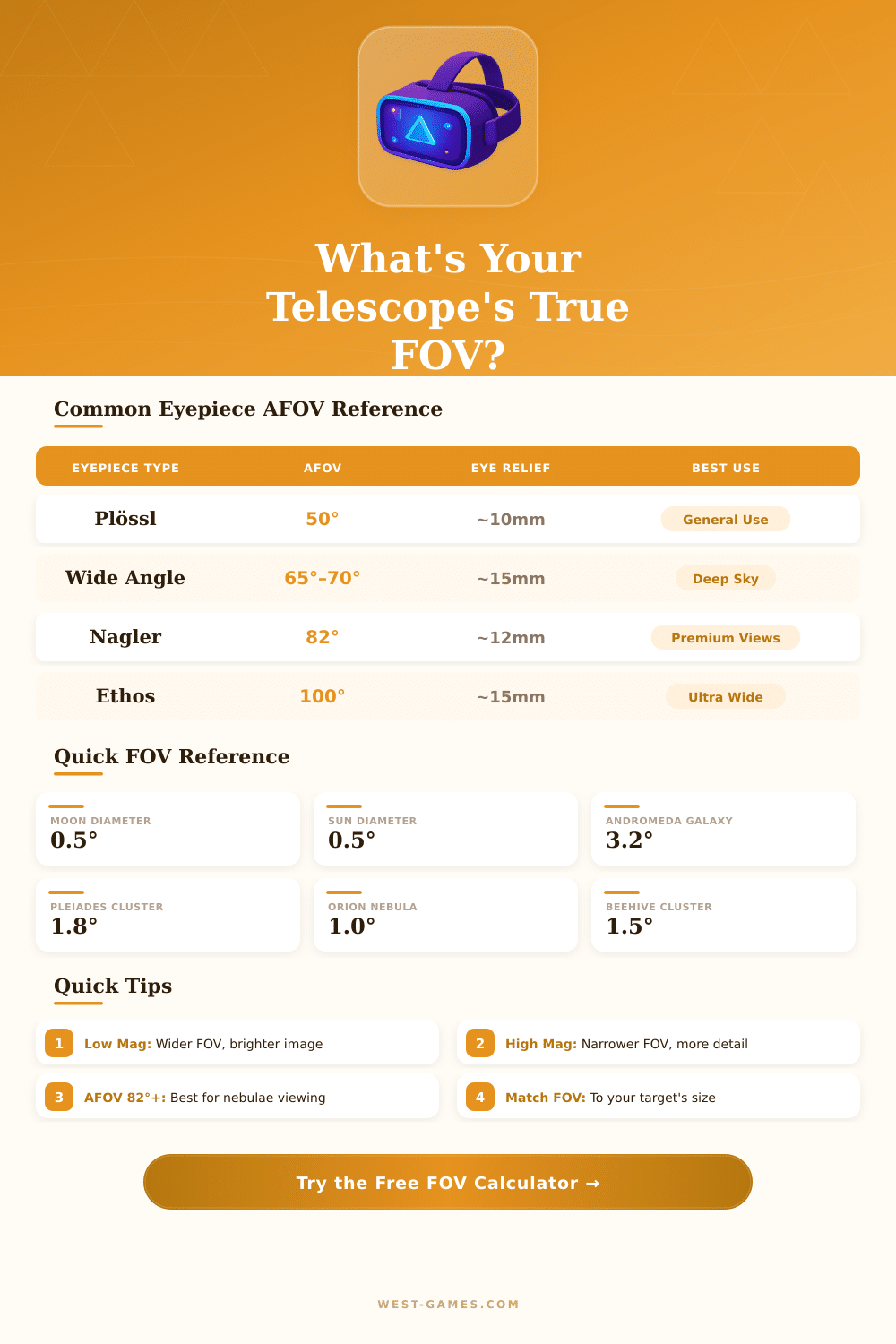
| Eyepiece Design | AFOV | Eye Relief | Elements | Best For |
|---|---|---|---|---|
| Huygens / Ramsden | 40° | ~6mm | 2 | Basic viewing, old scopes |
| Kellner / RKE | 45° | ~10mm | 3 | General entry-level |
| Plössl | 50°–52° | ~10mm | 4 | All-round workhorse |
| Wide Angle (e.g. GSO) | 60°–68° | ~12mm | 5–6 | Deep sky objects |
| Delos / LVW | 72°–76° | ~20mm | 8 | Comfort, long sessions |
| Nagler / ES82 | 82° | ~12mm | 7–8 | Premium wide field |
| Ethos | 100° | ~15mm | 8 | Ultra wide immersive |
| Ethos SX | 110° | ~15mm | 9 | Maximum AFOV |
| Scope FL | Eyepiece 25mm (50°) | Eyepiece 10mm (50°) | Eyepiece 10mm (82°) | Eyepiece 5mm (50°) |
|---|---|---|---|---|
| 600mm (f/8 80mm) | 24x / 2.08° | 60x / 0.83° | 60x / 1.37° | 120x / 0.42° |
| 900mm (f/12.8 70mm) | 36x / 1.39° | 90x / 0.56° | 90x / 0.91° | 180x / 0.28° |
| 1200mm (f/5.9 8") | 48x / 1.04° | 120x / 0.42° | 120x / 0.68° | 240x / 0.21° |
| 1524mm (f/5 12") | 61x / 0.82° | 152x / 0.33° | 152x / 0.54° | 305x / 0.16° |
| 2032mm (f/10 8") | 81x / 0.62° | 203x / 0.25° | 203x / 0.40° | 406x / 0.12° |
6–7mm: Best for dark skies & faint nebulae. 3–4mm: General deep sky. 1–2mm: Planetary & lunar detail. <0.7mm: Only for very high contrast targets. Your eye's dark-adapted pupil is ~7mm (younger) or ~5mm (older).
Note: This article is based on reviews and memories that one gathered from different websites about calculators for fov.
Aids for counting fov find the right scope of visual setups. Setups of fov matter a lot in games and in work with cameras. Those calculators receive info about size of the screen, ratio of the screen and distance between eyes and screen, later they give the ideal value for fov.
Field of View Calculators for Games and Cameras
Typical ratios of screens include 16:10, 24:10 and 32:10. Distance of the eyes to the monitor strongly affects the final number.
In racing games, choosing the right fov changes the game entirely. Professional players in racing sims use only right setups for fov. A calculator for fov in racing games can address single, curved and triple screen setups for the most many games about racing.
It provides precise feeling in the game, which helps drivers become faster and more stable. The main thought is easy (imagine the screen as a window). The more closely you are to the window, the more of the outside shows.
Also a bigger window allows better sight. Just lkie this operate calculators for fov.
Some calculators show both horizontal fov and vertical fov. This is because different games apply different modes. Some games require horizontal fov, while others require vertical.
A tool for converting can switch between both. If a game uses vertical fov, the calculator can convert from the usual horizontal to vertical. Know what type the game requires, this is key for right results.
In games on the Source engine with heritage of Quake, setting the ratio expands the horizontal fov to preserve the vertical fov unchanged. That gives advantage to players with wider screens over those that use the same fov setting. Keeping vertical fov unchanged threw different ratios is the old idea Hor+.
It stays the same regardless of the form of the screen.
Calculators for fov do not limit to games. There are also tools for cameras about fov. Entering the focal length of the lens, size of the sensor and distortion, one gets the fov for the camera.
Those aids estimate the size of fov at a certain distance, storing width and height, together with the angle of sight.
For gaming, 110-degree fov is usually the best, because it prints odd moves more near to the center, which helps them stay in focus. But on smaller screens, 100 or even 90 fov maybe works more well. Some racing games have limits, the slider for fov does not go past 179 degrees, which creates problems for triple screens that need 190 degrees or more.
Setting one or two degrees off theintended value commonly feels more natural and less slanted.