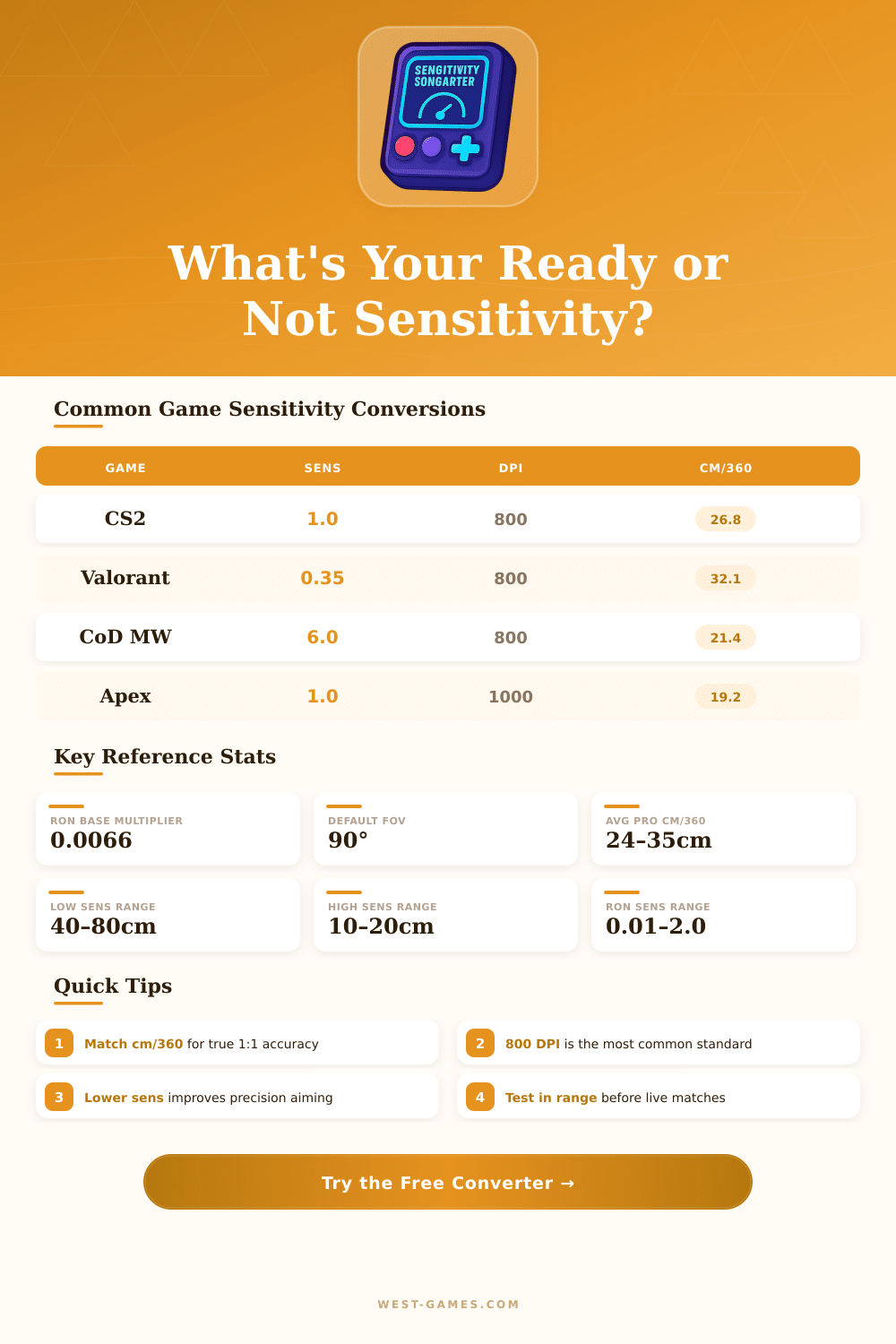
🎯 Ready or Not Sensitivity Converter
Convert your mouse sensitivity from any game to Ready or Not – with DPI, FOV & cm/360 reference
| Game | Sens Multiplier | Default FOV | cm/360 @ 800DPI, Sens 1.0 | Notes |
|---|---|---|---|---|
| CS2 / CS:GO | 1.0000 | 68° (vert) | 26.82 cm | Industry standard reference |
| Valorant | 3.1818 | 103° (horiz) | 30.48 cm | Multiply by 3.18 vs CS2 |
| Apex Legends | 1.0000 | 110° | 26.38 cm | ADS has separate scaling |
| Call of Duty MW/WZ | 0.8333 | 80° (ADS) | 21.55 cm | Relative ADS by default |
| Rainbow Six Siege | 1.0000 | 90° | 23.84 cm | Uses degrees/dot system |
| PUBG | 1.0000 | 103° | 24.01 cm | General sens at 103 FOV |
| Escape from Tarkov | 0.3650 | 75° | 29.60 cm | Very low sens multiplier |
| Overwatch 2 | 10.600 | 103° | 28.15 cm | High number scale |
| Arma 3 | 1.0000 | 70° | 33.20 cm | Narrow default FOV |
| Insurgency: Sandstorm | 1.0000 | 90° | 26.82 cm | Same scale as RoN base |
| Ready or Not | 1.0000 | 90° | 26.82 cm | Target game (this tool) |
| Playstyle | cm/360 Range | RoN Sens @ 800DPI | Recommended For |
|---|---|---|---|
| 🔥 Very High Sens | 5 – 15 cm | 0.22 – 0.67 | Fast flick aiming, close quarters |
| ⚡ High Sensitivity | 15 – 25 cm | 0.67 – 1.12 | Balanced aggressive play |
| ✅ Medium Sensitivity | 25 – 40 cm | 1.12 – 1.78 | Tactical shooters, most common |
| 🎯 Low Sensitivity | 40 – 60 cm | 1.78 – 2.0+ | Precision, long-range, sniping |
| 🐌 Very Low Sens | 60+ cm | Requires lower DPI | Sim/strategy hybrid players |
🖱️ DPI matters: Changing DPI without adjusting in-game sensitivity changes your effective sensitivity. Use this tool after any DPI change to recalculate.
📐 FOV affects perceived speed: A wider FOV makes the same sensitivity feel faster. If you change FOV in Ready or Not, recalculate for the same physical feel.
Ready or Not is based on firm, no-compromise realism, it is an FPS that does not soften the themes. Because the game becomes very graphic and intense, it is clearly meant for mature players. The developers themselves say that quite directly: if you went through your own trauma tied to criminal violence hostage situations or terror, they advise to step back and skip it.
Despite that, the game indeed shows respect to the work of police and other law enforcement officers globally, and it carefully avoids glorifying criminal behaviour.
Sensitivity Controls Are Hard to Find and There Is No Zoom Aim Slider
But finding the Sensitivity settings? Here is where things become stressful. Most players assume that they will be in the controls, but no; someone hid them deeper below, at the bottom of the menu for game settings.
You must dig a bit to finally find them.
Here is one of the biggest annoyances: there is no separate slider for ADS-Sensitivity (aiming through the sight). You receive only one Sensitivity setting, period. There is no way to slow your zoom pace while you keep your normal looking Sensitivity sharp.
If you use high DPI or really high Sensitivity, aiming becomes real torture. For an FPS in 2024, that is a very clear gap; honestly, it feels like a control that should not be missing, and it strongly damages teh experience for players that want precise aim control.
Some folks already searched INI-files and mods to find fixes, but what the game truly needs is a built-in ADS-Sensitivity modifier. Separating the zoom Sensitivity from the normal looking pace wood make a huge difference in the feeling of the game.
Also, the Sensitivity slider itself does not always act faithfully. The number or position that you see on the slider does not always perfectly match what it actually does in the game. Keep that in mind while you adjust.
For controls, raising both vertical and horizontal looking Sensitivity helps only very little. Playing around with the deadzone and the stick boost can also clearly change the feeling, especially during fierce fights, when one missed shot means end of the game because of the trigger delay.
The good news is that there are free online Sensitivity converters that work for roughly 1 655 different games. They calculate EDPI-, cm/360- and in/360-numbers, so that your aim feels the same, whether you jump between Ready or Not and other shooters. For instance, 1.0 Sensitivity in Ready or Not converts to 1.0 in Counter-Strike 2.
Likewise also the other way: 1.0 from Getting Over It converts directly to 1.0 here.
Some also talked about adding a toggle for ADS-scaling in those calculators. Ready or Not does have that setting available, but the converters donot consider it, and that messes up how ADS-Sensitivity converts between games.