🎮 PS5 Controller Battery Life Calculator
Find out exactly how long your DualSense will last based on your play style & features
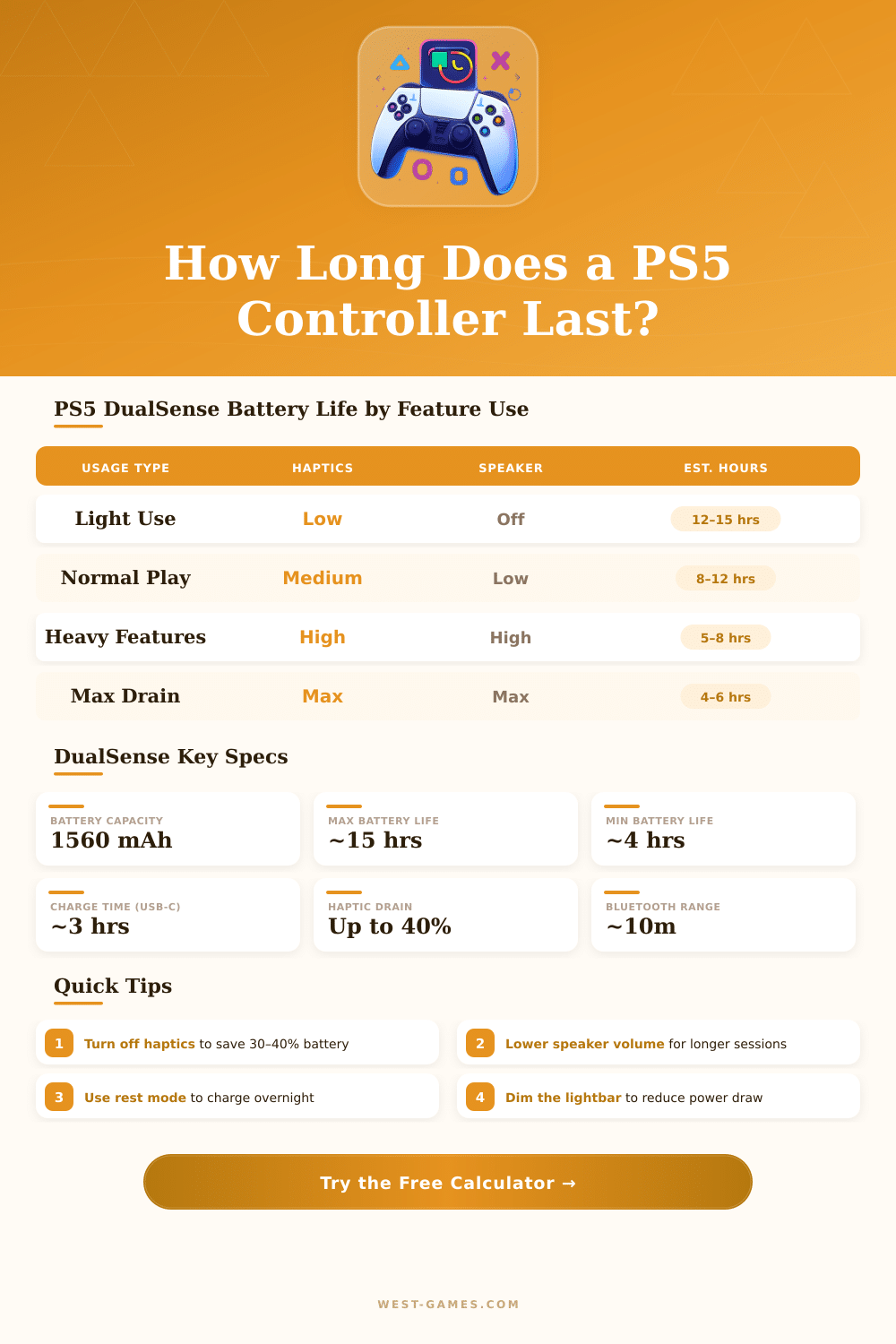
| Usage Profile | Haptics | Triggers | Speaker | Est. Hours | Sessions / Charge |
|---|---|---|---|---|---|
| All Features Off | Off | Off | Off | 13–15 hrs | 3–4 sessions |
| Battery Saver | Low | Off | Off | 11–13 hrs | 2–3 sessions |
| Default / Stock | Medium | Medium | Low | 8–12 hrs | 2 sessions |
| Casual Gamer | Medium | Low | Low | 10–12 hrs | 2–3 sessions |
| Story / RPG | Medium | Medium | Medium | 7–10 hrs | 1–2 sessions |
| Competitive FPS | High | High | Low | 6–9 hrs | 1–2 sessions |
| Full Immersion | Max | Max | High | 4–7 hrs | 1 session |
| Maximum Drain | Max | Max | Max + Mic | 3–5 hrs | <1 session |
| Feature | Power Draw | Battery Impact | Time Lost (approx) |
|---|---|---|---|
| Haptic Feedback (Max) | High | −30 to 40% | −3–5 hrs |
| Adaptive Triggers (Max) | High | −20 to 30% | −2–4 hrs |
| Built-in Speaker (High) | Medium | −10 to 20% | −1–2 hrs |
| Microphone (Active) | Low–Medium | −5 to 10% | −0.5–1 hr |
| Lightbar (Bright) | Low | −3 to 5% | −0.3–0.6 hr |
| Bluetooth vs Wired | Low | −2 to 4% | −0.2–0.5 hr |
| Controller Age | Approx. Charge Cycles | Battery Health | Capacity Remaining |
|---|---|---|---|
| 0–6 months | 0–100 | 100% | 1560 mAh |
| 6–18 months | 100–300 | ~90–95% | ~1404–1482 mAh |
| 18–36 months | 300–600 | ~75–85% | ~1170–1326 mAh |
| 3+ years | 600+ | ~60–75% | ~936–1170 mAh |
The DualSense wireless PS5 controller is the main add-on that you need for your PlayStation 5. You can buy it directly from the official store of PlayStation although GameStop and other sellers also offer them (here are standard models), special editions and many color options to choose.
What truly sets the DualSense apart is its touch feedback and adaptive triggers. While you pull the main trigger in a game, those adaptive triggers resist against your hand, giving a feeling entirely different than that of old controllers. Sony chose the name “DualSense” to highlight the change from simple dual joystick setup to a more immersive and sensitive experience.
All about the PS5 DualSense controller: features, problems and other choices
Here the main downside though, when you connect it to computer by means of Bluetooth, the whole touch feedback does not work the same every time. Also, you will not receive sound from the speaker of the PS5 controller on computer, which truly saddens you if you are used to that feature.
That PS5 controller works with PS5, computers, Mac and similar portable devices. Sony on purpose planned that and released updates, so that pairing with several devices becomes less difficult. To connect it to computer, you have two modes: USB cable or Bluetooth.
In Steam exists a setting called “Switch support for PlayStation”, that helps the system recognize it correctly. One missed detail of the experience on computer is, that many games show buttons of Xbox instead of PlayStation, which really confuses you.
Stick drift clearly deserves mention for the usual DualSense. The analog sticks seem to wear out more soon than in prior PlayStation controllers. Some buyers from certain stores said, that their controllers stopped working after only three to seven months.
On the other hand, many copies last years without any problem. Truly, it depends on luck and how one uses it.
For the best experience, choose the DualSense Edge. It is a wireless PS5 controller that works on PS5, computers, Mac and portable devices, and hear is the main feature, the sticks can be swapped. If drift ever becomes a problem, you must spend only around twenty dollars to replace them.
The back buttons on the Edge are among the best that you will find anywhere. The usual price sits around two hundred dollars, but during discounts you can get it for almost hundred sixty-nine dollars.
There also exists a good scene of third-party products. The Victrix Pro BFG is wireless with modular structure and four back buttons that you can remap. The Nacon Revolution has a switch for changing between modes of computer and PS5, but it lacks touch feedback, vibration, the light bar and adaptive triggers.
Companies like Scuf offer custom controllers with four adjustable paddles and swappable sticks, if you want somethingfully custom.
Sony launched several limited editions of DualSense over the time. The Black Midnight draws aim from space and midnight moods. There exists a model tied to Concord with matte black color and bold accents in orange and turquoise.
The edition of Genshin Impact is available until February 2026 at eighty-five dollars. The DualSense tied to Marathon costs the same. And the Remix adds rich gloss with bright vibration, that looks good in any setting.