💾 PS4 Hard Drive Lifespan Calculator
Estimate how long your PS4 HDD will last based on your usage, environment, and drive health
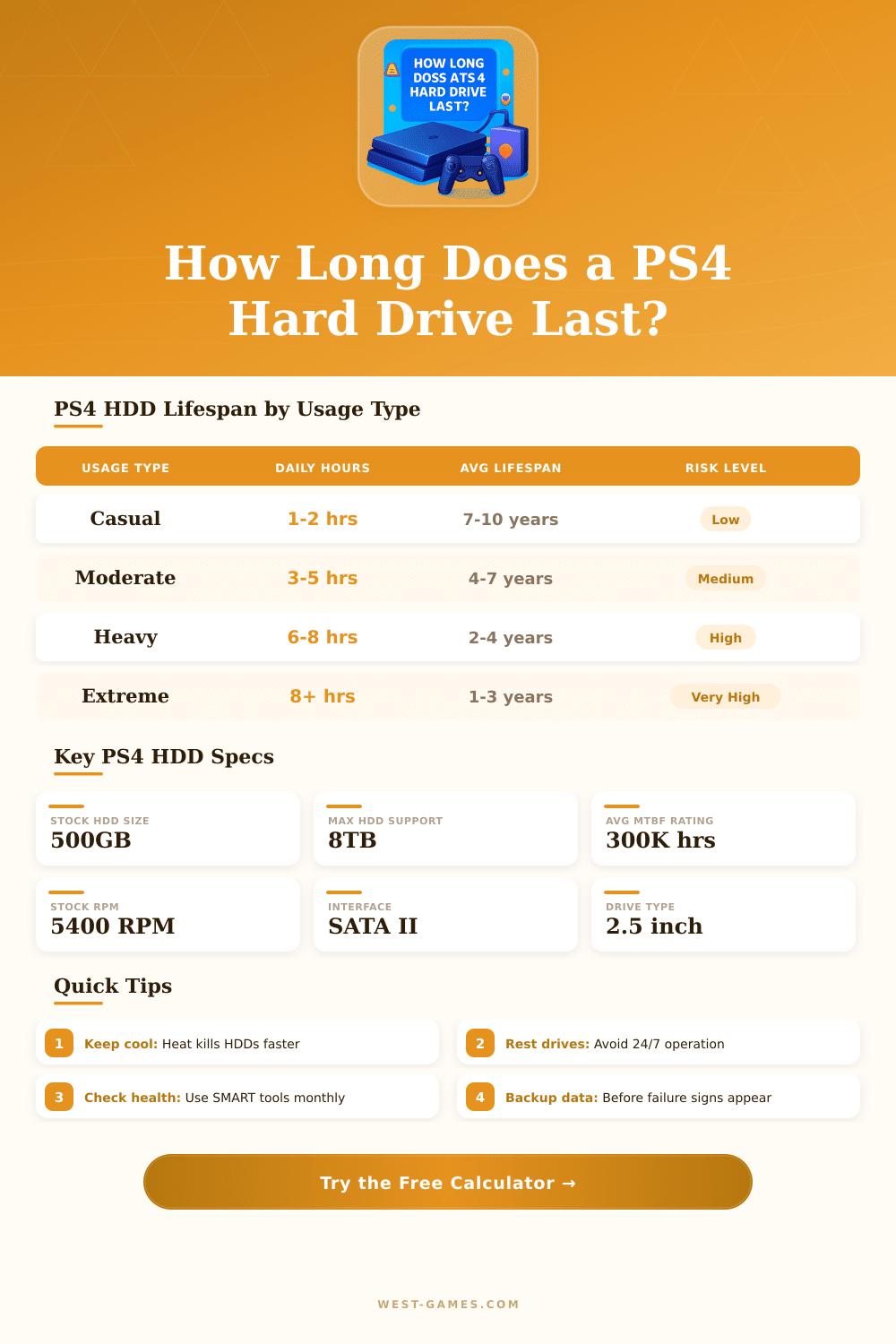
| Usage Level | Daily Hours | Avg Lifespan | Total Drive Hours | Risk Level |
|---|---|---|---|---|
| Casual | 1–2 hrs | 7–10 years | 2,500–7,300 hrs | 🟢 Low |
| Moderate | 3–5 hrs | 4–7 years | 4,400–12,800 hrs | 🟡 Medium |
| Heavy | 6–8 hrs | 2–4 years | 4,400–11,700 hrs | 🟠 High |
| Extreme | 8+ hrs | 1–3 years | 2,900–8,800 hrs | 🔴 Very High |
| Drive Type | Speed | MTBF | Avg Lifespan | Failure Rate | Best For |
|---|---|---|---|---|---|
| Stock HDD (5400 RPM) | ~80 MB/s | 300K hrs | 3–7 years | ~1.5% p/yr | Standard use |
| HDD (7200 RPM) | ~120 MB/s | 250K hrs | 3–6 years | ~2.0% p/yr | Faster loads |
| SSHD (Hybrid) | ~130 MB/s | 280K hrs | 3–6 years | ~1.8% p/yr | Mixed workloads |
| SSD (SATA) | ~550 MB/s | 1.5M hrs | 7–15 years | ~0.5% p/yr | Best longevity |
| Warning Sign | Severity | Likely Cause | Action |
|---|---|---|---|
| Slower load times | 🟡 Medium | Drive fragmentation / age | Rebuild database |
| Clicking / grinding noise | 🔴 Critical | Mechanical head failure | Backup & replace NOW |
| CE-34878-0 errors | 🟠 High | Bad sectors / corruption | Check & replace soon |
| Corrupted game data | 🟠 High | Bad sectors accumulating | Backup immediately |
| CE-36329-3 errors | 🔴 Critical | HDD read/write failure | Replace drive |
| Frequent PS4 freezing | 🟠 High | Drive or thermal issue | Inspect & clean console |
The PS4 includes a standard 500 GB hard drive with 5400 RPM and SATA II. It is not very fast. Many users do not change the internal hard drive so everything stays a bit slow, until Sony launched support for external hard drive in system update 4.50, which allows to play games directly from it.
Now you do not need to remove old games only to free space for new ones.
How to Use and Replace PS4 Hard Drives
For external storage, any USB 3.0 hard drive between 250 GB and 8 TB should work as extended memory for PS4. The external hard drive must have at least 256 GB and be compatible with USB 3.1. If it does not meet those specs, PS4 will treat it only as basic storage.
PS4 cannot use external hard drive with regular USB drives. For external storage, you need system software version 4.50 or newer.
Known brands are Seagate and Western Digital. The Seagate Game Drive for PS4 offers simple connection without need of extra programs. 2 TB drives help to store more than 100 games.
WD Blue forms another reliable option, that clearly improves the tiem of loading and the overall system speed.
Changing the internal hard drive is fairly easy. PS4 uses standard 2.5-inch SATA hard drive or fitting 2.5-inch SATA SSDs. The disk tray accepts drives up to 9.5 mm thick.
You only need one tool: a Phillips screwdriver. You pull the cover outside, remove four Phillips screws, insert the new hard drive, slide the cover back and screw it in. Some kits for hard drive store everything needed plus space to recycle the original hard drive.
The older base model of PS4 cannot fully use newer and fast SSDs, so it is not worth spending too much on models with high speed. A hard drive of 7200 RPM will load games a bit more quickly then the standard, but it only removes some seconds from the loading times. SSHDs form another option, that can surprise with speed, when data is ready to load ahead.
Avoid drives with SMR (shingled magnetic recording), because they can cause problems during continuous transfers of data.
PS4 Pro has its own strong data connection, that reaches around 600 MB/s, while the regular and slim models limit to about 300 MB/s. To prepare USB storage for the system update, format it to FAT32, create a folder called PS4 and inside a folder called UPDATE. The process of backup before changing drives can take a bit of time.
Cloud storage through PS Plus helps to reduce issues about saved data during the change. The internal hard drive of PS4 uses encryption tied to the original device, so it cannot simply be connected to anotherPS4 or computer to read files directly. External drives on PS4 serve only to play PS4 games.