🎮 PS4 Controller Battery Life Calculator
Estimate how long your DualShock 4 will last per charge based on your play style
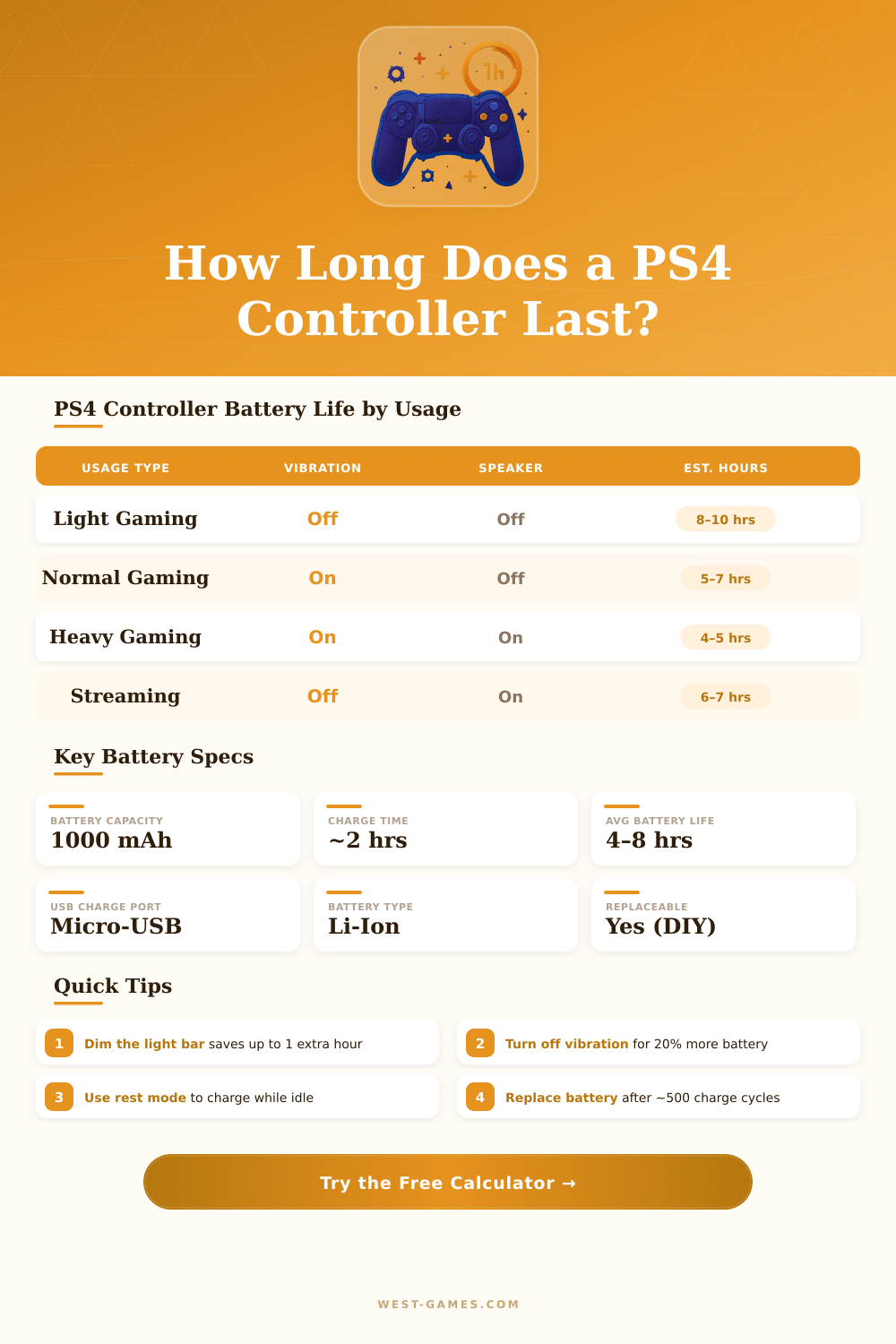
| Scenario | Vibration | Light Bar | Speaker | Est. Hours |
|---|---|---|---|---|
| Max power saving | Off | Off/Dim | Off | 9–11 hrs |
| Light / casual gaming | Low | Low | Off | 7–9 hrs |
| Normal gaming (typical) | Med | Medium | Off | 5–7 hrs |
| FPS / action games | High | Bright | Off | 4–6 hrs |
| With speaker on (medium) | Med | Medium | Med | 4–5 hrs |
| Heavy use (all features on) | High | Bright | High | 3–4 hrs |
| Worn battery (2–3 yr) | Med | Medium | Off | 3–5 hrs |
| Old/degraded battery (4+ yr) | Med | Medium | Off | 2–3 hrs |
| Feature | Drain Impact | Est. Hours Lost | Recommendation |
|---|---|---|---|
| Vibration (High) | High | –1.5 to –2.5 hrs | Set to Low or Off |
| Light Bar (Bright) | Medium | –0.5 to –1.5 hrs | Dim or Off |
| Speaker (High) | Medium–High | –1 to –2 hrs | Use headset instead |
| Touchpad (Frequent) | Low | –0.1 to –0.3 hrs | Minimal impact |
| Analog Sticks | Low | –0.2 to –0.4 hrs | Normal use fine |
| Bluetooth Connection | Low–Med | –0.3 to –0.5 hrs | Stay within 10m |
| Controller Age | Approx. Cycles | Battery Health | Expected Life |
|---|---|---|---|
| Brand new | 0–50 | 100% | 5–8+ hrs |
| 6–12 months | 50–150 | 95–98% | 5–7.5 hrs |
| 1–2 years | 150–300 | 85–95% | 4.5–7 hrs |
| 2–3 years | 300–450 | 70–85% | 3.5–5.5 hrs |
| 3–4 years | 450–600 | 55–70% | 2.5–4.5 hrs |
| 4+ years | 600+ | <55% | 1.5–3 hrs |
The DualShock 4 is the famous PS4 controller and it comes in various colours. Every new PS4 console comes with one controller in the box, because it is the basic tool for using the console. That controller works well with PS4 and PC which gives it big flexibility.
The accelerometer and gyroscope inside the controller detect motions, tilts and turns. The look, form and feel of the controller are carefully planned for comfort. It sits nicely in the hand and weighs correctly.
All About the DualShock 4 PS4 Controller
The touchpad and the button for share simplifies social online activities and play with friends. On the other hand, in many games the touchpad almost does not exist. One could use it much more often especially in shooter games from first person.
The first set of DS4 controllers had rough black buttons together with thick thumb pads, that stopped the light bar from shining through it. The updated DS4 version appeared together with the Slim and Pro models of PS4. When one connects it by means of USB, the signal goes through that cable, which often gives lower delay than Bluetooth.
Also in that updated model the light bar shows on the touchpad.
Budget and generic PS4 controllers form a mix of problems. Those generic ones often feel too lightweight and cheap. A common issue with them is delay in input.
Some generic controllers will stop charging after only six months. They also lack the official calibration of the PS4 dead zone. There really is no good budget PS4 controller, because most have serious flaws.
The original DualShock 4 stays the best in many ways. Refurbished PS4 controllers from GameStop can be better priced and probably work well.
Drifting is a famous problem. Controllers can suddenly start drifting and lagging. The hinge of the R2 button can brake after around six months of heavy use.
A little button for restart on the back of the controller can be pressed with a paper clip to reset it.
Connecting the DualShock 4 to PC is possible by means of Bluetooth or USB. In Steam, turning on support for PS4 controller in the settings is the simplest way. Holding at the same time the PS and Share buttons, one puts the controller in pairing mode.
Some games recognise the controller, but show Xbox button prompts, and turning off the Steam Input in the game options can fix that. DS4Windows is another program, that lets games believe that the PS4 controller is an Xbox controller forbetter support.
Custom controllers like the SCUF Infinity4PS Pro offer the usual PS4 form with extra features for gaming. Click triggers and click paddles give faster reactions for quicker and precise shots. They come also in many colours for personal style.