⌨️ Mechanical Keyboard Lifespan Calculator
Estimate how long your mechanical keyboard will last based on switch type and daily typing habits
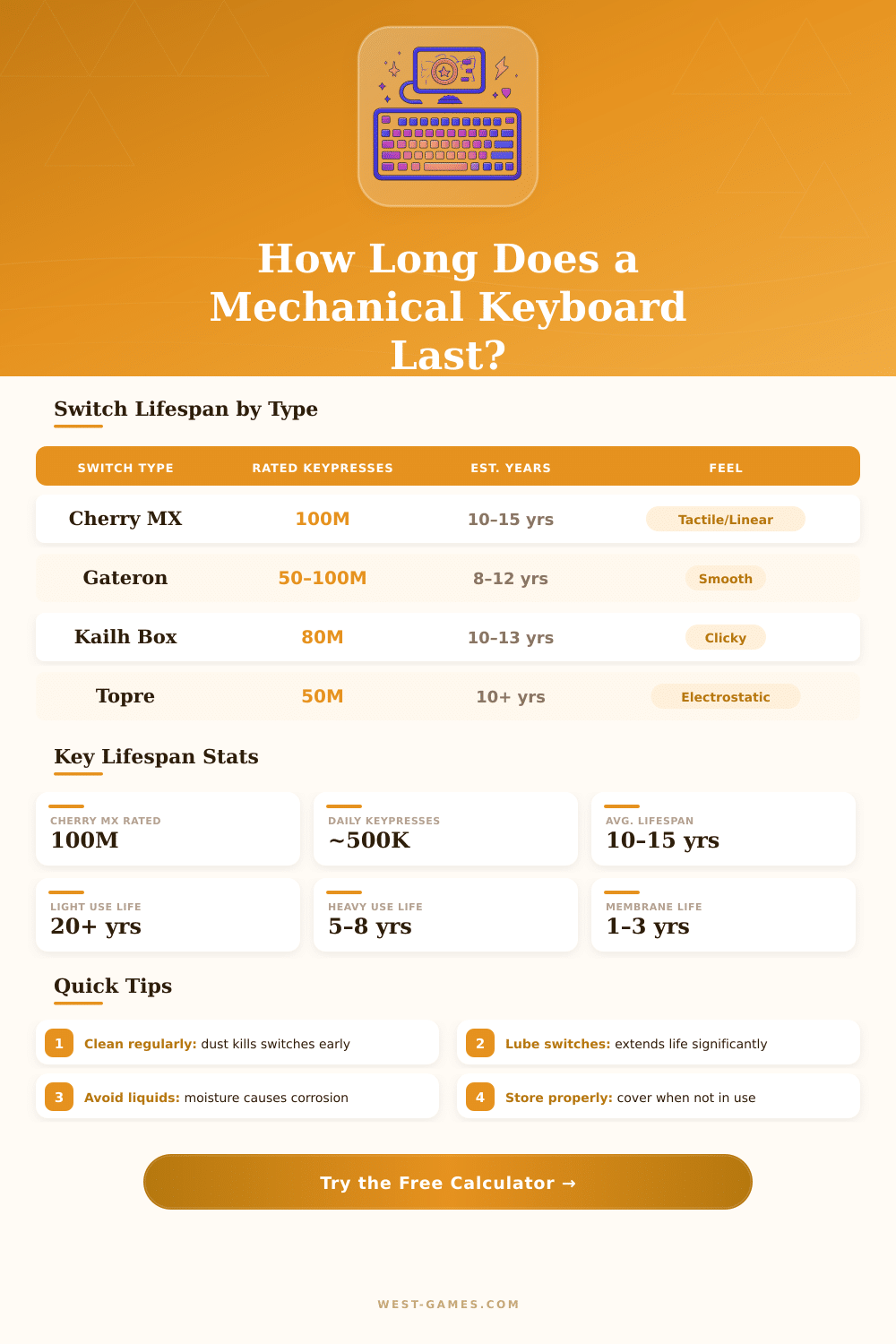
| Switch Brand / Type | Rated Keypresses | Est. Lifespan (4h/day, 60 WPM) | Feel Type | Actuation (g) |
|---|---|---|---|---|
| Cherry MX Red / Blue / Brown | 100 million | ~15 years | Linear / Clicky / Tactile | 45g |
| Kailh Box White / Red | 80 million | ~12 years | Clicky / Linear | 45–50g |
| Gateron Yellow / Green | 50–100 million | 8–15 years | Linear / Clicky | 35–50g |
| Topre 45g | 50 million | ~10 years | Electrostatic | 45g |
| Razer Green / Orange | 80 million | ~12 years | Clicky / Tactile | 45–50g |
| Logitech Romer-G | 70 million | ~11 years | Tactile | 45g |
| Outemu Blue / Red | 50 million | ~8 years | Clicky / Linear | 45g |
| Membrane (reference) | 5–10 million | 1–3 years | Rubber dome | 45–60g |
| User Type | Hours / Day | WPM | Daily Keypresses | Annual Keypresses |
|---|---|---|---|---|
| Casual Browser | 1–2 hrs | 40 WPM | ~48,000 | ~17.5M |
| Office Worker | 6–8 hrs | 55 WPM | ~330,000 | ~120M |
| Programmer | 8–10 hrs | 70 WPM | ~504,000 | ~184M |
| Professional Writer | 6–8 hrs | 80 WPM | ~480,000 | ~175M |
| Data Entry Clerk | 8 hrs | 90 WPM | ~576,000 | ~210M |
| Heavy Gamer | 4–6 hrs | — | ~250,000 | ~91M |
| Student | 3–4 hrs | 55 WPM | ~198,000 | ~72M |
| Factor | Impact | Lifespan Effect | Notes |
|---|---|---|---|
| Switch lubrication | High | +20–35% | Reduces friction and wear |
| Regular cleaning | Medium | +10–20% | Prevents debris damage |
| Liquid spills | Very High | —50–100% | Often fatal to PCB |
| Dusty environment | Medium | —15–25% | Clogs switches over time |
| Heavy key bottoming | Medium | —10–20% | Increases spring fatigue |
| O-ring dampeners | Low–Medium | +5–10% | Reduces impact stress |
| UV / sunlight exposure | Low | —5–10% | Keycap fading / yellowing |
| Switch swapping / hot-swap | Variable | +/– | Depends on hot-swap socket quality |
Mechanical keyboards stand out from average membrane models, because they have real physical switches under every key. So you can genuinely feel and hear what happens during every press of key. In membrane keyboards the keys simply rest on flexible plastic layers, but in mechanical every key connects directly to its own separate switch.
Here everything changes the whole experience of typing.
All About Mechanical Keyboards
One can choose from a whole range of kinds of switches. Tactile, linear and clicky variants all give their own distinct feeling. Brown switches sound fairly quiet and offer a tactile bump, what makes them well suited for playing games and writing.
Silver speed switches stress more the action in play. In the end everything depends on what feels good for yourself; the pressing force ranges a lot, although honestly, the majority of folks does not need to care about this detail.
Typing on a mechanical keyboard genuinely feels good. Long times before the key seem less tiring for your hands, and if you play, you would notice fatser reactions. Such keyboards are much more adjustable, and if something breaks, you genuinely can fix it, unlike the membrane ones.
The build usually is of higher quality, and those switches? They last much more than rubber dome alternatives. The downsides are, that they can become noisy, what not always pleases, if some sleep beside you or you share a room.
Really mechanical keyboards help you reach higher typing speed, while accuracy stays clean. Little designs became genuinely fashionable recently. Some favour tiny forms with separate number pad for more freedom.
Adjustable keys make the cause even more attractive.
Keychron became one of the known brands in that world. Mainstream media, CNN, The New York Times, The Verge, Wired and PCWorld, all mentioned Keychron among the top producers. You probably herd about the Wooting 80 HE or maybe the NuPhy Field75 HE.
The Keychron Q5 Max receives lot of attention, just like the Corsair K70 RGB. What impresses about the Royal Kludge F68, is that it is a foldable 60-percent keyboard, that one does not find daily. Cherry put its name in with the MX Low Profile 2.1, that is a low-profile option designed specially for play with MX Silver Speed switches and slimmer keys.
Building a homemade mechanical keyboard became its own hobby inside the hobby. Kits allow you to combine everything from nothing, solder the PCB, choose manually your switches, everything until the finish. There is even a game called Mechanical Keyboard Building Simulator, that leads you step by step through assembly using real objects, that you would meet genuinely.
Wireless variants are clearly in fashion now. A wireless mechanical keyboard gives you freedom to lay it wherever you want, without cable mess. The 8BitDo Retro Mechanical Keyboard connects by Bluetooth and 2.4 GHz wireless to Windows, Android, iOS, macOS and Steam Deck.
The whole system covers every possible budget, from cheap until fancy homemade builds, with keyboards, separate switches, keycaps, DIY tools andaccessories, everything available.