🌡️ Liquid Metal Thermal Paste Lifespan Calculator
Estimate how long your liquid metal or thermal paste will last based on your system and usage habits
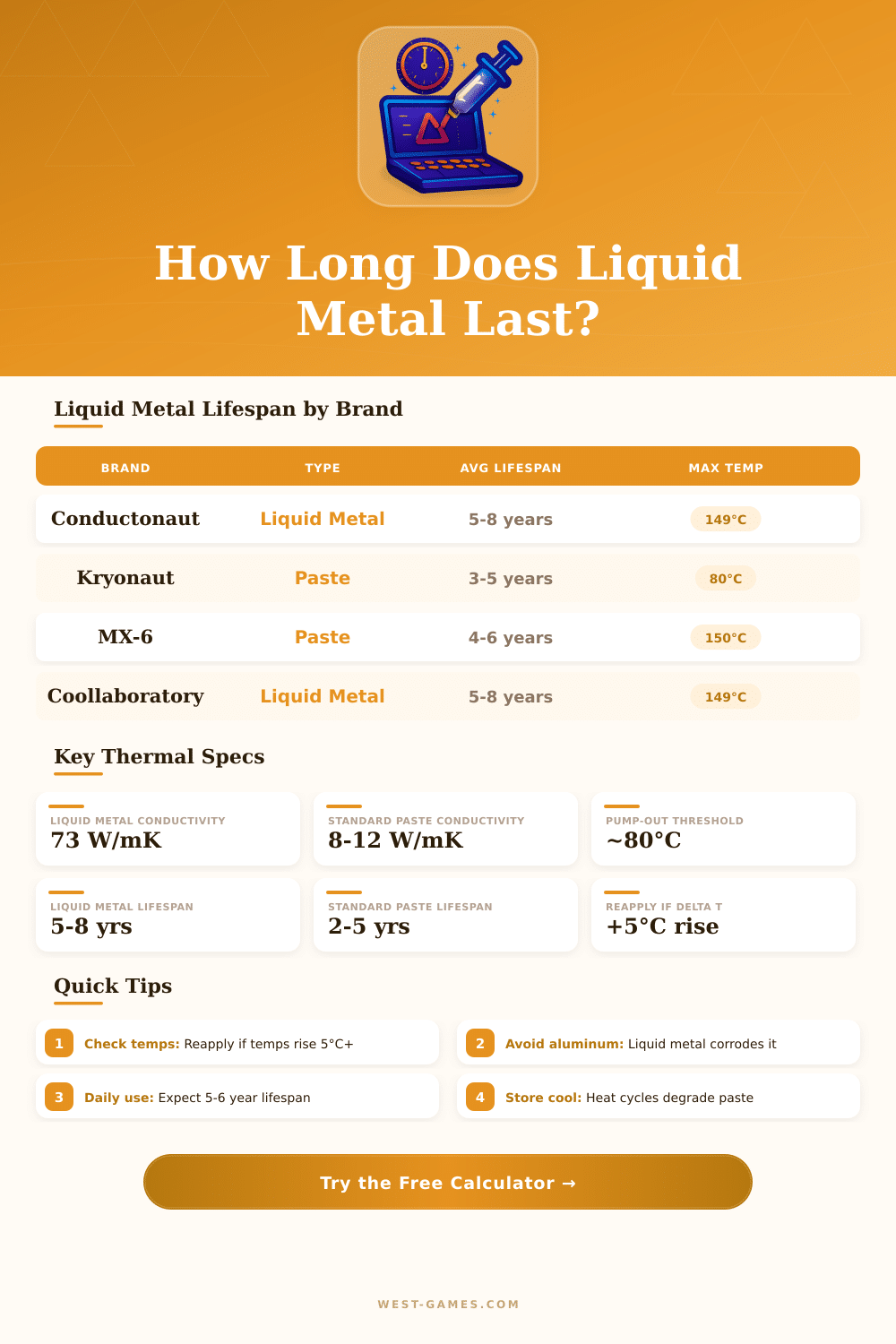
| Paste / Material | Conductivity (W/mK) | Typical Lifespan | Max Rated Temp | Best For |
|---|---|---|---|---|
| Thermal Grizzly Conductonaut (LM) | 73 W/mK | 5–8 years | 149°C | CPU Die / IHS Delid |
| Coollaboratory Liquid Ultra (LM) | 38.4 W/mK | 5–8 years | 140°C | CPU / GPU Die |
| Thermal Grizzly Kryonaut Extreme | 14.2 W/mK | 3–5 years | 80°C sustained | Desktop CPUs / GPUs |
| Thermal Grizzly Kryonaut | 12.5 W/mK | 3–5 years | 80°C sustained | Desktop / Laptop |
| Arctic MX-6 | 12.6 W/mK | 4–6 years | 150°C | All-purpose |
| Arctic MX-4 | 8.5 W/mK | 4–6 years | 150°C | All-purpose |
| Arctic Silver 5 | 8.9 W/mK | 3–5 years | 130°C | Desktop / Heatsinks |
| Noctua NT-H2 | 8.5 W/mK | 5 years+ | 150°C | Long-term stability |
| OEM / Stock Paste | 3–5 W/mK | 1–3 years | Varies | Budget / Pre-applied |
| Thermal Pad (Phase Change) | 6–10 W/mK | 5–10 years | 200°C | VRAM / Memory chips |
| Usage Pattern | Daily Cycles | Temp Delta (°C) | Annual Cycles | Lifespan Impact |
|---|---|---|---|---|
| Weekend Gamer (2-3 hrs/day) | 1–2 | 25–40°C | ~500 | Minimal degradation |
| Daily Gamer (6-8 hrs/day) | 2–4 | 30–50°C | ~900 | Normal degradation |
| Workstation (10-12 hrs/day) | 3–5 | 35–55°C | ~1400 | Accelerated –15% |
| 24/7 Server Load | 1–2 (sustained high) | 15–30°C | ~600 | Pump-out risk (paste) |
| Overclocked / High Power | 3–6 | 50–70°C | ~1500 | Accelerated –25% |
| Extreme OC (200W+ TDP) | 5–10 | 60–80°C | ~2500 | High degradation –40% |
| Material / Surface | Liquid Metal Safe? | Standard Paste Safe? | Notes |
|---|---|---|---|
| Copper Heatsink / IHS | ✅ Yes | ✅ Yes | Best LM compatibility |
| Nickel-Plated Copper | ✅ Yes | ✅ Yes | Most CPU coolers |
| Aluminum Heatsink / Fins | ❌ NO | ✅ Yes | LM corrodes aluminum rapidly |
| Silicon Die (bare) | ✅ Yes | ✅ Yes | Common in delidded CPUs |
| Stainless Steel | ⚠️ Limited | ✅ Yes | Poor LM spreading |
| PCB / Surrounding Area | ❌ Avoid | ✅ Yes | LM is electrically conductive |
| GPU Die (bare) | ✅ Yes (expert only) | ✅ Yes | Risk of spillage — use carefully |
Thermal paste has many different names over the years. One commonly hears it called thermal compound, paste for heat, thermal grease, gel paste, paste for CPU, compound of heat sink or thermal interface material (TIM for short). No matter what label one puts on the tube, it always fills the same basic task.
The main role of thermal paste is quite simple: it fills the tiny holes between your chip and the heat sink. Neither the surface of the chip nor that of the sink are fully smooth; both have little gaps and bumps. Because air insulates, those tiny air gaps block the heat flow well.
What Thermal Paste Is and How to Use It
The paste then flows into those holes and forms a better way for heat to go from the CPU to the sink. Think of it as a bridge for heat that links your warm chip directly to the cooling unit.
So that the paste works well, you must use it fairly according to need, but here is the hard moment: one wants the thinnest layer possible. If you put too much, it blocks the warming and grows the resistance. A spot the size of a pea (even smaller) on a clean surface works for laptops and desktop computers.
Usually one puts a little drop in the center of the chip. When the sink is pressed, the pressure spreads it naturally. The X-shape is another method, that helps to avoid air bubbles.
If one spreads it before that can avoid pockets of air, when the surfaces are not perfectly flat.
You have many good brands to choose from. The MX-4 from Arctic is famous for good value, it goes on easily and gives reliable results. Arctic offers also MX-5 and MX-6, if you want something better.
The Kryonaut from Thermal Grizzly has much praise as a top performer, although it costs a lot and the application can be tricky. The NT-H1 from Noctua is another safe choice, and unlike the Silver 5 from Arctic, it does not have metals. And hear are the KPx from Chief, that apparently lasts around six to eight years, while it matches the thermal impact of Kryonaut at a fair price level.
What about Liquid Metal Thermal Paste? It is not really needed for average users or players. It is mainly for the serious overclockers, that hunt world records.
The need to reapply it often makes it real trouble.
As far as how long thermal paste really lasts, it depends on the changes in temperature, how warm the parts become during use and how many heat cycles it passes. Factory applied paste can stay years without problems. I heard about systems that run eight years on original paste without any trouble.
But the duration is not guaranteed. If you put heavy loads with high heat, the paste wears out more quickly than one hopes. Expensive pastes usually give two grades better than cheap, so the difference does not always matter a lot.
Most thermal pastes work well, if you do not buy the cheapest product from random websites. How you putit is just as important as what brand you choose.