🎮 GTX 1650 Bottleneck Calculator
Find out if your CPU is bottlenecking your GTX 1650 & get the ideal pairing recommendation
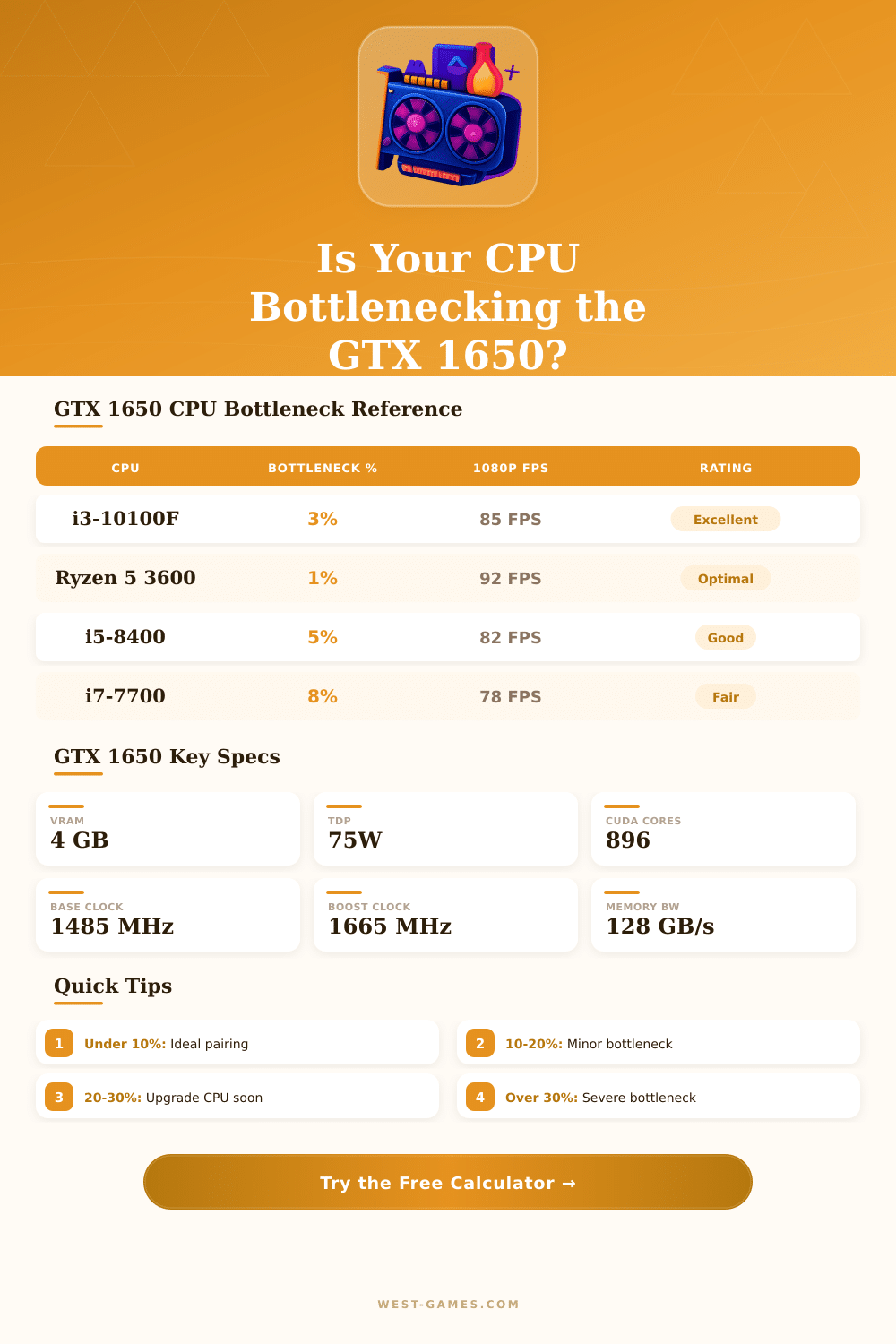
| CPU | Cores | Clock | Bottleneck % | Est. 1080p FPS* | Rating |
|---|---|---|---|---|---|
| Pentium G5400 | 2C / 4T | 3.7 GHz | 28–35% | ~55–68 FPS | Severe |
| Pentium G6400 | 2C / 4T | 4.0 GHz | 22–30% | ~60–72 FPS | High |
| Core i3-8100 | 4C / 4T | 3.6 GHz | 12–18% | ~72–80 FPS | Moderate |
| Core i3-9100F | 4C / 4T | 4.2 GHz | 8–14% | ~78–85 FPS | Moderate |
| Core i3-10100F | 4C / 8T | 4.3 GHz | 3–7% | ~85–92 FPS | Excellent |
| Core i5-8400 | 6C / 6T | 4.0 GHz | 5–9% | ~82–90 FPS | Excellent |
| Core i5-9400F | 6C / 6T | 4.1 GHz | 3–7% | ~85–93 FPS | Excellent |
| Core i5-10400F | 6C / 12T | 4.3 GHz | 2–5% | ~88–95 FPS | Excellent |
| Core i7-7700 | 4C / 8T | 4.2 GHz | 6–10% | ~80–88 FPS | Good |
| Core i7-8700 | 6C / 12T | 4.7 GHz | 1–4% | ~90–98 FPS | Excellent |
| Ryzen 3 3300X | 4C / 8T | 4.3 GHz | 3–6% | ~86–93 FPS | Excellent |
| Ryzen 5 3600 | 6C / 12T | 4.2 GHz | 1–3% | ~90–98 FPS | Excellent |
| Ryzen 5 2600 | 6C / 12T | 3.9 GHz | 4–8% | ~83–91 FPS | Excellent |
| FX-8350 | 8C / 8T | 4.0 GHz | 25–35% | ~55–70 FPS | Severe |
| Game | Settings | Avg FPS | 1% Low FPS | Playable? |
|---|---|---|---|---|
| Fortnite | High, 1080p | ~85 FPS | ~60 FPS | Yes |
| Valorant | High, 1080p | ~140 FPS | ~100 FPS | Great |
| CS2 | High, 1080p | ~120 FPS | ~85 FPS | Great |
| GTA V | High, 1080p | ~75 FPS | ~52 FPS | Yes |
| Cyberpunk 2077 | Medium, 1080p | ~42 FPS | ~30 FPS | Marginal |
| Apex Legends | High, 1080p | ~95 FPS | ~65 FPS | Yes |
| Minecraft (Java) | Max, 1080p | ~130 FPS | ~90 FPS | Great |
| Red Dead Redemption 2 | Medium, 1080p | ~48 FPS | ~32 FPS | Marginal |
| Elden Ring | High, 1080p | ~60 FPS | ~44 FPS | Yes |
| Hogwarts Legacy | Low, 1080p | ~45 FPS | ~30 FPS | Marginal |
| Bottleneck % | Rating | Impact on FPS | Recommendation |
|---|---|---|---|
| 0–5% | Excellent | Negligible loss | No action needed |
| 6–10% | Good | Minimal loss (<5 FPS) | Acceptable pairing |
| 11–20% | Moderate | Noticeable in CPU-heavy games | Consider CPU upgrade eventually |
| 21–30% | High | Significant FPS loss | CPU upgrade recommended |
| 31%+ | Severe | GPU is heavily underutilized | Upgrade CPU urgently |
The gtx 1650 belongs to the entry-level GPUs, and bottleneck commonly happens with that card. Even the best systems can suffer from bottleneck in special cases. That simply means that one part works at its maximum skill, while the other parts of the system wait for it.
The gtx 1650 is quite a weak graphics card. It already was seen as a weak option during its launch and in 2024 it is even more outdated. Its 4 GB VRAM limits it for present games.
Why the GTX 1650 Can Slow Your PC and Which CPUs Work Best
Although, it always does well for 1080p electronic sports or strategy games, that do not require a fancy GPU. Beyond that, it works well for 1080p video editing or streaming in a budget setup.
Because the gtx 1650 is an entry-level GPU, many new games will cause GPU bottleneck. Indeed, that can be an advantage. The CPU then stays free for general work and can handle basic tasks more effectively.
The gtx 1650 will limit the demands that a game creates, and the frame rate will be much more lower than what a mighty CPU fits. Even so, that is not necessarily a downside.
Pairing of parts is like this. I5-4590 with gtx 1650 forms a good combination. I5-6400 also quite well works without real problems of bottleneck.
R5 3600 does not have bottleneck with gtx 1650. Any four-core chip will have bottleneck with that card. Any present Ryzen 7 or i7 chip suffers from bottleneck with it.
Whether we talk about i5, i7, Ryzen 5 or Ryzen 7, playing games with gtx 1650 will not show a difference, because the graphics card itself is the fence.
But with older chips the cause changes. Very weak second or third generation i5 chips will cause bottleneck with the gtx 1650. Everything newer than fourth-generation i5 should go well.
I5-3470 creates around 15 percent bottleneck with that GPU. The i5-6600K also has bottleneck with the 1650, so maximum output is knot reached in some cases. Ryzen 3 3200G is a weak four-core, four-thread chip, that suffers from bottleneck with anything above GTX 1060.
Resolution seriously matters also. When combined with weak chips as AMD A4-6300, the bottleneck stays high, around 15 percent at low resolutions up to 1600×900. In bigger resolutions like 4K, strong CPU-GPU pairs cause bottlenecks between 5 and 15 percent. Calculators for bottlenecks exist for many combinations, but they do not always work perfectly and donot deserve full trust.
bottleneck will not reduce the output more than a weak part would do alone. It only shows that something holds the whole system from faster working.