🔋 Gaming Laptop Battery Life Calculator
Estimate how long your gaming laptop battery will last based on your GPU, battery size, and usage type
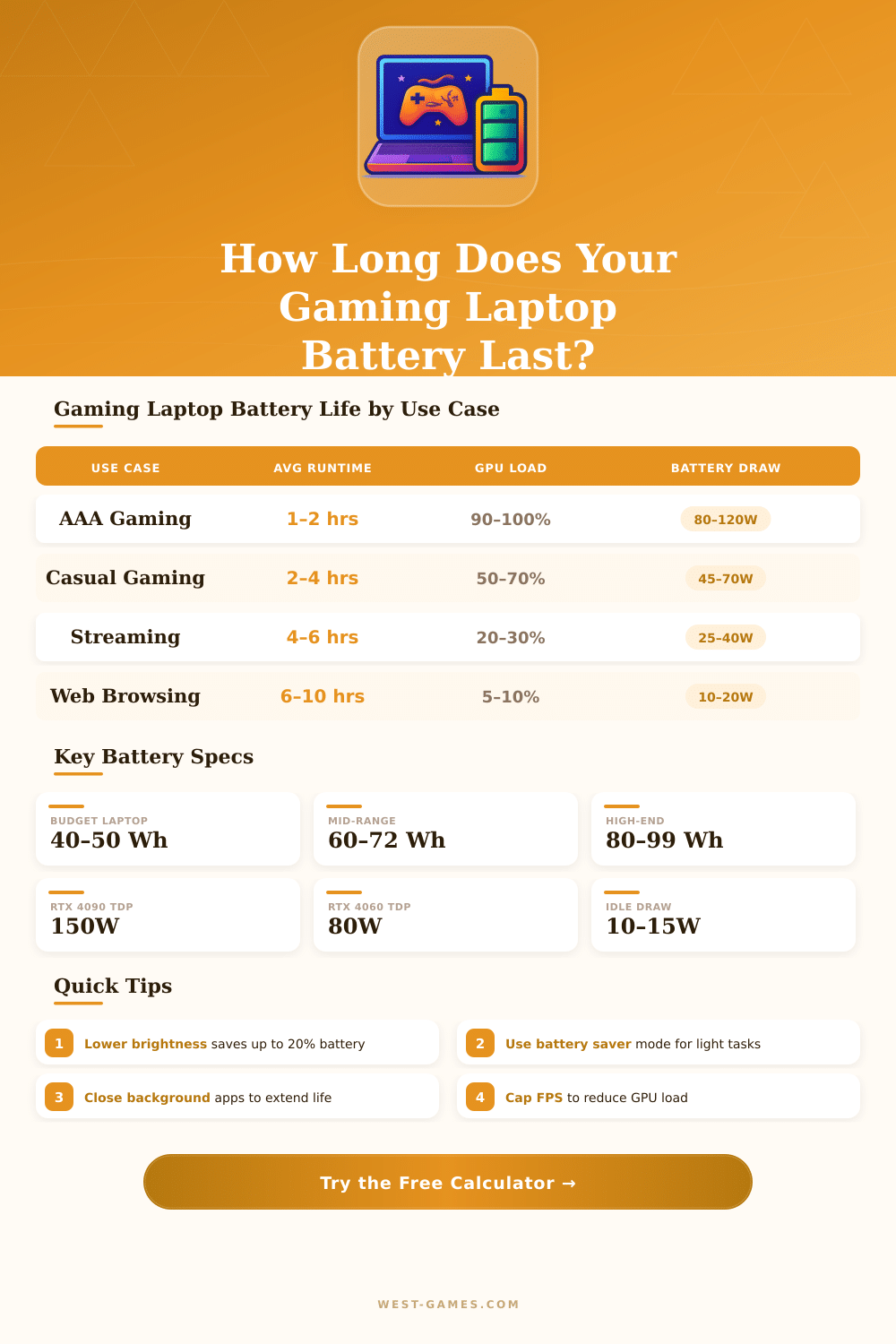
| GPU | AAA Gaming | Casual Gaming | Streaming | Browsing | Battery (Wh) |
|---|---|---|---|---|---|
| Integrated (Iris Xe) | 2–4 hrs | 3–5 hrs | 6–8 hrs | 8–12 hrs | 50–72 Wh |
| GTX 1650 / RTX 3050 | 1.5–3 hrs | 2–4 hrs | 4–6 hrs | 6–9 hrs | 45–80 Wh |
| RTX 3060 / RTX 4060 | 1–2 hrs | 1.5–3 hrs | 3–5 hrs | 5–8 hrs | 60–86 Wh |
| RTX 3070 / RTX 4070 | 0.75–1.5 hrs | 1–2 hrs | 2.5–4 hrs | 4–7 hrs | 72–99 Wh |
| RTX 4090 (Laptop) | 0.5–1 hr | 0.75–1.5 hrs | 2–3 hrs | 3–5 hrs | 80–99 Wh |
| Component | Idle (W) | Medium Load (W) | Full Load (W) | Notes |
|---|---|---|---|---|
| Display (15″) | 2–3 | 4–6 | 7–10 | Varies by brightness & panel type |
| CPU (i7/Ryzen 7) | 5–8 | 25–35 | 45–65 | TDP varies by model & profile |
| GPU (RTX 4060 Laptop) | 5–8 | 40–60 | 80–115 | MXM TGP varies by OEM |
| RAM (16–32 GB) | 2–4 | 3–5 | 4–6 | DDR5 slightly higher than DDR4 |
| SSD (NVMe) | 0.5–1 | 1.5–3 | 3–6 | Active read/write peaks higher |
| Fans & Cooling | 0.5–1 | 2–4 | 4–8 | High RPM draws more power |
| Laptop Age | Charge Cycles | Est. Health | Impact on Runtime |
|---|---|---|---|
| New (0–6 months) | 0–100 | 95–100% | Full rated capacity |
| 1 Year | 100–200 | 88–95% | ~5–12% shorter runtime |
| 2 Years | 200–400 | 78–88% | ~12–22% shorter runtime |
| 3 Years | 400–600 | 65–78% | ~22–35% shorter runtime |
| 4+ Years | 600+ | Below 65% | 35%+ shorter — consider replacement |
Gaming Laptop computers are not really planned for working only on Battery. To reach the best output, it is best to connect them to the main power source. The Battery serves for moments when the access to electricity is lacking.
Parts with high impact, as strong chips and separate graphics cards consumes a lot of energy, what quickly empties the Battery.
Make Your Gaming Laptop Battery Last Longer
Before Gaming Laptop computers could work two to four hours on one charge. Compared to average computers, that was very short time. Cards for heavy graphics require big amount of power.
Currently, the good models of Gaming Laptop computers must ensure at least one and half hours of Battery during play. For instance, one computer with chip 5900HX and Nvidia 3070, tied to 90 Wh Battery, last only 1.5 hours in play. When another computer runs an older game through Steam, it fully empties the Battery in one hour, while for otehr games it lasts up to 2.5 hours.
During usual work, as browsing or usage of office programs, a Gaming Laptop computer can reach 9 to 12 hours. Viewing of Netflix reduce that too around 8 or 9 hours. Playing of simple game drops the time to 5 to 7 hours.
The TUF A15 2023 with 90 Wh Battery reaches around 7 to 7.5 hours for office work and web page browsing at 60% of brightness, with the screen set to 60 Hz.
The new devices with Intel Core Ultra chips offer 10 to 16 hours of Battery together with good output, what marks big progress. ASUS cares a lot to improve the Battery life in Gaming Laptop computers. Intel chips seem to well protect the energy.
The Razer Blade 16 from 2025 received 135 minutes in test of charge, what shows great gains in Battery life.
Turn off the dedicated GPU, when one does not play, is the main way to extend the Battery life. Also lowering the frequency of the screen refresh is useful. Turn on the rule of low power or energy saving, turn the lighting of the LED keyboard and limit the brightness of the screen to 60%, all that helps.
Programs as MSI Afterburner use energy through constant checking of the GPU, so it is wise to close them, when they are not needed. In the panel of NVIDIA, set PhysX to the CPU and choose the built-in graphics as main card so that programs do notwake the dedicated GPU.
To protect the health of the Battery, avoid always full charges. Cycles of shallow charge between 20% and 80% are less harsh for it. Many makers give options to limit the charge to 80% or turn on a mode for Battery health.
In Lenovo computers one can set a limit for the charge. Leaving the computer connected the biggest part of the time, one indeed helps the Battery to serve more long, because it uses less cycles.