🎯 eDPI Calculator
Calculate your effective DPI and compare with pro player settings
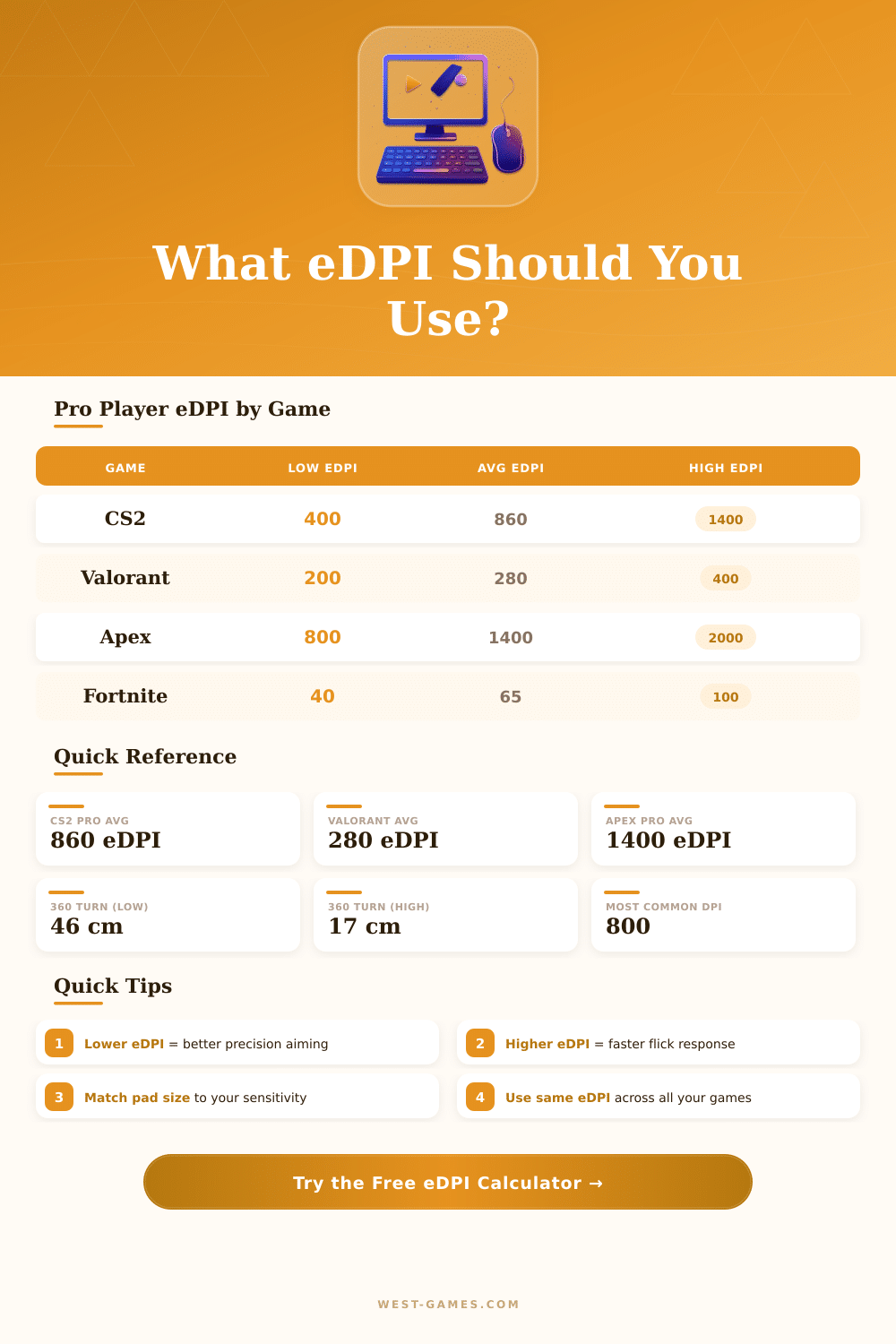
| Game | Low eDPI | Average eDPI | High eDPI |
|---|---|---|---|
| CS2 / CS:GO | 400 | 860 | 1400 |
| Valorant | 180 | 280 | 420 |
| Apex Legends | 800 | 1400 | 2200 |
| Fortnite | 36 | 65 | 104 |
| Overwatch 2 | 2800 | 4000 | 6400 |
| R6 Siege | 20000 | 40000 | 72000 |
| PUBG | 30 | 50 | 80 |
| eDPI | cm/360° | in/360° | Sensitivity Level |
|---|---|---|---|
| 400 | 103.1 cm | 40.6 in | Very Low |
| 600 | 68.8 cm | 27.1 in | Low |
| 800 | 51.5 cm | 20.3 in | Low–Medium |
| 1000 | 41.2 cm | 16.2 in | Medium |
| 1200 | 34.4 cm | 13.5 in | Medium–High |
| 1600 | 25.8 cm | 10.2 in | High |
| 2400 | 17.2 cm | 6.8 in | Very High |
| 3200 | 12.9 cm | 5.1 in | Extremely High |
| From Game | To Game | Multiply By | Example (Sens 1.0) |
|---|---|---|---|
| CS2 | Valorant | 0.3142 | 0.314 |
| Valorant | CS2 | 3.1831 | 3.183 |
| CS2 | Apex Legends | 1.2 | 1.200 |
| CS2 | Overwatch 2 | 3.8333 | 3.833 |
| CS2 | Fortnite | 0.0585 | 0.059 |
| Valorant | Apex Legends | 3.8197 | 3.820 |
| CS2 | R6 Siege | 41.24 | 41.240 |
| CS2 | PUBG | 0.0562 | 0.056 |
| DPI | Use Case | Pixel Skip Risk | Sensor Smoothing |
|---|---|---|---|
| 400 | Legacy / Old school | Higher at high sens | None (native) |
| 800 | Most popular for FPS | Very low | None (native) |
| 1600 | High-res / 4K desktop | Negligible | None (native) |
| 3200 | Productivity / 4K+ | None | Possible |
eDPI measures the real sensitivity for precise shots in games like CS:GO, showing truly your mouse feeling during the game. It matches the value that you feel for your aim through various titles. How to count it?
Truly, the process is surprisingly easy.
How to Calculate eDPI
Here the basic formula: multiply your mouse DPI by your in-game sensitivity. Here is everything what you need. For instance, if you use 400 DPI with sensitivity of 2.5, you receive 1000 eDPI.
You can compute that yourself or simply enter it in a net calculator. Both methods work just as well.
DPI points to the basic sensitivity of your mouse on the hardware level. Think like this: high DPI makes your cursor move more far on the screen for a little move, because the sensor notices even tiny changes. In-game sensitivity, on the other hand, controls the software part.
Multiplying them, you find your total sensitivity, so eDPI.
A quick calculator simplifies this task to nothing. Choose your game from the list, enter DPI and sensitivity values, press the button, and done; the result immediately appears. Those programs cover almost all important shooter games: CS:GO, Call of Duty, Valorant, Fortnite, Overwatch, Apex Legends.
Many of them allow you to choose the sensitivity type that your game uses, before entering the numbers.
Why does eDPI matter? Assume you want to copy settings of a professional. In CS:GO, a player with 2.2 sensitivity at 400 DPI has 880 eDPI.
But if your mouse is 800 DPI, divide 880 by 800 to receive around 1.1 sensitivity, that gives the same feeling. Equal eDPI means equal muscle memory.
Here is something nice: some players change their eDPI according to the hero. In Overwatch, for fast heroes like Tracer or Soldier, it works well around 4800 eDPI. For shot-heavy players, Echo, Genji, Orisa, more well close to 5600 eDPI.
Although for heavy heroes like Reinhardt or Winston, one could choose even 6400 eDPI. Various heroes require different levels of accuracy, hence changing sensitivity helps during change of roles.
Games with raw input skip one stage: no need to consider window sensitivity. Simply DPI times in-game sensitivity is enough. On the other hand, some websites with calculators go more deep with game-specific factors four those players that want every possible advantage.
Settings of mouse speed in your system can truly mix things. I had a case, where two computers felt entirely different although both had 1500 DPI. The reason was one had mouse speed at 55, which ruined everything.
To find the real effective DPI in such cases needs more than simple math, truly detective work.
Those calculators commonly show whether your sensitivity is in the “high” or “low” zone. Sometimes the rating surprises compared to professionals, especially if the value seems less than that of other players. Also a good mousepad matters a lot, maybe you have a whole table, but with a big keyboard there, you really have only 40 cm of space to move.
Those tools help to compare with professionals. Seeing your eDPI against that of competitors, you know whether you are in a good range. For instance in Valorant, 226 eDPI can be standard, and you can check the leaders.
In CS:GO, professionals usually have between 880 and 1200 eDPI, according to documented data throughyears.
A calculator automates what you could do with paper and a regular calculator. But it gives fast results every time you change settings. And more, it avoids mistakes in the math.