🎯 Crosshair Generator
Design, preview, and export custom crosshairs for competitive gaming
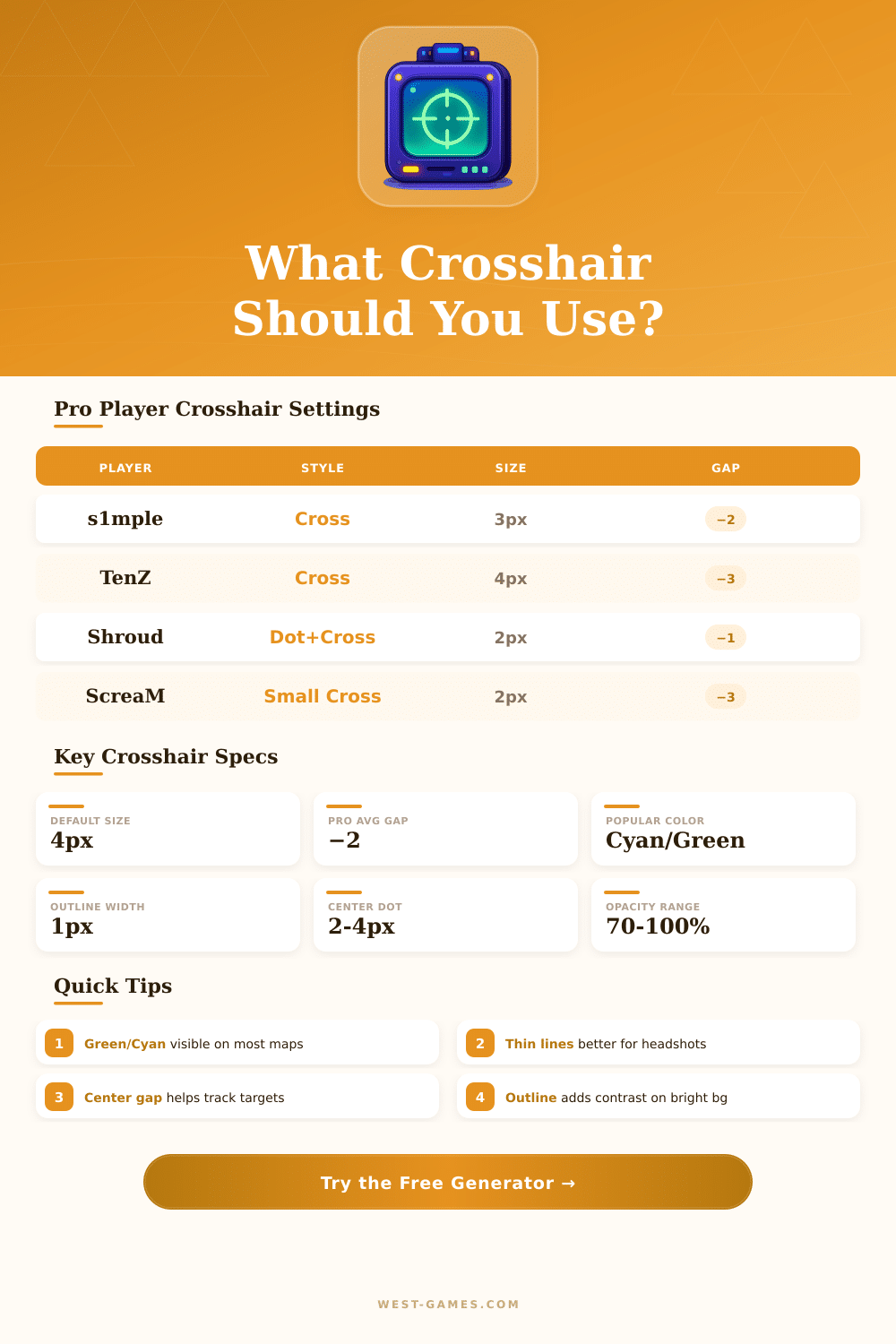
| Player | Game | Style | Size (px) | Thickness | Gap | Color | Dot |
|---|---|---|---|---|---|---|---|
| s1mple | CS2 | Cross | 3 | 1 | −2 | Green | No |
| TenZ | Valorant | Cross | 4 | 2 | −3 | Cyan | No |
| Shroud | CS2 | Cross+Dot | 2 | 1 | −1 | Green | Yes |
| ScreaM | Valorant | Cross | 2 | 2 | −3 | White | No |
| NiKo | CS2 | Cross | 3 | 1 | −3 | Green | No |
| Zywoo | CS2 | Cross | 2 | 0 | −2 | Green | No |
| Hiko | Valorant | Cross | 4 | 2 | −4 | Cyan | No |
| Aspas | Valorant | Cross+Dot | 3 | 2 | −2 | White | Yes |
| Resolution | Pixel Density (24″) | 1px Crosshair Width (mm) | 1px Width (in) | Scale Factor |
|---|---|---|---|---|
| 1920 × 1080 | 91.8 PPI | 0.277 | 0.0109 | 1.00× |
| 2560 × 1440 | 122.4 PPI | 0.207 | 0.0082 | 1.33× |
| 3840 × 2160 | 183.6 PPI | 0.138 | 0.0054 | 2.00× |
| 1280 × 1024 (4:3) | 67.1 PPI | 0.379 | 0.0149 | 0.67× |
| 2560 × 1080 (UW) | 91.8 PPI | 0.277 | 0.0109 | 1.00× |
| Color | Hex Code | Best On | Worst On | Contrast Rating |
|---|---|---|---|---|
| Green | #00FF00 | Dark / Brown | Grass / Forest | ⭐⭐⭐⭐ |
| Cyan | #00FFFF | Dark / Earth | Sky / Water | ⭐⭐⭐⭐⭐ |
| Yellow | #FFFF00 | Dark / Blue | Sand / Desert | ⭐⭐⭐ |
| White | #FFFFFF | Dark maps | Snow / Bright | ⭐⭐⭐ |
| Pink/Magenta | #FF00FF | Green / Brown | Pink / Red zones | ⭐⭐⭐⭐ |
| Red | #FF0000 | Green / Blue | Fire / Enemy models | ⭐⭐ |
crosshair Generator does that, what the name points: it lets you create and set your own crosshair for almost any competitive video game. We talk about CS2, Valorant, Overwatch 2, Marvel Rivals, Fortnite and KovaaK. The process is easy: you try various settings until something works well later put it in your game and start to kill enemies.
Dathost prepared a reliable generator for CS2, with that you can change the color, change the size and set the thickness… All those little details, that matter for precise aiming. It is nice, how easily the setup process goes.
Make Your Own Crosshair for Games
When you find something, what works well, you have two possible steps: copy the values directly in the settings or download the crosshair code and import it yourself. Here also exist quite a lot of rich collection with setups of famuous players like s1mple and ZywOo, so you can take ideas or simply use their complete.
Valorant has its own series of generators. You create something custom and later share it with your team… That is especially useful for matching all.
Those generators mean to test your crosshair against objects on game backgrounds, what is important, because something, what works well in one map, wood differently feel in another. The community always uploads codes, from professional settings (for instance of TenZ) to unusual test patterns. Copy, add and import those codes in Valorant costs nothing.
Marvel Rivals has a crosshair generator also, what is nice considering, that the game still is fairly new. It is an online tool, that lets you design something and later make code, that you put directly in the game.
Generators based on browser, like AimX, offer a whole other way. They remove the need of programs like Photoshop or GIMP and let everything happen right in your browser. Templates are ready, if you want to quickly get something without starting from nothing.
The crosshair generator of Crashz is popular in the Steam Workshop and stays one of the main choices for Counter-Strike. It stores preset crosshairs of pros and community members, a real-time preview feature, and it gives the needed commands. But warning: the older version became outdated when CS2 appeared, so make sure, that you download the updated version.
Crosshair X uses a different method, covering usual crosshairs above any game, that you play. The community created thousands of unique variations, or you can open the editor and build yours. It comes with preset settings, so you do not need to start from a totlaly empty page.
Some programs go deeper with pixel editors for making unusual crosshair shapes. You even can put images from your computer, if you want to be creative. There is a shop space, that lets you share your designs with the Steam community, what gives full freedom about the look and style of your crosshair.
The sharing part truly belongs to that, what keeps this system alive. Send a link to anyone, and they get your exact settingimmediately. More players offer setups, what helps the whole crosshair community grow.