📹 CCTV Hard Drive Lifespan Calculator
Calculate how long your surveillance HDD will last & how much storage you need
| Resolution | Bitrate (Mbps) | GB/Cam/Day (H.264) | GB/Cam/Day (H.265) | Rec. Drive Size (4 cams / 30d) |
|---|---|---|---|---|
| D1 / 480p | 1 Mbps | 10.8 GB | 5.4 GB | 1 TB |
| 720p (1MP) | 2 Mbps | 21.6 GB | 10.8 GB | 2 TB |
| 1080p (2MP) | 4 Mbps | 43.2 GB | 21.6 GB | 4 TB |
| 3MP | 6 Mbps | 64.8 GB | 32.4 GB | 6 TB |
| 4MP | 8 Mbps | 86.4 GB | 43.2 GB | 8 TB |
| 4K / 8MP | 16 Mbps | 172.8 GB | 86.4 GB | 16 TB |
| Drive Model | Capacity | Workload Rating | MTBF | Max Cameras | Est. Lifespan |
|---|---|---|---|---|---|
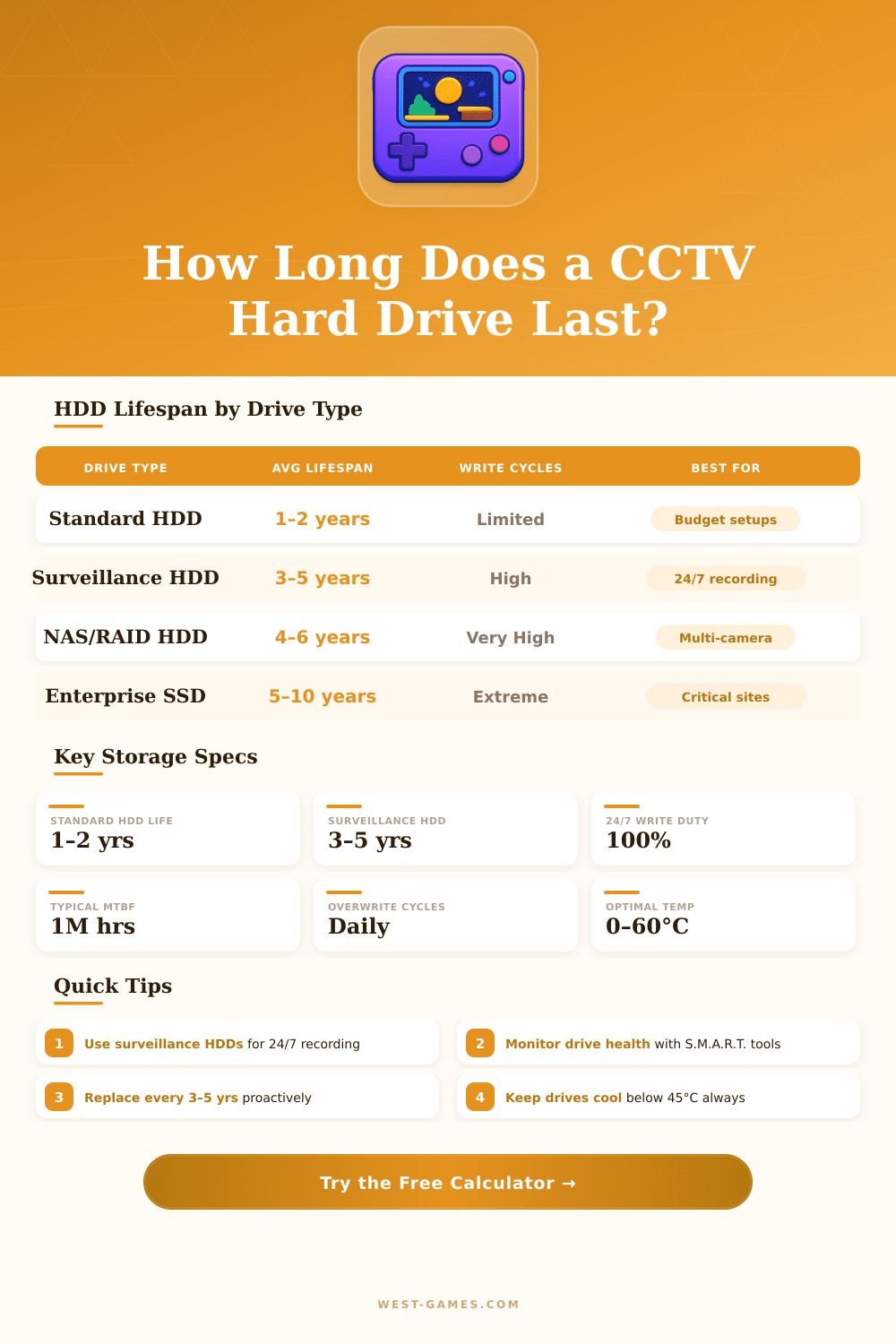
| WD Purple (standard) | 1–8 TB | 180 TB/yr | 1M hours | Up to 32 | 3–5 years |
| WD Purple Pro | 8–18 TB | 360 TB/yr | 1M hours | Up to 64 | 4–5 years |
| Seagate SkyHawk | 1–10 TB | 180 TB/yr | 1M hours | Up to 64 | 3–5 years |
| Seagate SkyHawk AI | 8–20 TB | 360 TB/yr | 1M hours | Up to 64 | 4–5 years |
| Toshiba S300 | 1–10 TB | 180 TB/yr | 1M hours | Up to 64 | 3–5 years |
| Desktop HDD (generic) | 1–4 TB | 55 TB/yr | 600K hours | Not rated | 1–2 years |
| Retention Period | Use Case | Required by Law? | Storage Multiplier |
|---|---|---|---|
| 7 days | Basic home security | Rarely | x1 (baseline) |
| 14 days | Small retail, offices | Some regions | x2 |
| 30 days | Standard commercial | Common minimum | x4.3 |
| 60 days | Banks, high security | Often required | x8.6 |
| 90 days | Government, critical infra | Yes – many regions | x12.9 |
| 365 days | Archival / legal evidence | Case-dependent | x52 |
CCTV hard drive recordings are special storage devices, designed specially for video surveillance systems. They are not like average recordings, they are meant to handle the heavy demands of surveillance applications and offer various options to match your needs for security. Internal DVR and NVR recorders use them, storing videos constantly.
Between the most popular surveillance recordings in the store, Western Digital Purple and Seagate SkyHawk lead the market. Both find broad use in surveillance setups. Here the spot however, the differences between them stay very small.
How to Choose a CCTV Hard Drive
They both ensure strong lasting power and finish tasks without effort. Toshiba makes also surveillance recordings and it deserves attention when you buy stock for your digital or network video recorder. WD Purple reach excellent balance between price and access.
On the other hand, Toshiba surveillance recording runs a bit more slowly during writing of data, but it lasts more long. Seagate SkyHawk cost more at first, but truly it won its name.
The main reason that surveillance recordings exist, is their build for continuous operation 24/7. Regular desktop recordings simply do not work for such tension. They were not meant for nonstop use, and probably they fail more soon than would a good surveillance recording.
Those surveillance CCTV hard drive recordings work constantly writing data daily, monthly, and models like WD Purple are made to last that heavy workload. Naturally, you could push an average recording for short time, but it most probably would crack or would have a much shorter lifetime entirely.
Putting the wrong disk in a DVR opens the door too problems. You risk ending up with random restarts or errors jumping in your stored videos. Some recorders are very strict about that…
They require reformatting the disk monthly or when it fills, entirely erasing it to free space for new files.
In reliability, Seagate SkyHawk recordings perform well. The 4TB model costs around 120 dollars, which is actually fair for something made to work without stop. That size will give you around two weeks of videos, if you have six cameras at full 30fps in 1080p. Seagate offers sizes from 2TB up to 20TB.
For big systems, they go from 8TB up to 32TB.
Reolink series of NVR and DVR systems match well with full CCTV hard drive recordings, and they even accept SSDs. Those are faster, but reaching big sizes costs a lot compared to spinning recordings. Helium-filled recordings for servers or NVR use last years without stop.
Surveillance CCTV hard drive recordings are designed to handle temperature changes and harsh climate. WD Purple reach around one million hours MTBF and have rust-resisting parts. Technically you could use a surveillance recording in an average computer, but the speed will suffer.
They are built for constant writing and little reading, soplaying video games would suffer clearly.