🎯 Call of Duty Sensitivity Converter
Convert your sensitivity between CoD titles — keep your aim consistent across every game
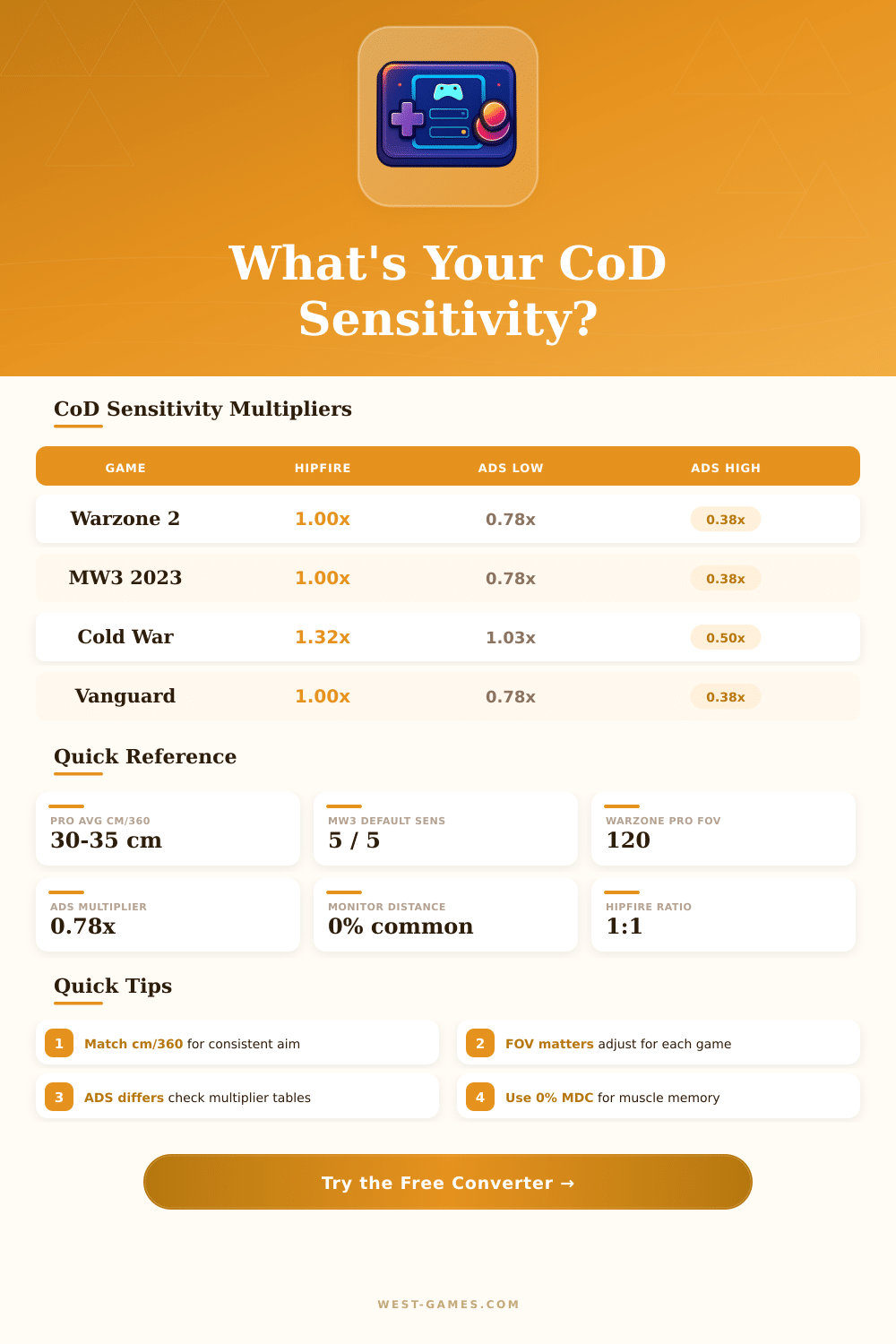
| Game | Engine | Hipfire Factor | Base Yaw (°/count) |
|---|---|---|---|
| Modern Warfare (2019) | IW 8.0 | 1.00x | 0.0066 |
| Warzone 1 | IW 8.0 | 1.00x | 0.0066 |
| Black Ops Cold War | IW 3.0 (Treyarch) | 1.3158x | 0.00868 |
| Vanguard | IW 8.0+ | 1.00x | 0.0066 |
| Warzone 2.0 / MW II | IW 9.0 | 1.00x | 0.0066 |
| MW III (2023) | IW 9.0 | 1.00x | 0.0066 |
| Black Ops 6 | IW 9.0 (Treyarch) | 1.00x | 0.0066 |
| Optic / Scope | Zoom Level | ADS Factor (Relative) | ADS Factor (Legacy) |
|---|---|---|---|
| Iron Sights / 1x | 1.0x | 0.78 | 1.00 |
| Red Dot / Holo 1.35x | 1.35x | 0.78 | 0.74 |
| 2.5x Optic | 2.5x | 0.78 | 0.40 |
| 3.25x Scope | 3.25x | 0.78 | 0.31 |
| 4.0x Scope | 4.0x | 0.78 | 0.25 |
| Sniper 5.5x | 5.5x | 0.78 | 0.18 |
| Sniper 7.0x | 7.0x | 0.78 | 0.14 |
| Sniper 10.0x | 10.0x | 0.78 | 0.10 |
| Player / Tier | DPI | In-Game Sens | cm/360° |
|---|---|---|---|
| Competitive Low | 800 | 3 – 4 | 45 – 34 cm |
| Pro Average | 800 | 5 – 6 | 27 – 23 cm |
| Competitive High | 800 | 7 – 9 | 19 – 15 cm |
| Controller (aim assist) | N/A | 5 – 7 (stick) | N/A |
| DPI | Sens 3 | Sens 5 | Sens 7 | Sens 10 |
|---|---|---|---|---|
| 400 | 90.9 cm | 54.5 cm | 39.0 cm | 27.3 cm |
| 800 | 45.5 cm | 27.3 cm | 19.5 cm | 13.6 cm |
| 1200 | 30.3 cm | 18.2 cm | 13.0 cm | 9.1 cm |
| 1600 | 22.7 cm | 13.6 cm | 9.7 cm | 6.8 cm |
| 3200 | 11.4 cm | 6.8 cm | 4.9 cm | 3.4 cm |
Note: This article bases on actual reviews and conversations between players of Call of Duty and their communities.
Whether you find the right Sensitivity in Call of Duty? Honestly it is one of the main elements that can improve your gameplay or entirely ruin it. The Sensitivity controls how quickly your screen moves and the position of the aim when you use a controller or mouse.
Choose the Right Sensitivity for Call of Duty
Here the key point even so, there is no universal number that works for all. Every person has his own style of game, hand speed and tastes, so what perfectly works for one can seem slow for another. It is more good to explore what works for you than strictly follow some rules.
Black Ops 6 and Warzone changed everything dramatically. The old range of Sensitivity for controllers, of 1 until 20, were entirely removed and replaced by means of new: of 0.10 until 4.00. Many players found this change hard, because the calculations to adapt the old value did not come out as players expecetd.
So that the conversion succeed, you must share your old Sensitivity by means of 0.2, because between them exists linear relation during the game. Simply add 0.2 as extra? That will not bring you to the right place.
If you favour lower Sensitivity. Say around 2 or 3 in the new scale, the game seems much more controllable, especially in games as Modern Warfare, where fights happen at long distance. It increases the trouble hitting distant target, if you turn the Sensitivity to maximum.
But the other way, if you lay it to 20 in all options, you need time to adapt, even so after that controller players can reach the fast speeds that mouse rivals use.
On the PC side, everything happens a bit differently. A good starting point is 800 DPI with 3.85 Sensitivity in the game and multiplier for ADS at 0.85. That combination does the aim more smooth and help too keep the follow-up stable.
Big mouse pads also are important. Especially for low sensitivities, because it allows more space to move actually. There are also tools to convert Sensitivity that match your settings between different games, what saves time than manually alter every occasion.
Config files open more options to adapt. In Modern Warfare, one can open the file by means of Notepad and find the line “set Sensitivity”. Black Ops 1 allow the same for ADS-Sensitivity.
In World at War, include “input_viewSensitivity 4” in the console to push everything to high levels. Programs as iw4x even give live console for right changes in real time, and it does not touch Steam, so everything stays safe.
The game has built-in testing for dead zone of controllers, that helps when the sticks start to move alone. Because each controller works differently, your values for dead zone will not be as those of others. In Call of Duty Mobile, the Sensitivity controls the speed of visual moves during sliding or tilting.
Most players use standard value around 95, ADS in 145, tactical zones close to 160 and sniper at 65. In the end, the Sensitivity and preferences depend on whatbest works for you, no two players are entirely same.