🎯 FOV Calculator – Call of Duty
Convert & calculate your ideal Field of View for Warzone, MW3, Black Ops 6 & more
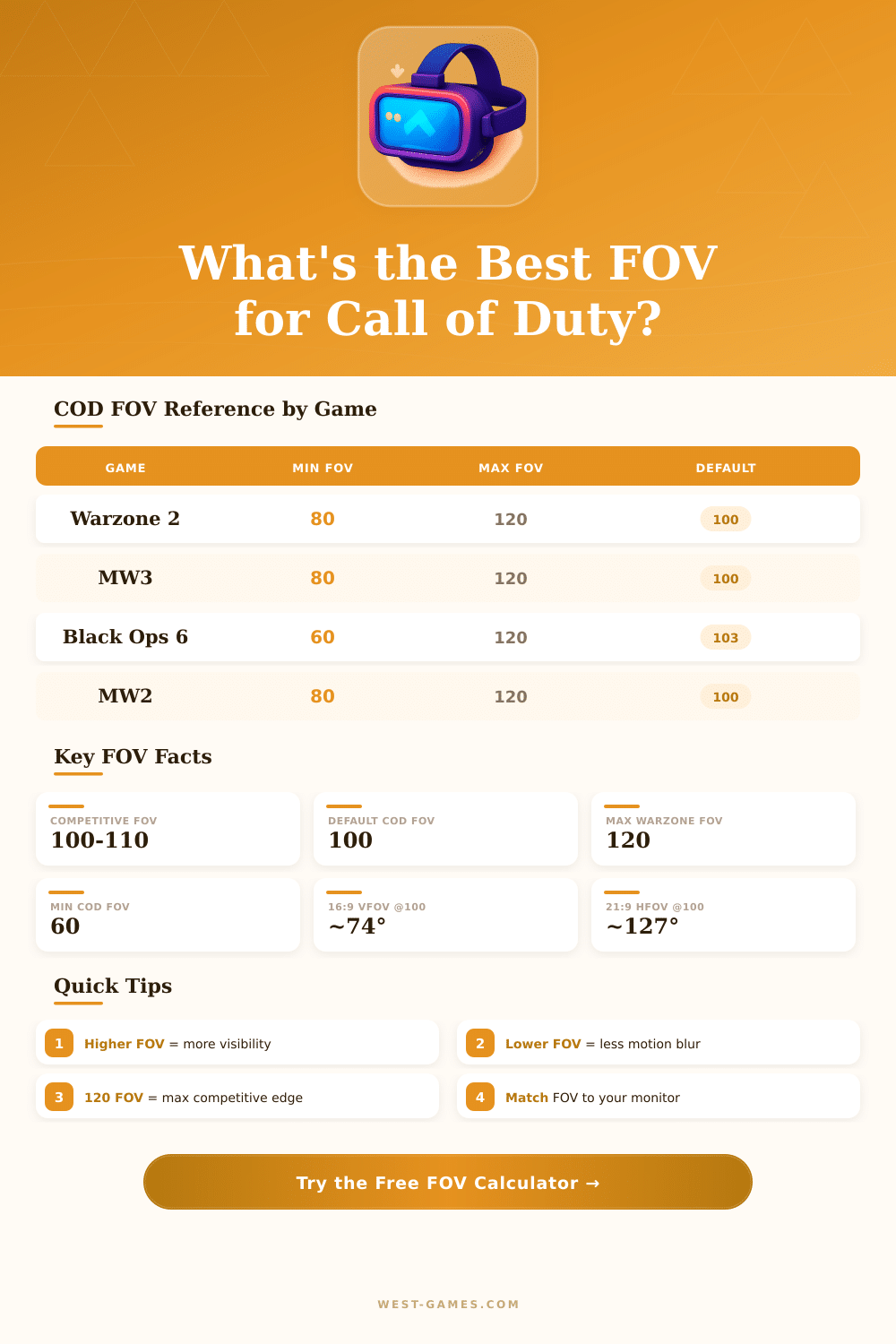
| Game | Platform | FOV Range | Default | Rec. Competitive |
|---|---|---|---|---|
| Warzone 2.0 | PC / Console | 80 – 120 | 100° | 105–110° |
| Modern Warfare III | PC / Console | 80 – 120 | 100° | 100–110° |
| Black Ops 6 | PC / Console | 60 – 120 | 103° | 103–115° |
| Modern Warfare II | PC / Console | 80 – 120 | 100° | 100–110° |
| Warzone (OG) | PC / Console | 60 – 120 | 80° | 100–105° |
| Vanguard | PC / Console | 60 – 120 | 80° | 100–110° |
| Console (any) | PS5 / Xbox | 60 – 120 | 80° | 80–100° |
| Horizontal FOV | Vertical FOV (16:9) | Vertical FOV (21:9) | Diagonal FOV (16:9) | Feel |
|---|---|---|---|---|
| 80° | 55.0° | 38.9° | 91.8° | Zoomed In |
| 90° | 62.8° | 44.8° | 103.6° | Moderate |
| 100° | 70.5° | 50.9° | 114.7° | Balanced |
| 103° | 72.9° | 52.8° | 118.0° | Balanced+ |
| 110° | 78.0° | 57.1° | 126.0° | Wide |
| 115° | 81.5° | 59.9° | 131.0° | Very Wide |
| 120° | 85.1° | 62.8° | 136.3° | Fish-eye Risk |
| Player | Team / Role | FOV | Aspect Ratio | Monitor |
|---|---|---|---|---|
| Scump | CDL Veteran | 120° | 16:9 | 240Hz 1080p |
| Shotzzy | Atlanta FaZe | 120° | 16:9 | 240Hz 1080p |
| Crimsix | CDL Veteran | 100° | 16:9 | 240Hz 1080p |
| Aydan | Warzone Pro | 120° | 16:9 | 144Hz 1080p |
| Nickmercs | Warzone Streamer | 103° | 16:9 | 240Hz 1080p |
| TimTheTatman | Warzone Streamer | 100° | 16:9 | 144Hz 1080p |
Field of sight, or FOV, if you want to sound like you really know what you talk about, is basically the angle of the camera in Call of Duty. If you turn it higher you can see a bigger part of the battleground. When it is properly set, that totally changes your play style.
The most many game versions has FOV between 80 and 90 degrees. Normal releases usually stop at 80, but less fresh games of Call of Duty sometimes started even at 65 degrees. If you jump from 65 to 90, you soon notice, as the view opens more broadly before your eyes.
How to Set FOV in Call of Duty
For Black Ops 6, the ideal values usually sit between 100 and 115. Like this you get a more complete sight of everything, what happens around you, without that everything seems slanted or pressed. If you lay it even higher, you will start to notice that fisheye effect.
That, where the edges seem stretcehd. The most many players think, that values of 95 until 110 work as good base for start.
Many players insist on 110, because it well balances broad sight with the chance to note hidden enemies, that is not directly before you. For maps with fast motion? Here 120 shines.
When you play in ranked matches, staying between 100 and 105 commonly feels more comfortable. Under 95 does knot deserve the effort. Interesting is, that professionals commonly choose around 100.
Even at maximum FOV, you benefit from side vision, yes, although targets become a bit more small on the screen.
Warzone lets you set FOV values during match or in the menu. Here the cool part: older platforms could not enable a FOV slider, at least not when Warzone first appeared. Normal games do not usually have such freedom, but cross-platform play forced developers to make special changes.
Black Ops Cold War successfully brought it for both old and current consoles, what was quite unusual then.
On PC with older titles of Call of Duty, you commonly must edit config files to change FOV. Black Ops keeps its config in your Steam folder, under the game map. You can add commands like “cg_fov 90” to map it to a key, or simply open the console and type cg_fov with your wanted number.
Some games even offer special tools to change FOV in single-player, cooperative and zombie modes, those let you set cg_fov from 0 to 360 and scale cg_fovScale between 1.0 and 2.0. The remastered campaign of Modern War has automatic mode for FOV, that adjusts both the sight in missions and the models of weapons.
The best way to find your ideal setup? Move it in five spots up or down, spend some hours playing and find, what feels natural. Remember, that your screen resolution and frame rate also matter, when you finally set it.
Only mind (in campaign missions), FOV sometimes resets to 80 after cutscenes, so you maybe must fix it. Avant-garde even had abroken FOV slider at launch, that needed repair.