⚡ Bronze PSU Lifespan Calculator
Estimate how long your 80 Plus Bronze power supply will last based on load, temperature & usage habits
| Rating | Efficiency (50% Load) | Heat Output | Avg Lifespan | Typical Warranty |
|---|---|---|---|---|
| 80 Plus White | 80% | High | 3–5 years | 2–3 years |
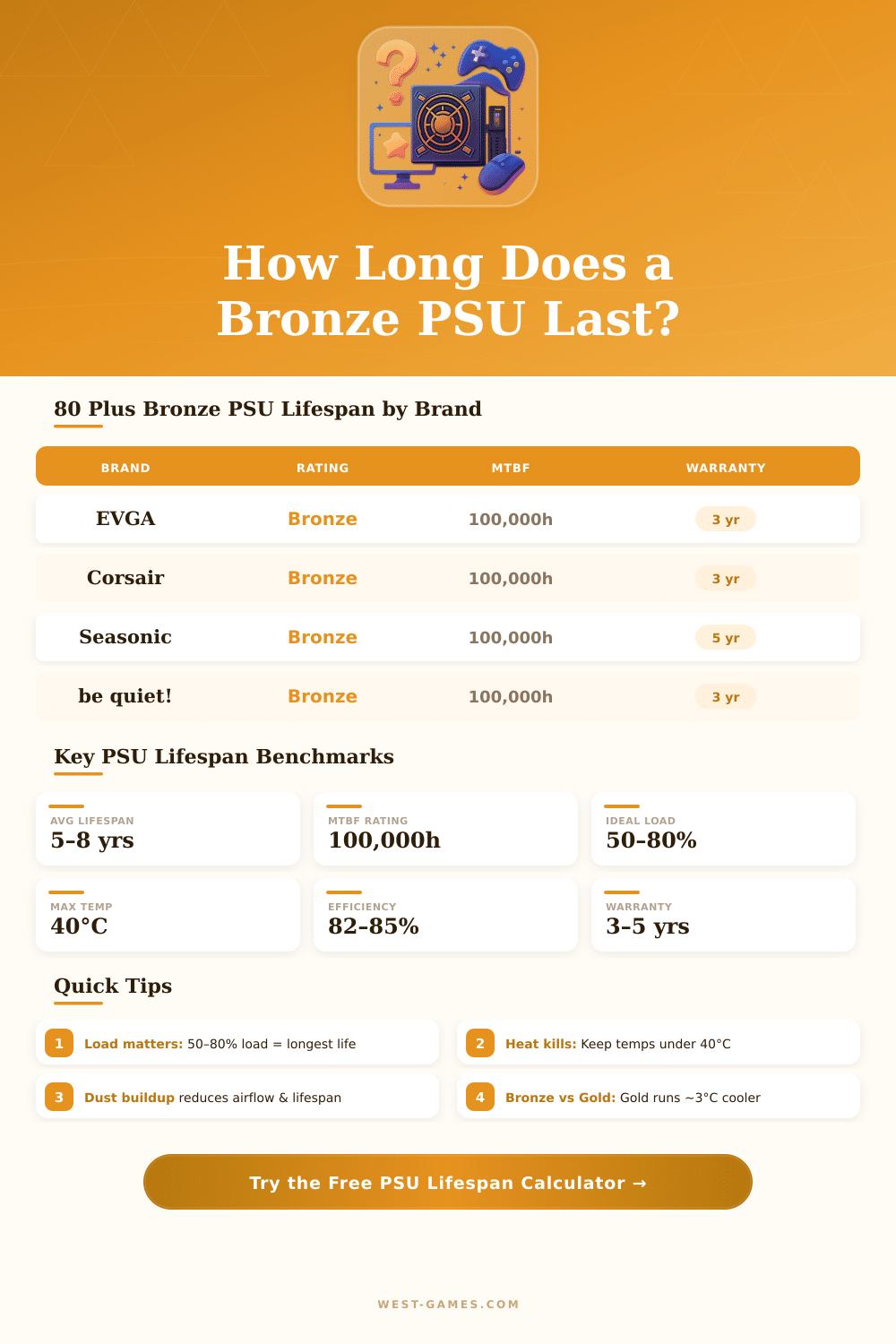
| 80 Plus Bronze | 82–85% | Moderate–High | 5–8 years | 3–5 years |
| 80 Plus Silver | 85–88% | Moderate | 6–9 years | 3–5 years |
| 80 Plus Gold | 87–90% | Low–Moderate | 7–10 years | 5–10 years |
| 80 Plus Platinum | 90–92% | Low | 8–12 years | 7–12 years |
| 80 Plus Titanium | 92–94% | Very Low | 10–15 years | 10+ years |
| Internal PSU Temp | Ambient (°C) | Ambient (°F) | Lifespan Multiplier | Notes |
|---|---|---|---|---|
| Below 35°C | <20°C | <68°F | 1.3x – 1.5x | Excellent – ideal server room |
| 35–40°C | 20–25°C | 68–77°F | 1.0x (baseline) | Normal room temperature |
| 40–45°C | 25–30°C | 77–86°F | 0.85x | Warm – ensure good airflow |
| 45–50°C | 30–35°C | 86–95°F | 0.70x | Hot – lifespan noticeably reduced |
| 50–55°C | 35–40°C | 95–104°F | 0.50x | Very hot – add cooling urgently |
| Above 55°C | >40°C | >104°F | 0.35x or less | Danger zone – capacitor damage risk |
| Load % | For 550W PSU | Efficiency Zone | Heat & Wear | Lifespan Effect |
|---|---|---|---|---|
| Under 20% | <110W | Poor efficiency | Low heat, high ripple | Slight reduction |
| 20–50% | 110–275W | Good efficiency | Low heat | Good lifespan |
| 50–80% | 275–440W | Peak efficiency | Moderate heat | Optimal lifespan |
| 80–90% | 440–495W | Good efficiency | Elevated heat | Reduced lifespan |
| 90–100% | 495–550W | Falling efficiency | High heat & stress | Significantly reduced |
Think about the Power Supply as the link between the outlet in your wall and your computer. What does it do? It takes the incoming electrical energy and changes it to the right voltage, electricity and frequency, so that your devices work well instead of burn.
Computers on the table depend on something called a Power Supply unit, or PSU, for handling the heavy work. It grabs the alternating current directly from the wall outlet and changes it to direct current, that your computer can use. Modern computers use switched kinds of power supplies, that already is the usual standard in the industry.
How to Choose a Computer Power Supply
Except simply converting energy, most PSUs also filter mess in the electricity and protect against sudden voltage spikes. Here is what helps, that everything runs smooth without weird pauses.
Power supplies come in various kinds. There are unregulated models, line operated and switched, except the wave-operated, that sits a bit between unregulated and the others. The switched supplies split even more into those based on inductors and on capacitors.
Linear Power Supply units work well when you work with low electricities and noise matters, although the heat can be a problem, if the difference between entering and exiting enregy is big.
When buying a PSU, you will find modular and half modular options in different levels of power. Starting at around 650 W with 80+ Gold rating gives a good base. Really, that maybe seems too much for your present system, but here is the spot.
It leaves space four a better graphics card later, without worrying about it. Choosing something stronger than you think you need now is really the wiser step. A unit of 850 W works well and handles quite a lot, while going up to 950 W usually costs only twenty dollars more.
Your Power Supply even so only takes what your system really needs.
But there is an effect here. A unit of 500 W usually works more effectively when it gives 400 W to the parts, than a unit of 1000 W doing the same task. So matching the power with the actual use matters more than one thinks.
Choosing gold-certified or better fully modular unit that goes past 60 to 100 percent of the maximum use of your CPU and GPU together, is a good plan. Such freedom helps a lot for swapping in new parts later.
When dealing with brands, names like Antec, Thermaltake, EVGA, Corsair, Seasonic and FSP all offer great units. Corsair usually gets the attention, but here is something many do not know, even big companies like them buy their supplies from original makers, mostly in China. So a good name with good customer help matters; many PSUs come from the same plant and simply get a new label.
Searching for onewith at least seven to ten years of guarantee is worth the effort.