🎯 Apex Legends FOV Calculator
Convert horizontal & vertical FOV, match sensitivity across zoom levels, and find your ideal field of view setup
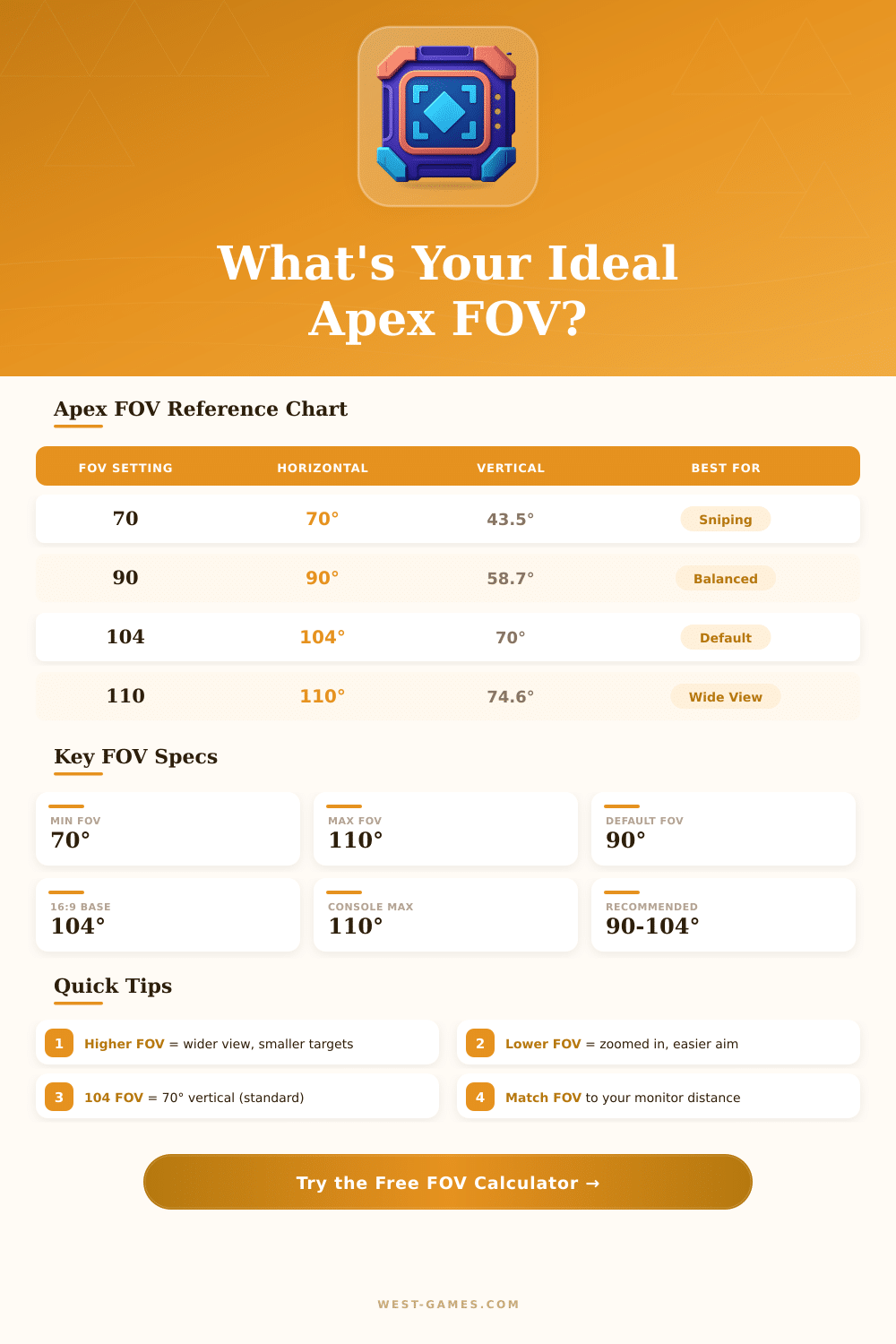
| Apex FOV Slider | Horizontal (°) | Vertical (°) | Zoom Multiplier | Best Use Case |
|---|---|---|---|---|
| 70 | 70.0° | 43.5° | 1.43x | Long-range sniping |
| 75 | 75.0° | 46.8° | 1.33x | Precision play |
| 80 | 80.0° | 50.2° | 1.24x | Focused mid-range |
| 85 | 85.0° | 53.6° | 1.17x | Mid-range focus |
| 90 | 90.0° | 58.7° | 1.10x | Balanced / console default |
| 95 | 95.0° | 61.9° | 1.04x | Slightly wider |
| 100 | 100.0° | 65.2° | 1.00x | Wide awareness |
| 104 | 104.0° | 70.0° | 0.96x | PC default (70° vertical) |
| 106 | 106.0° | 71.5° | 0.94x | Pro-player range |
| 110 | 110.0° | 74.6° | 0.90x | Maximum awareness |
| Aspect Ratio | Horizontal FOV | Vertical FOV | Notes |
|---|---|---|---|
| 4:3 (1280x960) | 90.0° | 73.7° | Taller field of view |
| 16:10 (2560x1600) | 90.0° | 61.1° | Slightly taller than 16:9 |
| 16:9 (1920x1080) | 90.0° | 58.7° | Standard PC monitor |
| 21:9 (2560x1080) | 90.0° | 45.4° | Wider horizontal view |
| 32:9 (5120x1440) | 90.0° | 33.4° | Ultra-wide super panoramic |
| Sight / Scope | Zoom Level | ADS FOV (°) | Vertical ADS FOV |
|---|---|---|---|
| Iron Sights / No Scope | 1x | 90.0° | 58.7° |
| 1x Holo / Digital Threat | 1x | 90.0° | 58.7° |
| 2x HCOG Bruiser | 2x | 45.0° | 29.4° |
| 3x HCOG Ranger | 3x | 30.0° | 19.6° |
| 2x-4x Variable AOG | 2x–4x | 45.0°–22.5° | 29.4°–14.8° |
| 6x Sniper | 6x | 15.0° | 9.8° |
| 4x–8x Variable Sniper | 4x–8x | 22.5°–11.3° | 14.8°–7.4° |
Note: This article is based on actual experience and conversations in the community of apex Legends.
Field of Sight, or simply fov, describes the visual angle that decides what one shows on the screen during game. That value controls how far one sees the area when one moves through the map. While turning between spots or in intense action, it becomes important to notice enemies before they notice you.
How to choose the best FOV in Apex Legends
By default apex Legends sets fov at 70 degrees, while on consoles it commonly stays at 72. The players can expand it to 110 degrees through the settings menu, and here Respawn set the limit. Naturally, one can change it through config files to go higher, but that risks ban, because it changes the game differently than planned.
Here is where it becomes hard: expanding fov clearly helps to have better sense of the space, but the downsides truly exist. The enemies seem smaller on the screen. At 110 degrees, spotting some at middle distance becomes truly harder.
When the game marks an opponent, one quickly searches the screen some seconds only to find him. Even so, if one uses less broad fov for close fights, enemies from the sides surprise you too often.
The most players choose something between 96 and 104, which works for various play styles and setups. Everything between 85 and 100 works well, depending on your comfort. Professional players?
They usually set it at 105 to 110. Funny thing, some of the best players stay at the default value, and it does not hurt there game slightly. The sweet spot, that many lean toward, is 104, it gives good broad sight without everything looking too stretched.
Your settings for the screen shape matter also here. On stretched 4:3 screen, turning fov higher starts to give more feeling. But here is the point: on typical 16:9 monitor, 104 degrees truly equals to around 119 really.
So dropping it to 90 brings you more close to what 106 would be.
Console settings differ from those on PC. If you sit on a sofa away from the television in the room, you probably do not need that broad fov. But users of monitors, that sit closely, yes?
They should move the slider higher. The Nintendo Switch has limited fov and a small player group, but the tuning for apex is good currently, although the movement sometimes feels a bit rough.
Well chosen settings separate the winners from the rest in apex Legends, and fov stays one of the most discussed topics after every update. The pace truly does not change through higher fov, but the visual feel does make everything seem more dynamic. Jump from the default to 110 on Xbox, and quickly the patterns move almost in a flash.
Some players even dropped it to 74 and found that their game works better. There is not one solution for all… Too many personal things decide whatmost fits for you.