🌡️ AIO Cooler Lifespan Calculator
Estimate how long your all-in-one liquid cooler will last based on usage, environment & brand quality
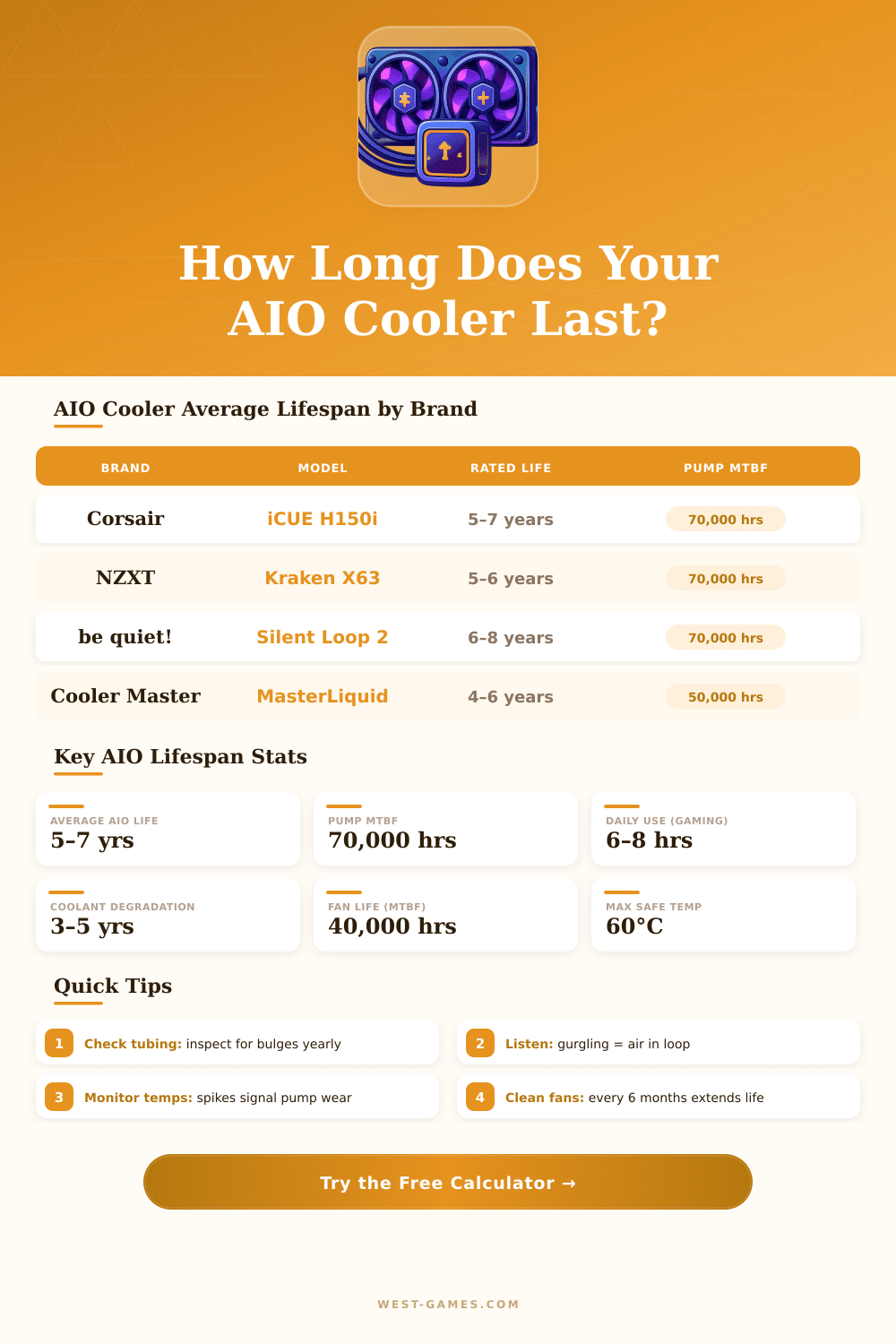
| Brand | Model | Rated Life | Pump MTBF | Warranty | Typical Real Life |
|---|---|---|---|---|---|
| Corsair | iCUE H150i Elite | 5–7 yrs | 70,000 hrs | 5 years | 6–8 years |
| be quiet! | Silent Loop 2 360 | 6–8 yrs | 70,000 hrs | 3 years | 6–9 years |
| NZXT | Kraken X73 360 | 5–7 yrs | 70,000 hrs | 6 years | 5–8 years |
| Arctic | Liquid Freezer II 360 | 5–6 yrs | 50,000 hrs | 6 years | 5–7 years |
| Deepcool | LT720 360 | 4–6 yrs | 50,000 hrs | 3 years | 4–7 years |
| EKWB | EK-AIO Elite 360 | 6–8 yrs | 70,000 hrs | 2 years | 7–10 years |
| Cooler Master | MasterLiquid ML360R | 4–6 yrs | 50,000 hrs | 5 years | 4–6 years |
| Generic / OEM | Various | 2–4 yrs | 30,000 hrs | 1 year | 2–4 years |
| Ambient Temp | CPU Load Temp | Pump Wear Rate | Coolant Degradation | Life Impact |
|---|---|---|---|---|
| <20°C (68°F) | <55°C | Minimal | Very Slow | +20% life |
| 20–25°C (68–77°F) | 55–65°C | Normal | Normal | Baseline |
| 25–30°C (77–86°F) | 65–75°C | Moderate | Accelerated | –15% life |
| 30–35°C (86–95°F) | 75–85°C | High | Fast | –30% life |
| >35°C (>95°F) | >85°C | Very High | Very Fast | –45% life |
| Symptom | Likely Cause | Urgency | Action |
|---|---|---|---|
| Gurgling / bubbling sounds | Air in the loop | Medium | Monitor closely, check mount |
| CPU temps suddenly higher | Pump degradation | High | Test pump speed, replace soon |
| Radiator leaking fluid | Tubing/fitting failure | Critical | Replace immediately |
| Fan loud but temps high | Coolant dried out | High | Replace AIO unit |
| Pump running but no cooling | Pump impeller worn | Critical | Replace immediately |
| Visible bulging tubes | Pressure build-up / age | High | Replace before failure |
AIO Cooler is an all-in-one solution. They come with all parts already assembled, so you only must install them on the computer. That differs from custom systems, where every bit needs to be assembled by hand.
AIO Cooler takes the heat from the CPU by means of water then pumps that heated water through a radiator to cool it. On the other hand, air coolers use metal tubes to move heat to a heatsink.
AIO Cooler or Air Cooler: Which Is Better?
AIO Cooler is much more handy and less costly than custom liquid cooling systems. Usually they manage to keep the CPU temperatures lower with less fan noise compared to air coolers. Although, the best air coolers now reached a higher level, and sometimes even beat them.
Two-tower air coolers are really strong today and can compete well with 240 mm AIO Cooler units.
A big plus of AIO Cooler is that the water acts as a big heat reserve, that warms very slowly. It so responds well to different loads on the CPU, for instance during playing of games. AIO Cooler units also help to create a more silent computer, that looks cleaner and takes less space in the case.
For computers with small form, choosing a 240 mm AIO Cooler instead of a short air cooler makes sense, because it will run more quietly and well.
Even so their are some downsides. AIO Cooler units can have leaks, dead pumps, blocks in water flow, noisy pumps or drying of the liquid. When the CPU can stay cold by means of an air cooler and the setup works, then an air system is the more reliable choice.
High air coolers can reach the output of AIO Cooler units without liquid risk and with less care. The pump should be placed as low as possible for the best results.
Some famous brands making AIO Cooler units are Corsair, NZXT, Arctic and Thermaltake. Thermaltake is a Thai maker of computer cases, power supplies and cooling devices. NZXT offers AIO Cooler units with adjustable LCD screens, RGB lighting and very good cooling.
The Arctic Liquid Freezer 3 costs around one hundred to one hundred twenty dollars and is a good value option. ROG AIO Cooler units stress adjustable ARGB lighting and high quality fans, designed for strong CPUs.
A common setup for AIO Cooler is a 360 mm aluminum radiator with three PWM fans for good cooling. When you mount the radiator in front of the case, it works as intake, drawing cold air through itself. Front mounting even so commonly means that the fans do not much help to cool the VRM, so you should use casefans for that.
Not every AIO Cooler fits every case, so check the fit.
For CPUs that are not high end like i9 or new i7, going to an air cooler is a good idea. AIO Cooler units deserve the cost in many cases, but their function depends on the needs for output, the size of the case, preferences for noise, looks and budget.