💾 NAS Hard Drive Lifespan Calculator
Estimate how long your NAS drive will last based on usage, workload, and environment
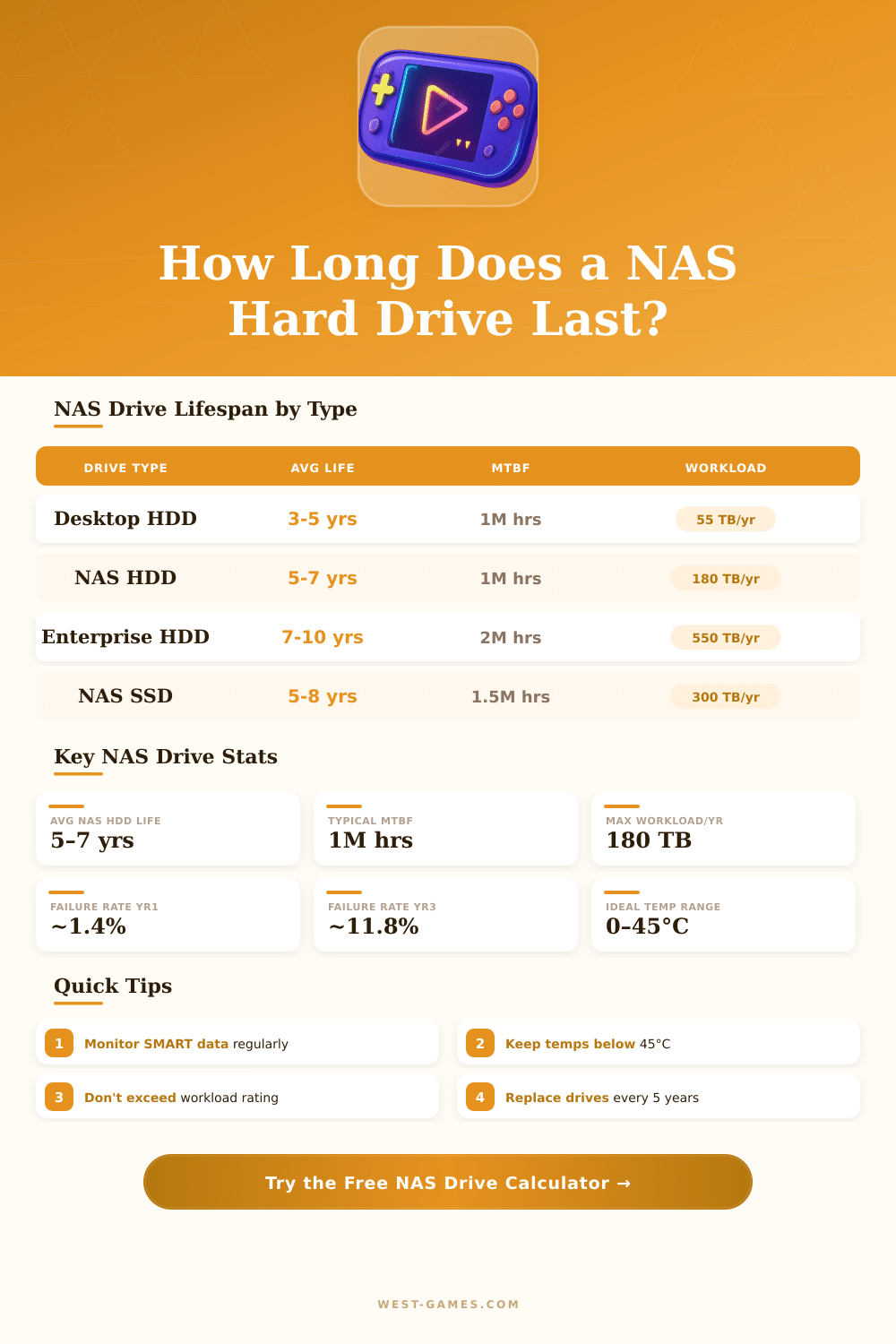
| Drive Type | Avg Lifespan | MTBF | Max Workload/yr | 24/7 Rated |
|---|---|---|---|---|
| Desktop HDD (repurposed) | 2–4 years | ~600K hrs | 55 TB/yr | No |
| NAS HDD (WD Red, IronWolf) | 5–7 years | 1M hrs | 180 TB/yr | Yes |
| Enterprise HDD (WD Gold, Exos) | 7–10 years | 2M hrs | 550 TB/yr | Yes |
| NAS SSD (IronWolf 525) | 5–8 years | 1.5M hrs | 300 TB/yr | Yes |
| Temperature Range | °C | °F | Lifespan Impact | Risk Level |
|---|---|---|---|---|
| Cool – Ideal | 20–30°C | 68–86°F | +20% longer life | 🟢 Very Low |
| Normal – Acceptable | 30–40°C | 86–104°F | Baseline | 🟡 Low |
| Warm – Elevated | 40–50°C | 104–122°F | –25% shorter life | 🟠 Moderate |
| Hot – Dangerous | 50°C+ | 122°F+ | –50% shorter life | 🔴 High |
| Drive Age | Annual Failure Rate | Cumulative Failure | Recommendation |
|---|---|---|---|
| Year 1 | ~1.4% | ~1.4% | Infant mortality window; monitor SMART |
| Year 2 | ~1.2% | ~2.6% | Stable phase; lowest risk period |
| Year 3 | ~8.9% | ~11.8% | Wear-out begins; verify SMART weekly |
| Year 4 | ~11.8% | ~22.4% | Plan replacement; maintain backup |
| Year 5+ | ~20%+ | ~40%+ | High risk; replace proactively |
| SMART Attribute | ID | Critical Threshold | What It Means |
|---|---|---|---|
| Reallocated Sectors | 0x05 | > 5 sectors | Physical bad blocks found; drive is failing |
| Uncorrectable Errors | 0xBB | Any value > 0 | Unrecoverable read error; replace immediately |
| Pending Sectors | 0xC5 | > 0 sectors | Unstable sectors waiting for reallocation |
| Spin Retry Count | 0x0A | > 1 retry | Motor or bearing wear; mechanical concern |
| Power-On Hours | 0x09 | > 43,800 hrs | Over 5 years 24/7; plan replacement |
NAS hard drive are built differently than average desktop hard drives. They work with lower energy, create less heat and vibrate less because of design. Moreover, those drives usually spin more slowly than typical desktop models.
A main feature is that NAS hard drive do not rearrange sectors inside. They skip built-in data guard and detection, because they are meant to work with RAID-control. Here is the main feature that separates them from usual hard drives.
How NAS hard drives are different from desktop drives
During the last years, makers created separate NAS hard drive designed for constant use during 24/7, strong endurance and great tuning of read/write tasks. The world of storage changed a lot now with hard drives arriving up to 24 terabytes and beyond. Progress in plate technology led to ranges with 11 plates.
NAS hard drive split into two main kinds. Traditional hard drives offer bigger capacity at lower price. SSDs give faster activity and great efficiency for cache and flexible storage.
Choice of drive matters, because it relates to reliability, speed, size and cost.
Among the most used NAS hard drive are WD Red, Seagate IronWolf and Toshiba N300. For the lowest cost, one could choose desktop-grade hard drives like WD Blue or Seagate Barracuda, even though those do not work for NAS-use ever. Business models stay the best option for those that can afford them. Otherwise, NAS-grade drives are the best mode.
Those NAS-approved drives mostly have lower RPM than desktop versions, along with features like tuning for RAID and vibration sensors for setups with several hard drives.
IronWolf drives commonly cost less, but sound more loudly. WD Red hard drives are a bit more expensive and much more silent. WD Red Plus still rank among the quietest NAS-grade hard drives on the market.
WD Red include the firmware NASware 3.0, specially made for NAS and RAID setups, that balances spin speed, data transfer speed and energy-saving caching. The series Toshiba N300 reach up to 20 terabytes of capacity and are designed for steady working during 24/7 in home and small business systems.
NAS hard drive shut down more soon when they are not in use, to save energy. That can cause waiting until the disk spins upward again. When one uses them as a regular desktop drive, a NAS hard drive could act more slowly, because common settings and shutdown do not match with there design.
Even so, they work well as big storage media.
NAS can work also as a game library. It works well for daily gaming or small LAN-parties, if the streaming speed is enough. Steam games can be stored and played from NAS using the protocol iSCSI.
The speed depends on the Ethernet pace, network setup and kind of drives inside the NAS. To install, one uses shared NAS storage as network link and adds it as new Steam-library. Even onealone hard drive can create its own NAS based on needs.